SKU: IOWC-1038
📋 GST Invoice Available

LilyGO T-DISPLAY ESP32 Development Board w/ 1.14-Inch IPS Display

₹1,279.00 (Inclusive of all taxes)
Out of Stock

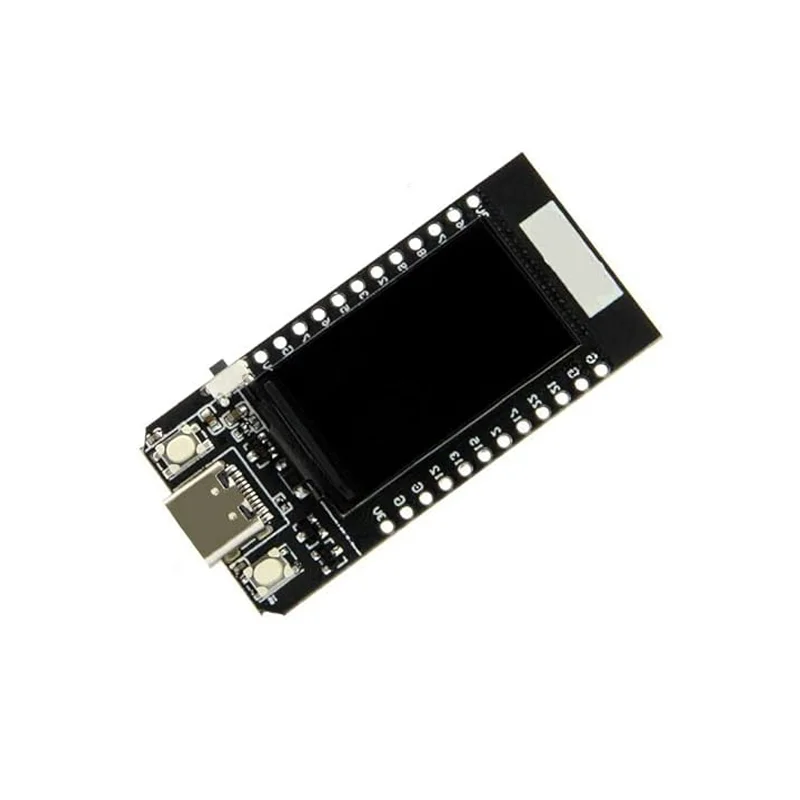
The LilyGO T-DISPLAY ESP32 Development Board integrates a dual-core ESP32 microcontroller with Wi-Fi/Bluetooth and a 1.14-inch IPS TFT display, designed for Arduino IDE and ESP-IDF development of portable IoT interfaces and smart wearable devices.

Features

  • ESP32 Dual-Core 240 MHz SoC with integrated Wi-Fi 802.11 b/g/n and Bluetooth 4.2 BR/EDR & BLE for robust wireless IoT connectivity.
  • 1.14-inch IPS TFT Display (135×240 pixels, ST7789V driver) for real-time data visualization, UI menus, and interactive prototyping.
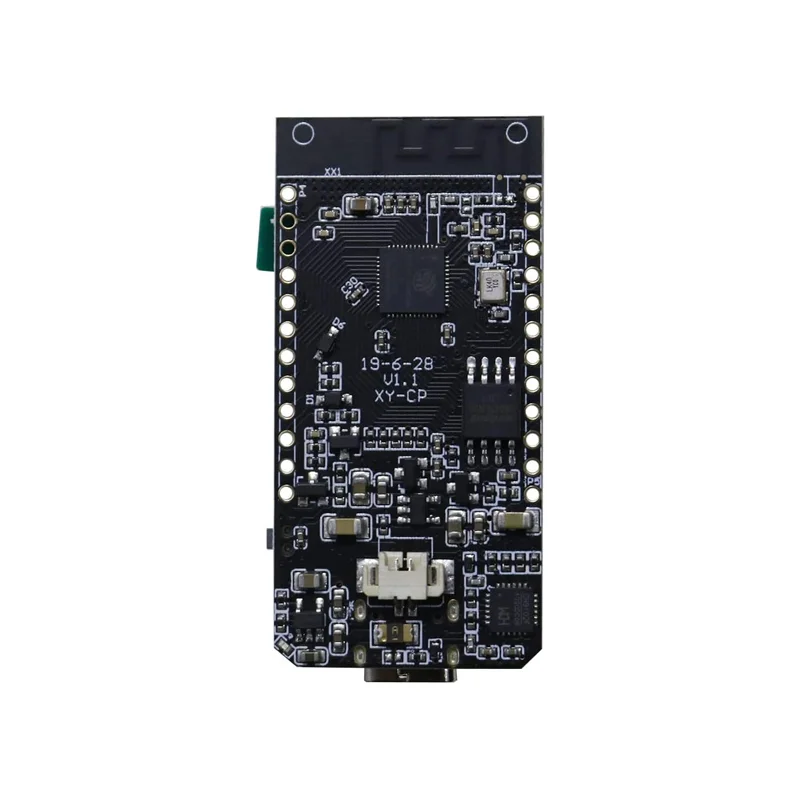
  • Onboard Li-Po Battery Charging Circuit with JST connector enables portable, battery-powered applications and mobile projects.
  • Modern USB-C Port provides stable power delivery and convenient programming/debugging without external adapters.
  • Rich Peripheral Set includes UART, SPI, I2C, ADC, PWM, I2S, and touch-capable GPIOs for sensor integration and expansion.

Out of stock

Description

The LilyGO T-DISPLAY ESP32 Development Board is a compact, all-in-one platform merging wireless connectivity with a vivid visual interface. Its ESP32 dual-core LX6 processor operates at 240 MHz, delivering ample processing headroom for running wireless stacks, sensor data algorithms, and graphics rendering concurrently. The integrated 2.4 GHz Wi-Fi and dual-mode Bluetooth enable direct connection to local networks, cloud services, and peripheral devices, while the 4 MB QSPI flash stores application code and data.

Power management is central to its design, featuring a dedicated charging IC for single-cell Li-Po batteries via the onboard JST port, making it ideal for untethered deployments. The board’s 1.14-inch IPS TFT display, driven by an ST7789V controller, offers high brightness and wide viewing angles for clear readability in various lighting conditions. Its small form factor and comprehensive I/O breakout support rapid prototyping of interactive dashboards, portable sensor nodes, and wearable tech.

Key Features

  • Integrated ESP32 SoC provides dual-core processing with Wi-Fi and Bluetooth for wireless IoT applications.
  • High-resolution 1.14-inch IPS TFT display enables real-time graphical user interfaces and data visualization.
  • Onboard battery management circuit supports direct Li-Po cell connection and charging via USB-C.
  • USB-C interface ensures reliable programming and power supply with modern cable compatibility.
  • Extensive GPIOs support multiple communication protocols (SPI, I2C, UART) and analog/digital interfaces.
  • Compact and lightweight PCB design is optimized for portable and space-constrained embedded projects.
  • Fully compatible with Arduino IDE, ESP-IDF, and MicroPython for flexible firmware development.

Applications

  • Portable IoT sensor nodes with local display for environmental data monitoring.
  • Smart wearable devices and fitness trackers with interactive user interfaces.
  • Prototyping handheld controllers and dashboards for home automation systems.
  • Embedded GUI projects for displaying sensor readings, network status, or system diagnostics.
  • Educational tools for learning wireless IoT development with integrated display output.

Technical Specifications

Microcontroller/SoCEspressif ESP32 Dual-Core LX6 @ 240 MHz
Wireless ProtocolsWi-Fi 802.11 b/g/n, Bluetooth 4.2 BR/EDR & BLE
Display1.14-inch IPS TFT, 135x240 pixels, ST7789V driver
Memory520 KB SRAM, 4 MB QSPI Flash
Supply Voltage5V via USB-C, 3.3V-4.2V via Li-Po
InterfacesUSB-C, UART, SPI, I2C, ADC, PWM, I2S, Touch GPIO
Battery ChargingOnboard Li-Po charger with JST connector
Dimensions53mm (L) x 25mm (W)

Frequently Asked Questions

How do I program the LilyGO T-DISPLAY ESP32 board using the Arduino IDE?

Install the ESP32 board package via Arduino's Board Manager. Select 'LilyGO T-Display' from the board list. Connect via USB-C, choose the correct COM port, and upload your sketch. The display library (TFT_eSPI) requires additional configuration in the User_Setup.h file to match the ST7789V driver and pinout.

What is the procedure for connecting and charging a Li-Po battery with this board?

Connect a 3.7V single-cell Li-Po battery to the onboard JST connector. The integrated charging circuit will manage charging when USB-C power is supplied. The red LED indicates charging, which turns off when full. Ensure your code implements proper deep sleep modes to maximize battery life in portable applications.

Which library should I use to drive the 1.14-inch IPS display, and how do I initialize it?

Use the TFT_eSPI library. You must edit the library's User_Setup.h file to enable the ST7789V driver and define the correct pins (TFT_CS, TFT_DC, TFT_RST). Example initialization in setup() includes calling tft.init(), tft.setRotation(), and tft.fillScreen(). The SPI interface is shared with the ESP32's default VSPI pins.

Package Includes

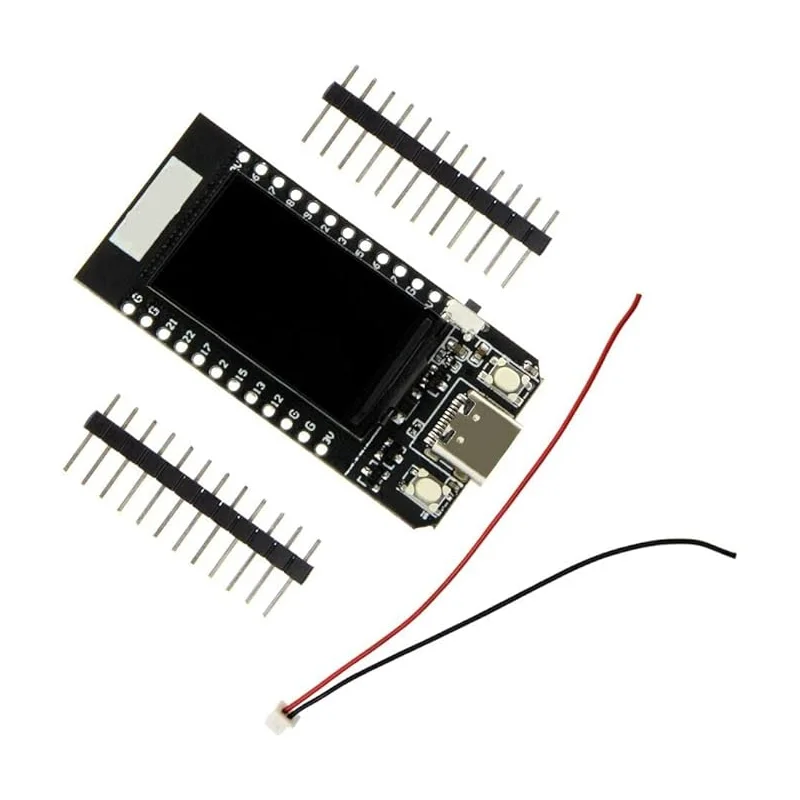
  • 1 x LilyGO T-DISPLAY ESP32 Development Board
  • 2 x 12-Pin Connector
  • 1 x 2-Pin Connector Cable

Additional Information

Weight 0.007 kg
Dimensions 5.3 × 2.5 cm