SKU: SENS-2972
📋 GST Invoice Available

DFRobot Gravity 1602 LCD Keypad Shield for Arduino - 5V, 16x2 LCD, 6-Button Interface

₹1,149.00 (Inclusive of all taxes)
Out of Stock

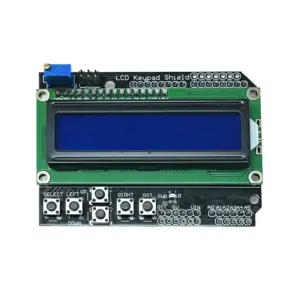
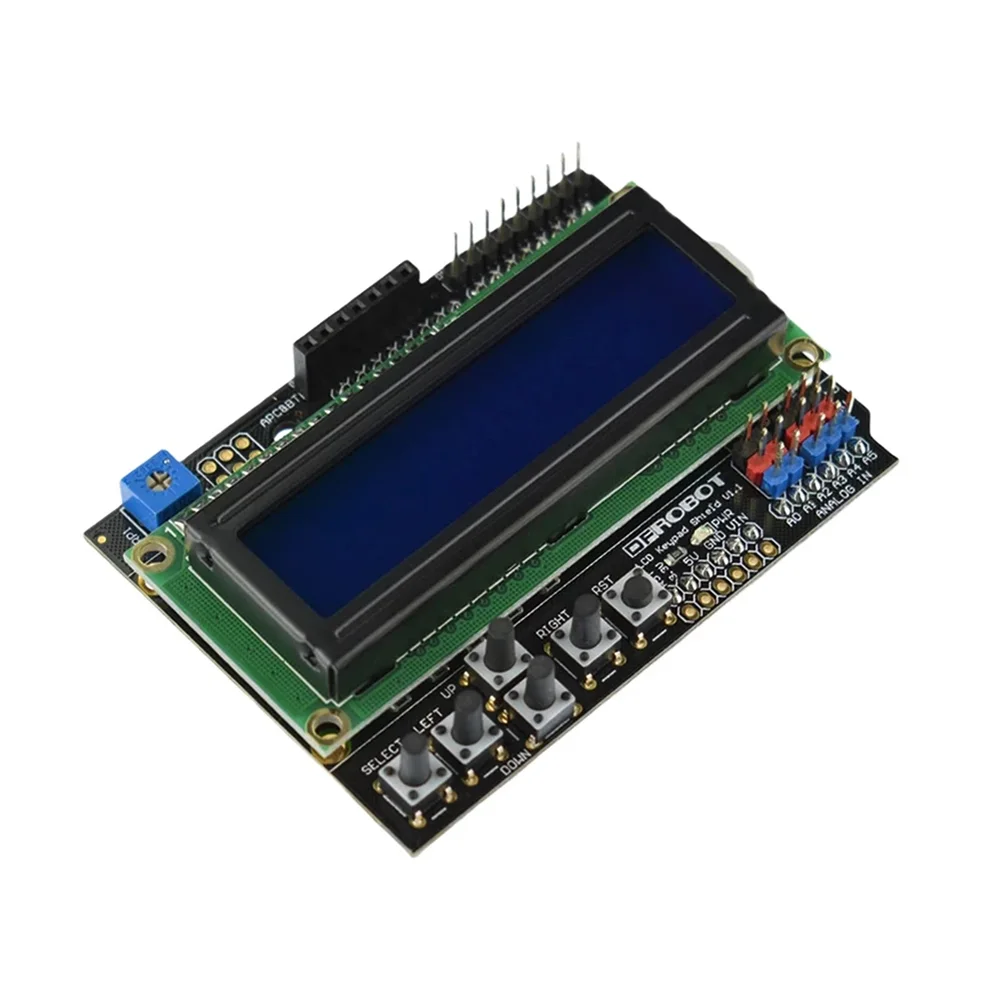
The DFRobot Gravity 1602 LCD Keypad Shield is a plug-and-play interface module designed for Arduino boards, providing a 16×2 character LCD and a 6-button keypad for standalone project control and data display without a PC.

Features

  • 16×2 character LCD with adjustable contrast and backlight control.
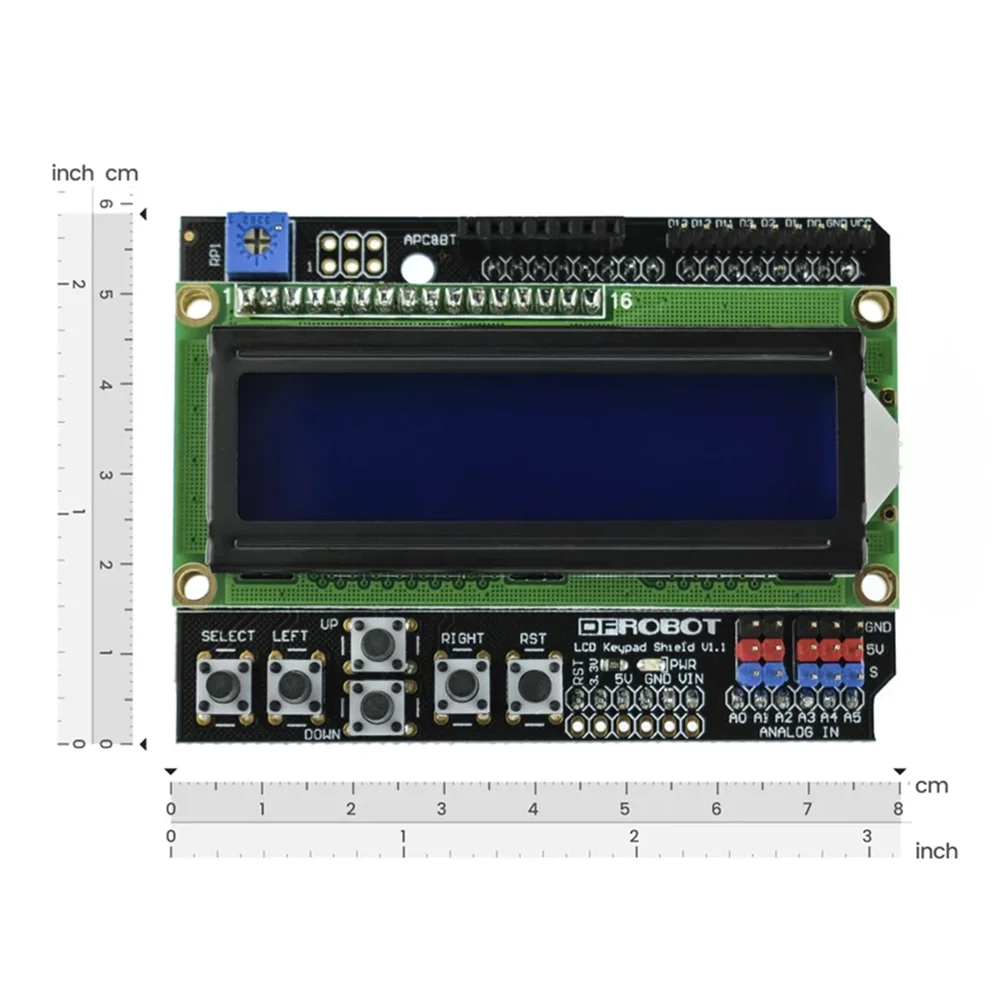
  • Integrated 6-button keypad (Select, Up, Right, Down, Left, Reset) for menu navigation.
  • Uses only Arduino pins D4-D10 and A0, leaving most I/O pins free for sensor connections.
  • Features DFRobot Gravity 3-pin analog ports for plug-and-play sensor expansion.
  • Includes header sockets for direct connection of APC220 or Bluetooth V3 wireless modules.

Out of stock

Description

The DFRobot Gravity 1602 LCD Keypad Shield integrates a standard HD44780-compatible LCD and a Matrix of momentary push buttons into a single Arduino-compatible shield. It operates on a 5V supply and communicates with the host microcontroller via a 4-bit parallel interface, utilizing digital pins D4 through D9. A single analog pin (A0) is used to read the five directional and select buttons via a resistor ladder network.

This shield is engineered for field deployment and debugging of embedded systems, enabling real-time status monitoring and user interaction without serial terminal dependency. The design strategically exposes all unused Arduino I/O pins, including five analog inputs with color-coded Gravity connectors, facilitating rapid prototyping with DFRobot’s sensor ecosystem. An onboard potentiometer allows for LCD contrast adjustment.

Key Features

  • Direct plug-in compatibility with standard Arduino Uno, Leonardo, Mega, and similar boards.
  • Optimized pin usage preserves maximum I/O for project expansion and sensor integration.
  • High-contrast 16x2 LCD with software-controlled backlight (via pin D10) for varied lighting conditions.
  • Dedicated header sockets for APC220 RF and Bluetooth V3 modules enable wireless data transmission.
  • Includes a hardware reset button for convenient microcontroller reboot during development.
  • DFRobot Gravity 3-pin interface simplifies connection of analog sensors without soldering.
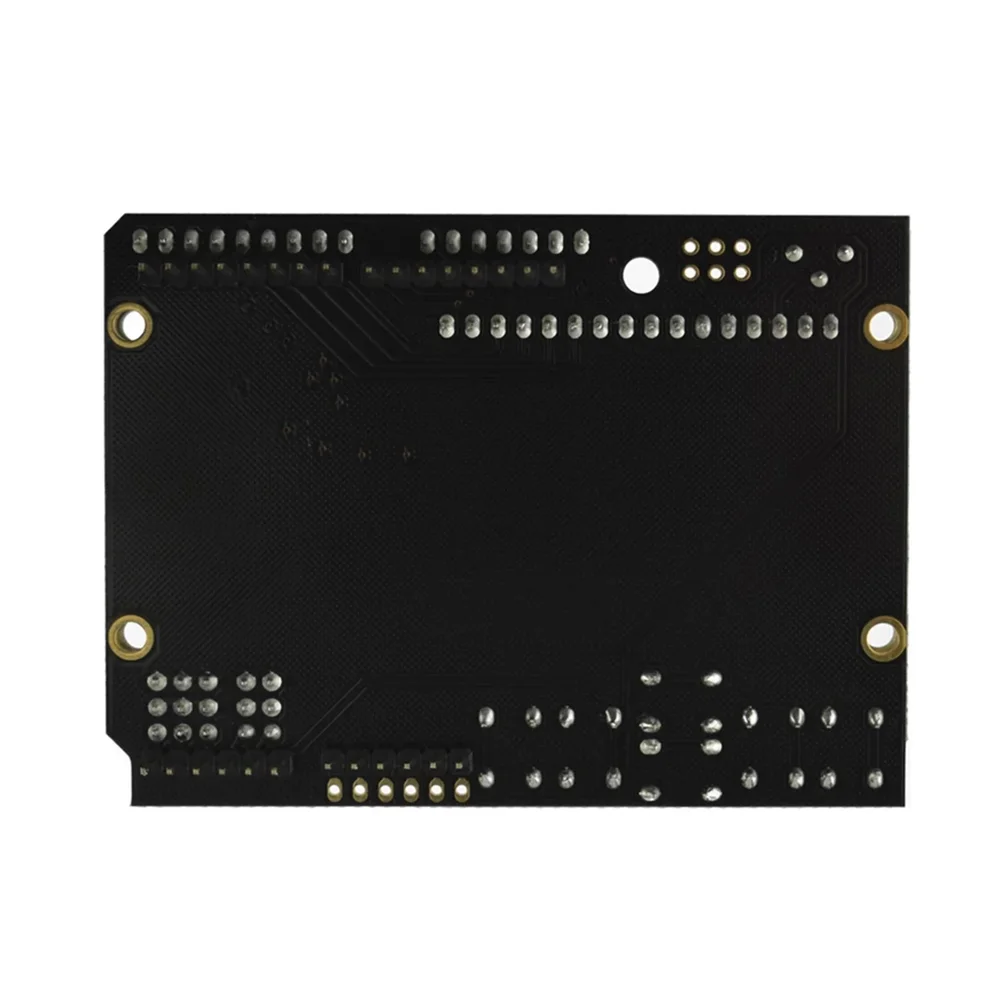
  • Robust PCB construction with clear silkscreen labeling for easy circuit tracing and integration.

Applications

  • Standalone data loggers and environmental monitoring stations with user interface.
  • Robotics control panels for manual override, menu-driven configuration, and status display.
  • Industrial prototyping and debugging interfaces for PLC-like systems built on Arduino.
  • Educational kits for teaching embedded systems, HMI design, and sensor integration.
  • Wireless sensor network gateways with local display for configuration and data visualization.

Technical Specifications

Operating Voltage5V DC
Display Type16x2 Character LCD (HD44780 compatible)
Keypad6x Momentary Push Buttons (5x directional/select, 1x reset)
Interface4-bit Parallel (Pins D4-D7, D8, D9)
Button Read PinAnalog Pin A0
Backlight ControlDigital Pin D10
Expansion Ports5x Gravity 3-pin Analog Inputs
Wireless Module HeadersAPC220, Bluetooth V3 compatible
Board Dimensions (LxW)80mm x 58mm

Frequently Asked Questions

Which Arduino pins does this shield use, and are any left free for my sensors?

The shield uses digital pins D4 through D10 for the LCD and backlight control, and analog pin A0 to read the keypad. This leaves the majority of the Arduino's I/O pins free, including digital pins D0-D3, D11-D13, and analog pins A1-A5. These remaining pins are fully accessible on the shield's headers for your project connections.

How do I read the buttons on the keypad?

The five directional buttons (Up, Down, Left, Right, Select) are connected in a resistor ladder network to a single analog input (A0). Each button produces a distinct voltage level. Your code reads the analog value on A0 and compares it to predefined thresholds to determine which button is pressed. Example code is provided in the DFRobot product wiki.

Is this shield compatible with 3.3V logic boards like the ESP32 or Arduino Due?

The LCD itself requires a 5V supply and logic levels. While the shield can be powered from a 3.3V board's 5V pin (if available), the logic signals from a 3.3V microcontroller may be insufficient to reliably drive the LCD. For reliable operation with 3.3V boards, a logic level converter for the control pins (D4-D10) is recommended. The keypad reading on A0 is generally safe for 3.3V systems.

Can I connect wireless modules directly to this shield?

Yes, the shield includes dedicated pin headers that are directly compatible with DFRobot's APC220 radio module and Bluetooth V3 module. These headers provide the necessary VCC, GND, TX, and RX connections, allowing you to plug in these modules directly for wireless serial communication without additional wiring.

Package Includes

  • 1 x DFRobot Gravity 1602 LCD Keypad Shield

Additional Information

Weight 0.075 kg
Dimensions 8 × 5.8 cm