SKU: SBCD-0161
📋 GST Invoice Available

Arduino 1602 LCD Keypad Shield - Blue Backlight

₹176.00 (Inclusive of all taxes)
Out of Stock

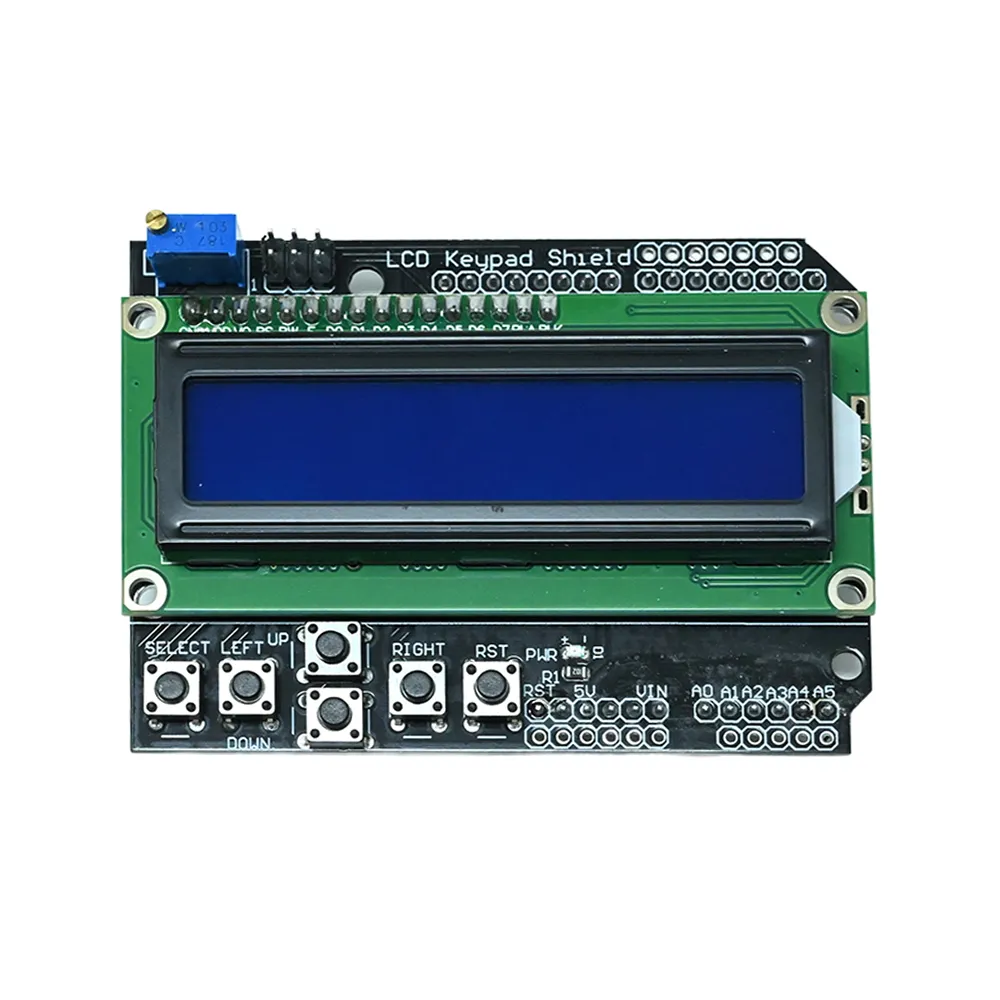
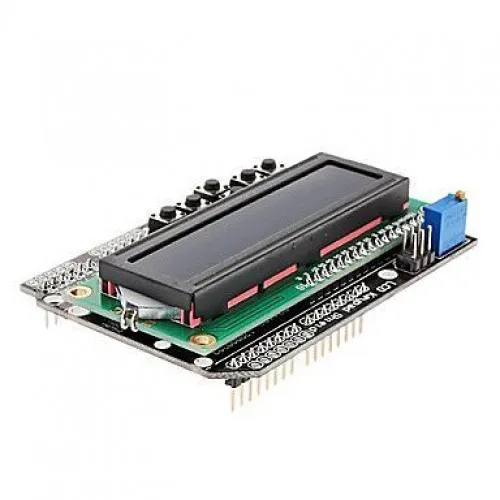
The 1602 LCD Keypad Shield provides a user-friendly human-machine interface for Arduino-compatible boards, featuring a 16×2 white character blue backlight LCD and a 6-key navigation keypad. It efficiently saves digital I/O pins by using a single ADC channel for keypad input, making it ideal for menu-driven embedded projects.

Features

  • Integrates a 16×2 white character blue backlight LCD for clear data display.
  • Features a 6-key navigation keypad (Select, Up, Right, Down, Left, Reset) for interactive control.
  • Optimizes I/O usage by reading keypad input through a single analog channel via a 5-stage voltage divider.
  • Designed for seamless compatibility with Arduino-compatible development boards.
  • Provides a robust, user-friendly interface for menu navigation and system control.

Out of stock

Description

The 1602 LCD Keypad Shield, often referred to as a navigation shield, simplifies the creation of interactive user interfaces for Arduino projects. It combines a 2×16 character LCD with a versatile 6-button keypad, enabling developers to implement menu navigation, data display, and system control functionalities with ease.

This shield connects to your Arduino board, using digital pins 4, 5, 6, 7, 8, 9, and 10 for the LCD interface. A key feature is its intelligent keypad design, which conserves valuable digital I/O pins by routing all 6 buttons through a single analog input channel. This is achieved via a 5-stage voltage divider, allowing the Arduino’s Analog-to-Digital Converter (ADC) to differentiate between button presses based on distinct voltage levels. Users should adjust the on-board potentiometer to fine-tune LCD contrast for optimal visibility.

Key Features

  • Integrated 16x2 character LCD with white characters and a blue backlight.
  • Multi-functional 6-button keypad including Select, Up, Right, Down, Left, and Reset keys.
  • Single analog input channel used for keypad, conserving digital I/O pins.
  • Key value read out via a 5-stage voltage divider circuit.
  • On-board potentiometer for precise LCD contrast adjustment.
  • Dedicated reset button for convenient board resets.
  • Directly compatible with Arduino UNO, Mega, and other standard Arduino-pinout boards.

Applications

  • User interface for embedded control systems
  • Menu-driven device configuration and data display
  • Prototyping human-machine interfaces (HMI)
  • Industrial automation and monitoring panels
  • Educational projects demonstrating LCD and keypad integration

Technical Specifications

Operating Voltage5V DC
Reset ButtonYes (Separate)
Characters per Line16
Number of Lines2
Character ColorWhite
Display BacklightBlue

Frequently Asked Questions

How do I adjust the LCD contrast on this shield?

The LCD contrast on the 1602 Keypad Shield is adjusted via the blue on-board potentiometer. Rotate it gently using a small screwdriver until the characters are clearly visible against the blue backlight, optimizing readability for your specific viewing angle and ambient light conditions.

Which Arduino pins does the 1602 LCD Keypad Shield utilize?

This shield utilizes Arduino digital pins 4, 5, 6, 7, 8, 9, and 10 for the 1602 LCD interface, providing direct control over the display. The integrated 6-key keypad conserves digital I/O by employing a single analog input pin, typically A0, to read button presses through a voltage divider network.

How does the 6-key keypad work with a single ADC channel?

The 6-key keypad functions by using a voltage divider circuit connected to a single analog input. Each button press generates a unique voltage level, which the Arduino's ADC converts into a corresponding digital value. Your code then reads this value to determine which specific button has been pressed, efficiently saving I/O pins.

Is this shield compatible with Arduino Mega boards?

Yes, the 1602 LCD Keypad Shield is generally compatible with Arduino Mega boards. It follows the standard Arduino shield form factor, allowing it to mount directly. Ensure your code correctly addresses the Mega's pin assignments, particularly for the LCD and the analog keypad input, which typically uses A0.

What libraries are commonly used to program this LCD shield?

For controlling the 1602 LCD Keypad Shield, the standard Arduino "LiquidCrystal" library is commonly used. This library provides essential functions for initializing the LCD, printing text, setting cursor positions, and managing the display. For the keypad, you'll read the analog input and map voltage values to button presses.

Package Includes

  • 1 x 1602 LCD Keypad Shield (Blue Backlight)

Additional Information

Weight 0.05 kg
Dimensions 6 × 5 × 4 cm