SKU: IOWC-0418
📋 GST Invoice Available

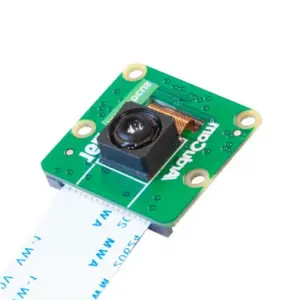
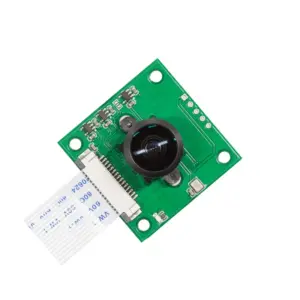
Arducam 5MP OV5647 Camera Board with LS-40180 Fisheye Lens

₹2,699.00 (Inclusive of all taxes)
Out of Stock

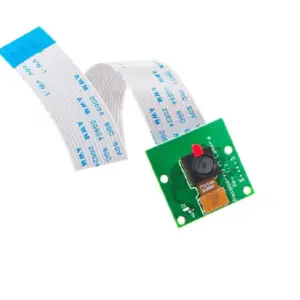
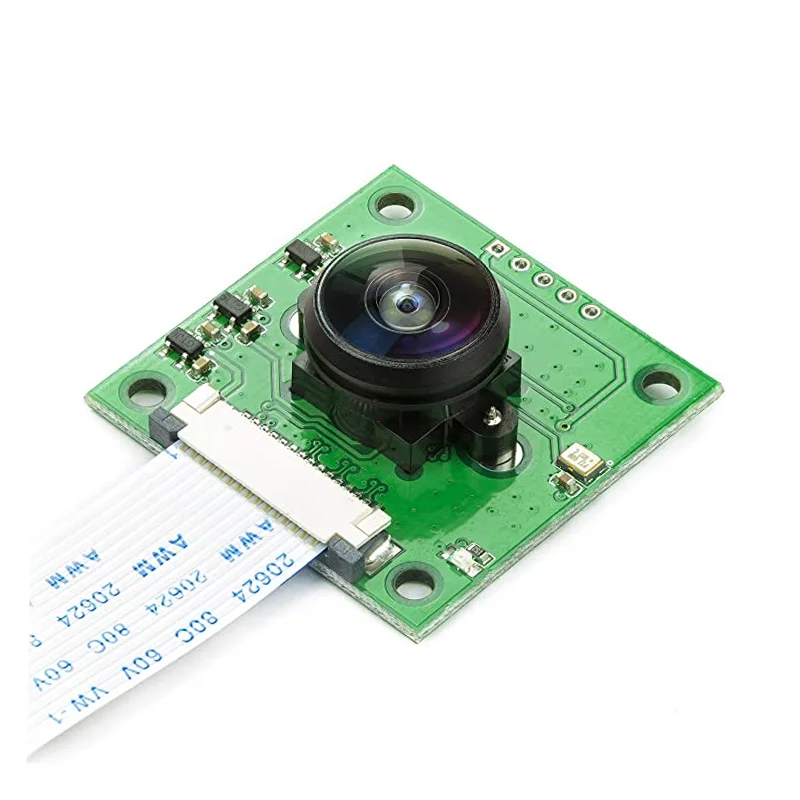
The Arducam OV5647 Camera Board is a 5MP sensor module with a 4mm fisheye lens, designed for direct connection to the Raspberry Pi’s CSI port for high-bandwidth image capture and computer vision applications.

Features

  • 5MP OV5647 sensor delivers 2592 x 1944 resolution images at up to 30fps for real-time vision processing.
  • Includes LS-40180 fisheye lens with 4mm focal length and 56° FOV for wide-angle capture on Raspberry Pi.
  • M12x0.5 threaded lens mount allows for easy swapping with other M12 lenses for different applications.
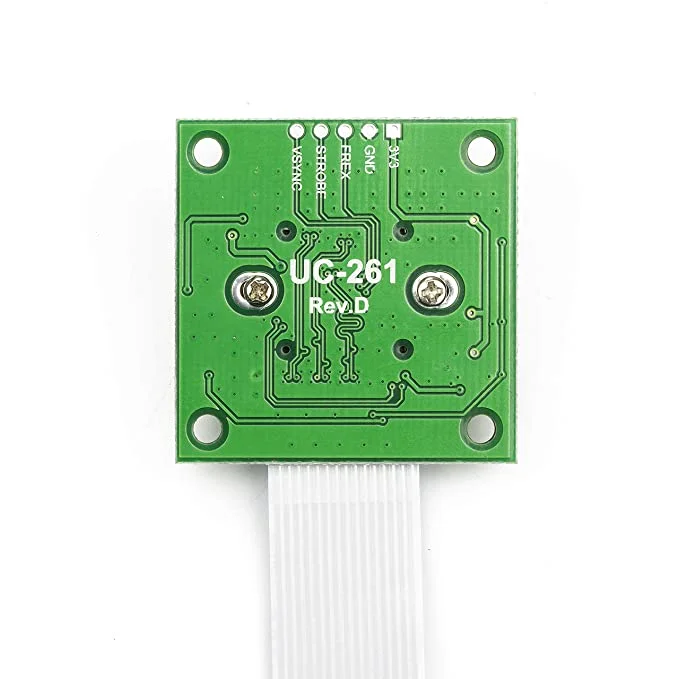
  • Connects via flat ribbon cable to the Raspberry Pi’s dedicated 15-pin CSI interface for maximum data throughput.
  • Integral IR filter ensures accurate color reproduction, ideal for daylight and indoor imaging projects.

Out of stock

Description

The Arducam OV5647 Camera Board is a purpose-built imaging module that leverages the dedicated Camera Serial Interface (CSI) on the Raspberry Pi. This high-bandwidth connection is engineered to carry pixel data directly to the BCM2835 processor, enabling efficient capture for computer vision, surveillance, and machine learning applications without taxing the main system bus.

Equipped with a replaceable LS-40180 fisheye lens mounted on an M12x0.5 thread, this module provides a fixed-focus, wide-angle perspective. The 5-megapixel OmniVision OV5647 sensor, paired with an integrated IR filter, supports a maximum frame rate of 30fps, making it suitable for motion detection, time-lapse photography, and real-time video streaming when used with the official Raspbian OS and compatible software libraries.

Key Features

  • 5MP OmniVision OV5647 image sensor with 1/4-inch optical format.
  • Includes LS-40180 fisheye lens with 4mm focal length and 56-degree field of view.
  • Standard M12x0.5 threaded lens mount for compatibility with a wide range of interchangeable lenses.
  • Integrated IR filter for improved color accuracy and reduced infrared distortion.
  • High-speed CSI interface via 15-pin ribbon cable for direct connection to Raspberry Pi.
  • Supports video capture at up to 30 frames per second for smooth motion imaging.
  • Officially supported in the latest versions of the Raspbian operating system.
  • Compact and lightweight design for integration into portable or space-constrained projects.

Applications

  • Raspberry Pi-based computer vision and machine learning projects.
  • Wide-angle surveillance and security monitoring systems.
  • DIY time-lapse photography and nature observation cameras.
  • Educational tools for robotics and image processing courses.
  • Prototyping for portable imaging devices, drones, or smart toys.

Technical Specifications

Sensor ModelOmniVision OV5647
Resolution5 MP (2592 x 1944 pixels)
Lens IncludedLS-40180 Fisheye
Lens MountM12x0.5 Thread
Focal Length4 mm
Field of View (FOV)56°
Max Frame Rate30 fps
Interface15-pin MIPI CSI via Ribbon Cable
CompatibilityRaspberry Pi (CSI port)
Dimensions (LxW)36 mm x 36 mm
Weight30 g

Frequently Asked Questions

How do I connect this Arducam module to my Raspberry Pi?

Connect the camera using the supplied flat ribbon cable to the 15-pin MIPI Camera Serial Interface (CSI) port on your Raspberry Pi board. Ensure the connector is seated correctly with the blue tab facing away from the Ethernet/USB ports. You must then enable the camera interface via the Raspberry Pi configuration tool (`sudo raspi-config`) or by editing the config.txt file before rebooting.

Can I use a different lens with this camera board?

Yes, the board features a standard M12x0.5 threaded lens mount. You can unscrew the included LS-40180 fisheye lens and replace it with any other M12-mount lens, such as telephoto, macro, or standard focal length lenses, to suit different field-of-view and focus requirements for your project.

What software and commands are needed to capture images with this module?

Use the standard Raspberry Pi camera utilities like `raspistill` and `raspivid` from the terminal, or the Python `picamera` library. First, ensure your Raspbian OS is updated and the camera interface is enabled. A basic command to capture a still image is `raspistill -o test.webp`. For programming, import picamera and use its methods to control capture settings and video recording.

Package Includes

  • 1 x Arducam 5MP OV5647 Camera Board with pre-attached LS-40180 Fisheye Lens

Additional Information

Weight 0.03 kg
Dimensions 3.6 × 3.6 cm