SKU: IOWC-1039
📋 GST Invoice Available

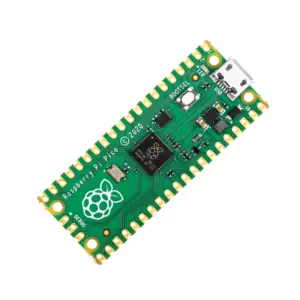
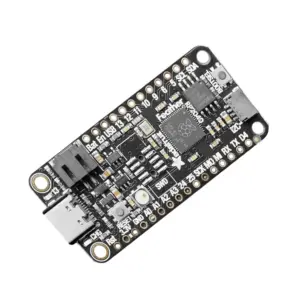
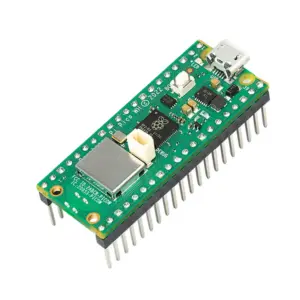
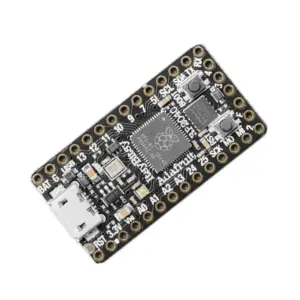
ProMicro RP2040 Blackboard Proxy Development Board

₹309.00 (Inclusive of all taxes)
Out of Stock

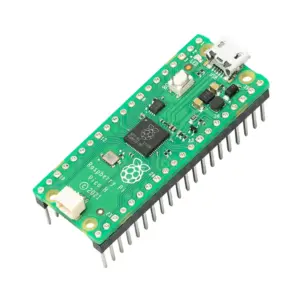
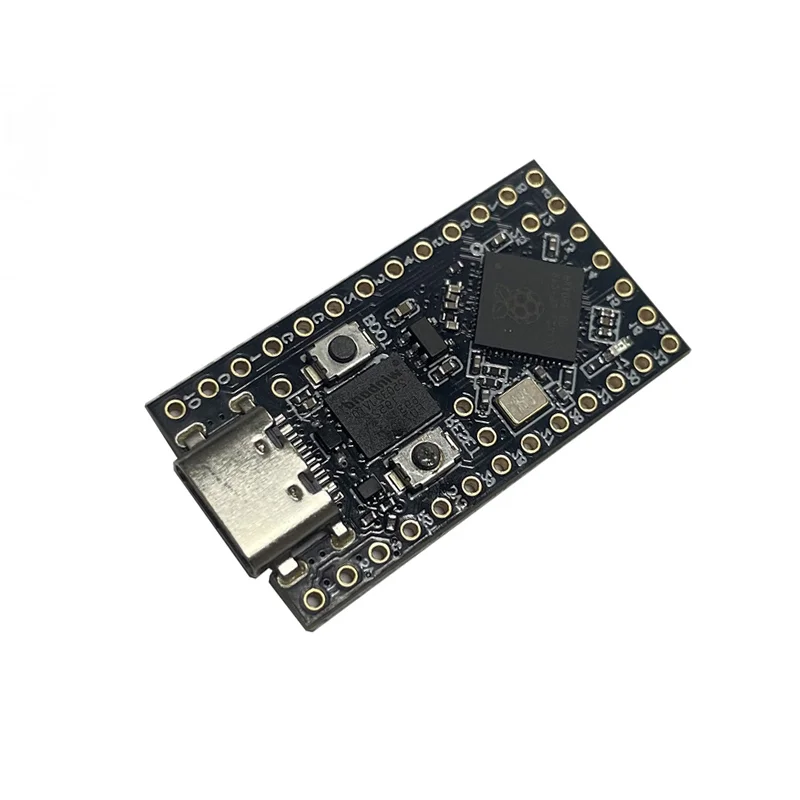
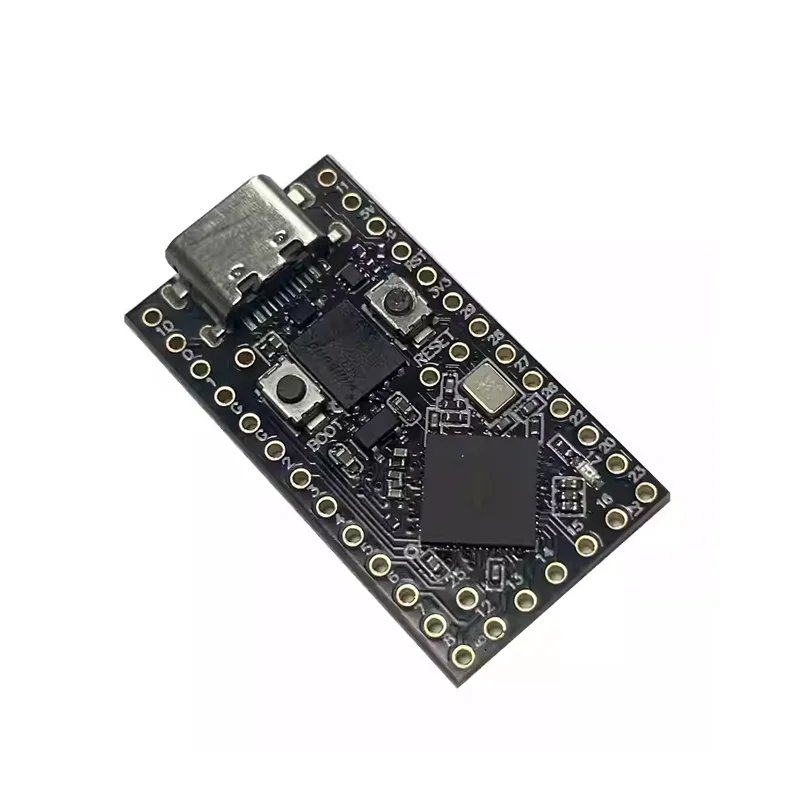
The ProMicro RP2040 Blackboard Proxy is a compact development board based on the Raspberry Pi RP2040 microcontroller, featuring 28 GPIO pins, 4 analog inputs, and a USB Type-C interface for power and programming, compatible with MicroPython and the Pico SDK.

Features

  • Powered by the dual-core Raspberry Pi RP2040 microcontroller for high-performance embedded applications.
  • Compact form factor (40mm x 17mm) with 28 versatile GPIO pins, including 4 analog-capable inputs.
  • Available in 4MB or 16MB Flash variants for flexible project storage and firmware complexity.
  • Onboard BOOT and Reset buttons simplify development and debugging workflows.
  • USB Type-C interface provides robust power delivery and direct programming without external debuggers.

Out of stock

Description

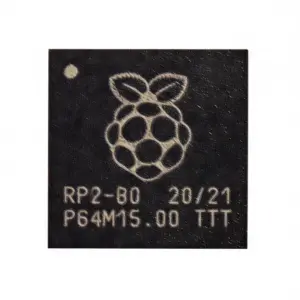
The ProMicro RP2040 Blackboard Proxy is a minimalist yet powerful development platform centered on the Raspberry Pi RP2040 SoC. Its dual-core Arm Cortex-M0+ processors running at up to 133 MHz provide ample computational power for IoT edge processing, sensor data aggregation, and control logic. The board’s 3.3V logic level and support for I2C, UART, and SPI protocols make it directly compatible with a vast ecosystem of sensors, displays, and wireless modules.

Designed for seamless integration, the board’s USB Type-C connector handles both 5V power input and firmware flashing via standard USB Mass Storage Device (UF2) bootloader. The inclusion of external Flash memory variants allows developers to scale application size. Its compact footprint and breadboard-friendly pin headers make it an ideal core for embedded prototypes, wearable tech, and space-constrained automation projects.

Key Features

  • Dual-core Arm Cortex-M0+ processor (RP2040) delivers efficient performance for embedded applications.
  • Flexible memory options with 2MB onboard SRAM and external 4MB or 16MB Flash for code and data storage.
  • Comprehensive 28-pin GPIO breakout supports digital I/O, PWM, and 4-channel 12-bit ADC for sensor interfacing.
  • Native support for standard communication buses: I2C, UART, and SPI for peripheral expansion.
  • User-friendly USB Type-C interface enables plug-and-play power and drag-and-drop programming.
  • Onboard BOOT and Reset buttons provide direct control over the bootloader mode and system reset.
  • Broad development ecosystem compatibility with MicroPython, C/C++ via Raspberry Pi Pico SDK, and Arduino Core.
  • Compact and lightweight design minimizes footprint in final projects and prototypes.

Applications

  • Compact IoT sensor nodes and data loggers for environmental monitoring.
  • Core controller for DIY robotics, motor drives, and automation systems.
  • Prototyping platform for wearable electronics and human interface devices.
  • Embedded system development and education using MicroPython or C/C++.
  • Bridge/interface board for converting sensor signals to USB serial data.

Technical Specifications

Microcontroller/SoCRaspberry Pi RP2040 (Dual-core Cortex-M0+)
Flash Memory2MB onboard, External 4MB / 16MB variants
SRAM264KB
GPIO Pins28 (4 analog inputs)
Communication InterfacesI2C, UART, SPI
Operating Voltage3.3V
Power Supply VoltageUSB 5V
Interface/ConnectorUSB Type-C
Dimensions40mm (L) x 17mm (W)
Weight4g

Frequently Asked Questions

How do I program the ProMicro RP2040 Blackboard Proxy?

You can program the board using MicroPython or C/C++ via the Raspberry Pi Pico SDK. Connect the USB Type-C cable to your computer. Hold the BOOT button, press and release Reset, then release BOOT to enter USB Mass Storage Mode. Drag and drop the UF2 firmware file onto the appeared Raspberry Pi-RP2 drive. For C/C++ development, use the official Pico SDK with CMake and a toolchain like GCC.

What is the difference between the 4MB and 16MB Flash variants?

The primary difference is the size of the external QSPI Flash memory soldered onto the board. The 4MB variant offers 4 Megabytes (32 Megabits) of storage for your application code and filesystem, suitable for most projects. The 16MB variant provides 16 Megabytes (128 Megabits), essential for applications requiring large firmware, extensive graphics assets, or significant data logging storage without external SD cards.

What is the operating voltage and how should I power this board?

The board's GPIO and internal logic operate at 3.3V. It is powered via the USB Type-C port, which accepts a standard 5V supply. Do not apply voltages higher than 3.3V directly to any GPIO pin to avoid damaging the RP2040 microcontroller. For battery operation, you can supply a regulated 5V to the USB port or, with caution, provide a clean 3.3V source to the appropriate pins, bypassing the onboard regulator.

How many analog input pins are available and what is their resolution?

The ProMicro RP2040 Blackboard Proxy provides 4 analog-capable GPIO pins. These connect to the RP2040's internal Analog-to-Digital Converter (ADC), which has a resolution of 12 bits. This means it can differentiate 4096 (2^12) discrete levels, corresponding to an input voltage range from 0V to the ADC reference voltage, which is typically the 3.3V supply rail, offering a step size of approximately 0.8 millivolts.

Package Includes

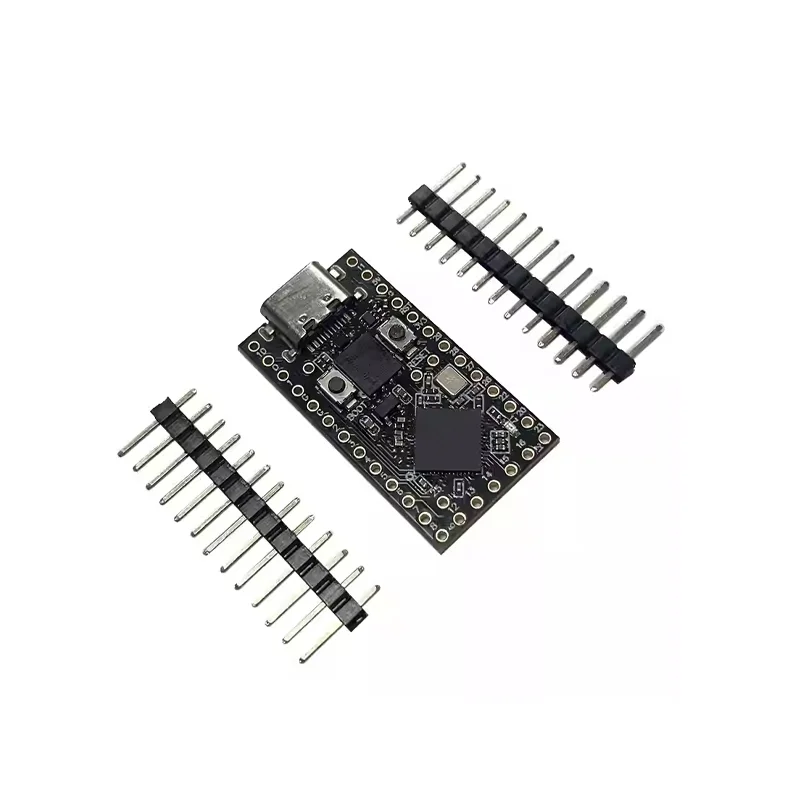
  • 1 x ProMicro RP2040 Blackboard Proxy Board
  • 2 x Header Pin Strips

Additional Information

Weight 0.004 kg
Dimensions 4 × 1.7 cm