SKU: IOWC-1845
📋 GST Invoice Available

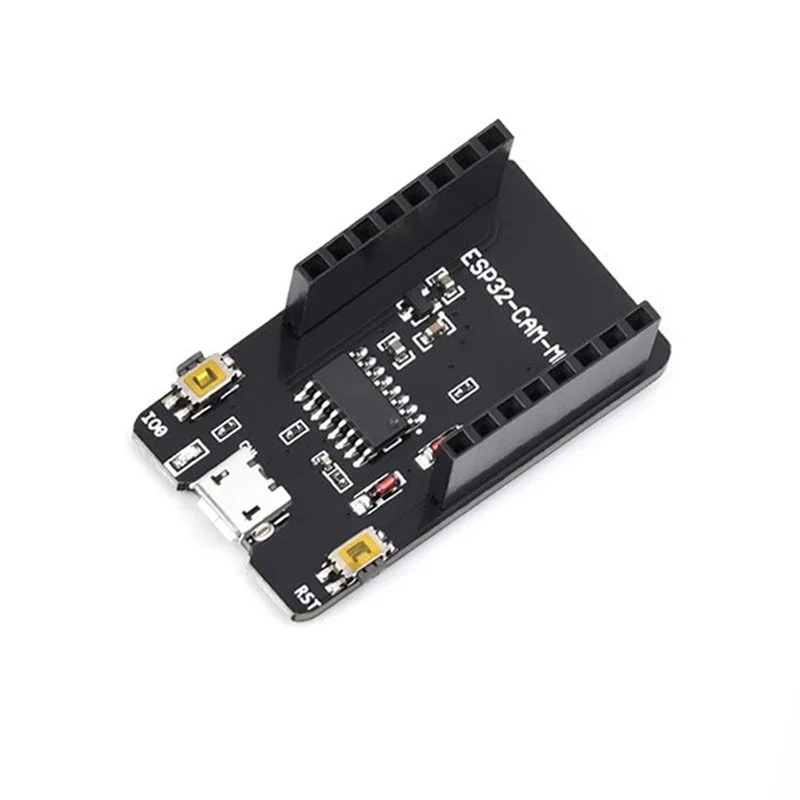
ESP32-CAM-MB Micro USB Download Module for ESP32-CAM Board

₹89.00 (Inclusive of all taxes)
Out of Stock

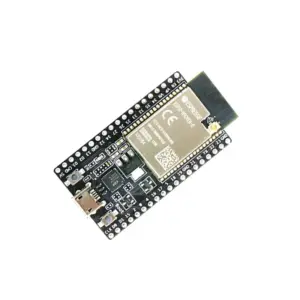
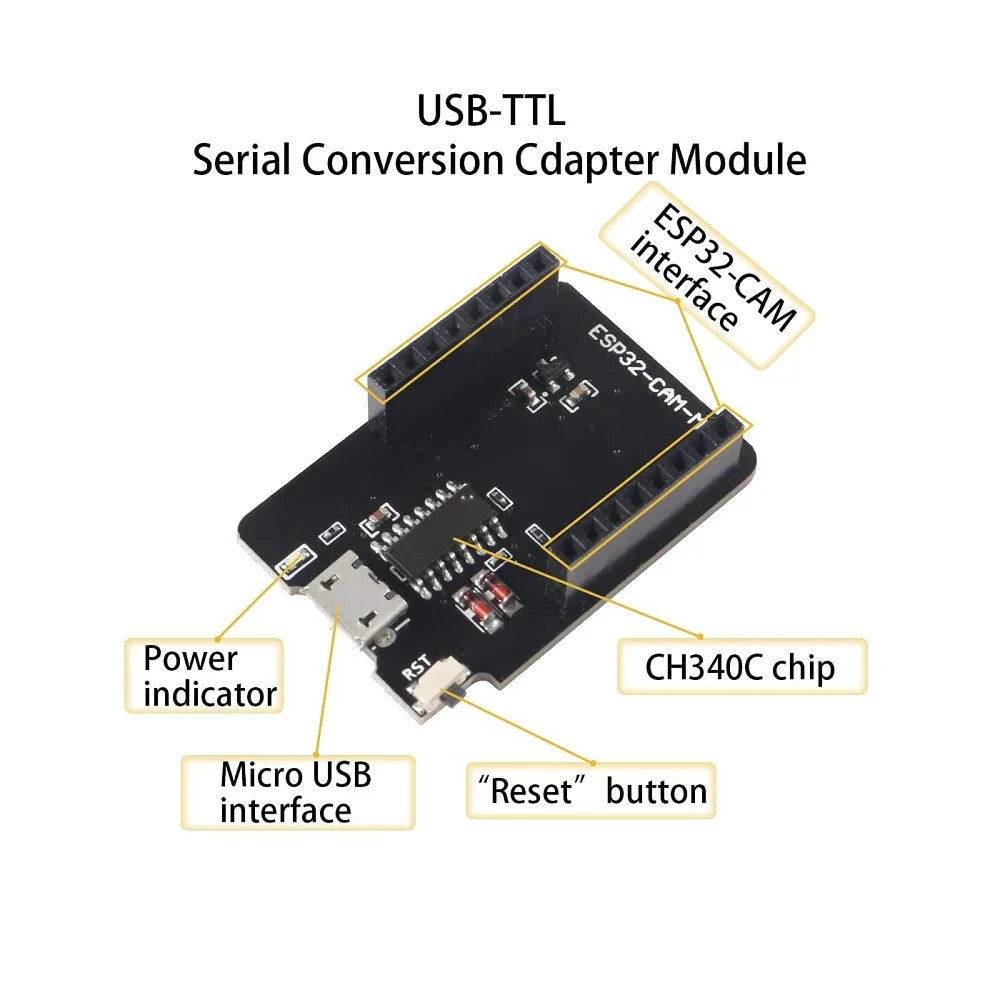
The ESP32-CAM-MB is a Micro USB programming shield designed for the ESP32-CAM development board, integrating a CH340G USB-to-serial chip for easy firmware flashing and debugging via a standard USB connection.

Features

  • CH340G USB-to-Serial interface for direct programming and debugging via Micro-USB port.
  • Compatible with ESP32-CAM AI-Thinker module, providing access to GPIOs, camera interfaces (OV2640/OV7670), and Wi-Fi/Bluetooth.
  • Includes a dedicated RESET button for easy board reset and entry into flashing mode.
  • Supports 5V power supply via USB, simplifying the power delivery for the attached ESP32-CAM module.
  • Compact form factor (40x25x10mm) designed to mate directly with the ESP32-CAM’s pin headers.

Out of stock

Description

The ESP32-CAM-MB is a dedicated programming and interface shield for the popular ESP32-CAM development board. It solves the common challenge of programming the ESP32-CAM, which lacks a native USB port, by integrating a CH340G USB-to-serial converter chip. This allows developers to connect the board directly to a computer via a standard Micro-USB cable for firmware uploads using the Arduino IDE, ESP-IDF, or other compatible frameworks.

Constructed as a simple pass-through board, it provides secure pin-header connection to the ESP32-CAM’s GPIOs while breaking out the serial (UART) lines, power (5V and 3.3V), and ground. The inclusion of a physical RESET button streamlines the development workflow, making it easier to reset the main ESP32 chip or force it into bootloader mode without manually shorting pins. This module is essential for anyone working with ESP32-CAM-based computer vision, security, or IoT streaming projects.

Key Features

  • Dedicated programming shield for the ESP32-CAM AI-Thinker module.
  • Integrated CH340G USB-to-serial converter for reliable communication and firmware flashing.
  • On-board RESET button for quick system reset and boot mode selection.
  • Provides stable 5V power delivery from the USB port to the connected ESP32-CAM.
  • Exposes all critical ESP32-CAM GPIOs for peripheral expansion and debugging.
  • Enables seamless integration with Arduino IDE, ESP-IDF, and MicroPython development environments.
  • Compact and stackable design that attaches directly to the ESP32-CAM's male headers.

Applications

  • Streamlining firmware development and debugging for ESP32-CAM-based IoT camera projects.
  • Enabling rapid prototyping of smart home security systems, wildlife monitors, or video doorbells.
  • Facilitating educational and maker projects involving embedded computer vision and Wi-Fi streaming.

Technical Specifications

CompatibilityESP32-CAM Development Board
USB Interface ChipCH340G
ConnectorMicro-USB
Power Supply5V via USB
Primary FunctionUSB-to-Serial Programming & Debugging
Key FeatureIntegrated Reset Button
Dimensions (L x W x H)40 x 25 x 10 mm

Frequently Asked Questions

How do I connect the ESP32-CAM-MB to my ESP32-CAM board?

Align the male pin headers on the ESP32-CAM-MB shield with the corresponding female headers on the ESP32-CAM module. Press firmly to seat the boards together, ensuring all pins are properly connected. Then, connect a Micro-USB cable from the shield to your computer. The CH340G driver may need to be installed on your system for the COM port to be recognized.

What is the purpose of the RESET button on the ESP32-CAM-MB shield?

The RESET button provides a convenient way to restart the ESP32 microcontroller on the attached CAM board. To enter the bootloader mode for firmware flashing, hold down the BOOT button on the ESP32-CAM module itself, then press and release the RESET button on the shield. This sequence is often required before uploading new code via the Arduino IDE or esptool.py.

Do I need to install any drivers for the CH340G chip on this module?

Yes, most operating systems require a driver for the CH340G USB-to-serial converter. You can download the official CH340 driver from the manufacturer's website or through trusted repository links. After installation and connecting the board, check your Device Manager (Windows) or terminal (ls /dev/tty* on macOS/Linux) to confirm the appearance of a new serial port (e.g., COM3 or /dev/ttyUSB0).

Can I power the ESP32-CAM solely through the ESP32-CAM-MB's USB port?

Yes, the shield delivers 5V power from the USB port to the VCC pin of the ESP32-CAM module. The ESP32-CAM's onboard voltage regulator then steps this down to the required 3.3V for its core logic. Ensure your USB port or hub can provide sufficient current (typically 500mA) for stable operation, especially when the camera flash or peripherals are active.

Package Includes

  • 1 x ESP32-CAM-MB Micro USB Download Module

Additional Information

Weight 0.008 kg
Dimensions 4 × 2.5 × 1 cm