SKU: IOWC-1241
📋 GST Invoice Available

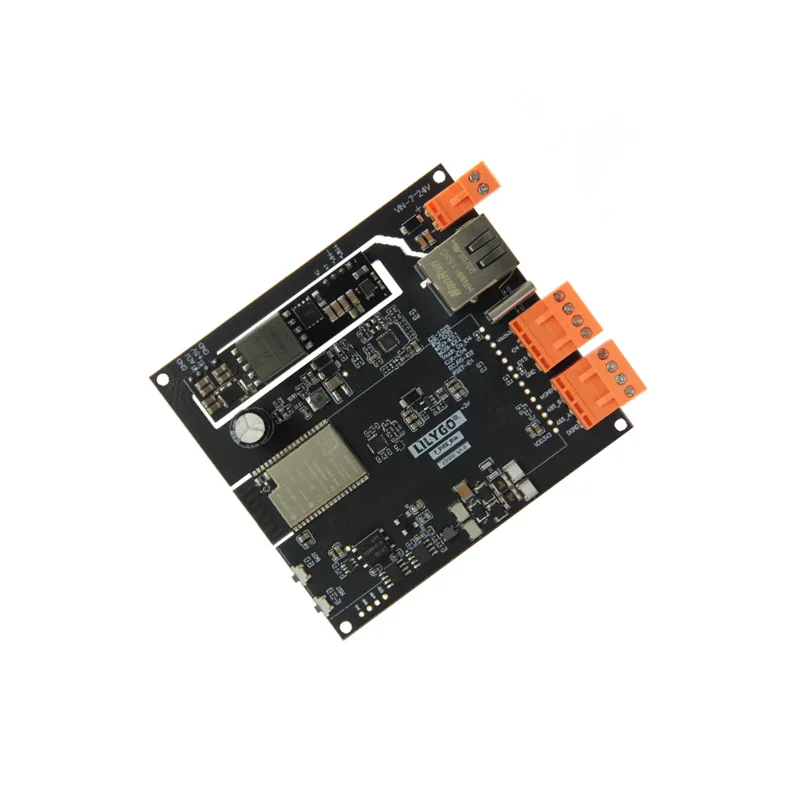
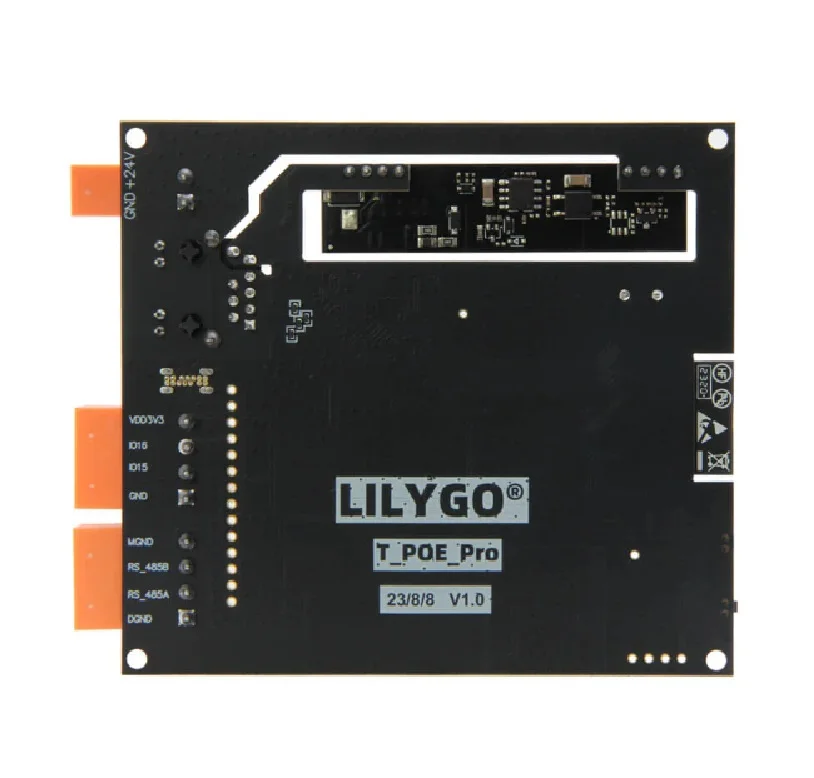
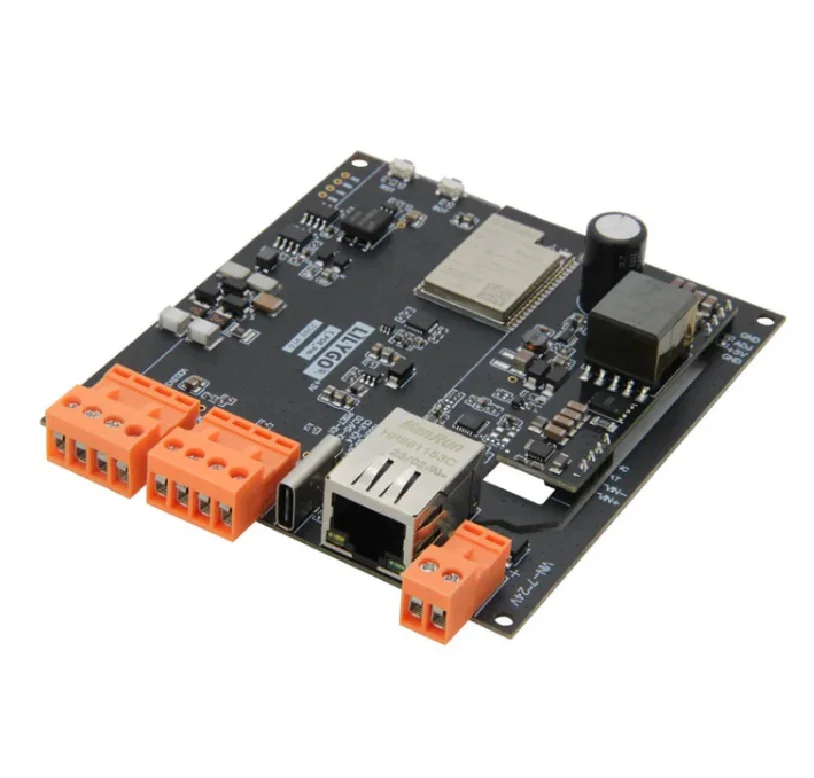
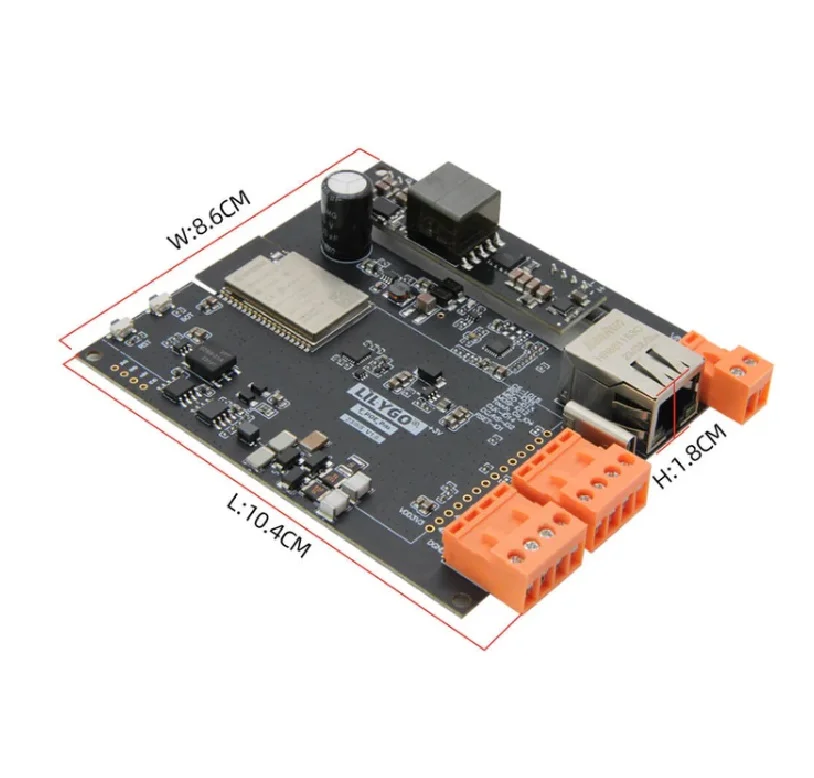
LilyGO T-POE Pro ESP32-WROVER-E Ethernet RS485 PoE Expansion Board

₹5,249.00 (Inclusive of all taxes)
Out of Stock

The LilyGO T-POE Pro is an ESP32-WROVER-E expansion board integrating LAN8720 Ethernet, RS485 serial interface, and Power over Ethernet (PoE) support, designed for robust industrial IoT and automation projects compatible with Arduino IDE and ESP-IDF.

Features

  • Powered by the ESP32-WROVER-E module with 16MB flash and 8MB PSRAM for data-intensive IoT applications.
  • Integrated LAN8720 Ethernet PHY and RS485 transceiver provides dual wired connectivity for stable network and industrial fieldbus communication.
  • Supports IEEE 802.3af Power over Ethernet (PoE), simplifying installation by delivering power and data over a single cable.
  • Features a CH9102 USB-to-serial chip for reliable programming and debugging, alongside dedicated boot and reset buttons.
  • Includes an expandable LCD screen interface for adding displays, enhancing HMI capabilities for monitoring and control panels.

Out of stock

Description

The LilyGO T-POE Pro is a feature-rich expansion board built around the high-performance ESP32-WROVER-E module, which combines dual-core processing with 802.11 b/g/n Wi-Fi and Bluetooth 4.2. It is engineered to bridge wireless IoT projects with robust industrial networking standards. The board incorporates a LAN8720 Ethernet controller for gigabit-speed wired LAN connectivity and a full-duplex RS485 transceiver for long-distance, noise-resistant serial communication commonly used in Modbus and SCADA systems.

Its integrated Power over Ethernet (PoE) functionality adheres to the IEEE 802.3af standard, allowing the board to be powered directly from a PoE switch or injector, eliminating the need for a separate power supply in deployed installations. This makes it ideal for ceiling-mounted sensors, remote gateways, or embedded control units where AC power is inconvenient. The board’s design includes accessible GPIO via pin headers and a connector for attaching TFT or e-paper displays, providing a versatile foundation for developing sophisticated IoT endpoints, industrial telemetry hubs, or smart building automation controllers.

Key Features

  • Industrial-grade expansion board based on the ESP32-WROVER-E with ample 16MB flash and 8MB PSRAM.
  • Dual wired network interfaces: 10/100Mbps Ethernet via LAN8720 and isolated RS485 for industrial fieldbus protocols.
  • Compliant Power over Ethernet (PoE) support simplifies deployment and reduces wiring complexity.
  • Reliable USB programming interface via the CH9102 serial converter chip with dedicated boot mode control.
  • Expandable display interface allows connection of various LCD screens for real-time data visualization.
  • Robust power regulation supports a wide input voltage range suitable for both USB and PoE power sources.
  • Compatible with popular development frameworks including Arduino Core for ESP32, ESP-IDF, and MicroPython.
  • Compact form factor with standard pin headers for easy integration into prototypes and enclosures.

Applications

  • Industrial IoT (IIoT) gateways for collecting sensor data via RS485 Modbus and transmitting via Ethernet/Wi-Fi.
  • PoE-powered building automation controllers for lighting, HVAC, and access control systems.
  • Remote telemetry units (RTUs) in agriculture, environmental monitoring, and smart city infrastructure.
  • Networked display terminals and human-machine interfaces (HMIs) for equipment status monitoring.
  • Reliable edge computing nodes for data preprocessing and protocol conversion in heterogeneous networks.

Technical Specifications

Microcontroller/SoCESP32-WROVER-E (Dual-core Xtensa LX6, 240 MHz)
Wireless ProtocolsWi-Fi 802.11 b/g/n, Bluetooth 4.2 (BLE)
Flash Memory16 MB
PSRAM8 MB
Ethernet ControllerLAN8720
Serial InterfaceRS485 (Full-duplex transceiver)
Power over EthernetIEEE 802.3af Compliant
USB-to-SerialCH9102
User ButtonsReset, Boot
Expansion InterfaceLCD Screen Connector
Supply Voltage5V via USB or PoE
Dimensions (Shipping)11 x 11 x 4 cm

Frequently Asked Questions

How do I power the T-POE Pro board and what are the requirements?

The board can be powered in two ways: via the onboard USB-C connector (5V) or through a standard IEEE 802.3af compliant Power over Ethernet (PoE) source connected to the RJ45 port. When using PoE, ensure your switch or injector provides 48V DC. Do not connect both power sources simultaneously to avoid damage. The board includes necessary regulation to deliver stable 3.3V and 5V rails to the ESP32 and peripherals.

How do I configure and use the RS485 interface for Modbus communication?

The RS485 interface uses a dedicated transceiver. You must connect the A (positive) and B (negative) lines to your RS485 bus, ensuring proper termination and bias resistors if required for your network length. In your ESP32 code (using Arduino or ESP-IDF), utilize the UART2 peripheral pins assigned to the RS485 driver. Implement Modbus RTU protocol libraries like ModbusMaster or FreeModbus, configuring the correct baud rate (e.g., 9600, 19200), parity, and stop bits through the serial API. The board includes isolation for signal integrity.

What is the procedure for flashing firmware via USB with the CH9102 chip?

Ensure you have the CH9102 drivers installed on your computer (often included in CP210x packages or available separately). Connect the board via USB-C. In the Arduino IDE, select the ESP32-WROVER-E board from the boards manager. Set the correct upload port. Hold the BOOT button, then press and release the RST button to enter download mode before uploading your sketch. In ESP-IDF or PlatformIO, the process is similar; the CH9102 appears as a standard COM port. The boot button is not always required if the firmware manages the boot mode automatically.

Can I connect an LCD display to this board, and what types are supported?

Yes, the board features a dedicated LCD expansion interface via a pin header. It typically supports parallel (8-bit or 16-bit) LCD displays, including TFT modules from common manufacturers. You will need to connect the display's data, control, and backlight pins to the corresponding header pins. Use established libraries like TFT_eSPI for the ESP32, configuring the pin mappings in the User_Setup.h file to match the physical connections on the T-POE Pro's interface. Check the board's pinout diagram for specific GPIO assignments.

Package Includes

  • 1 x T-POE Pro Expansion Board
  • 1 x 14-Pin Male Pin Header
  • 1 x 14-Pin Female Pin Header
  • 1 x 4-Pin Male Pin Header

Additional Information

Weight 0.11 kg
Dimensions 11 × 11 × 4 cm