SKU: IOWC-1013
📋 GST Invoice Available

Waveshare RP2350B 2.8-Inch Round Display Development Board

₹4,409.00 (Inclusive of all taxes)
Out of Stock

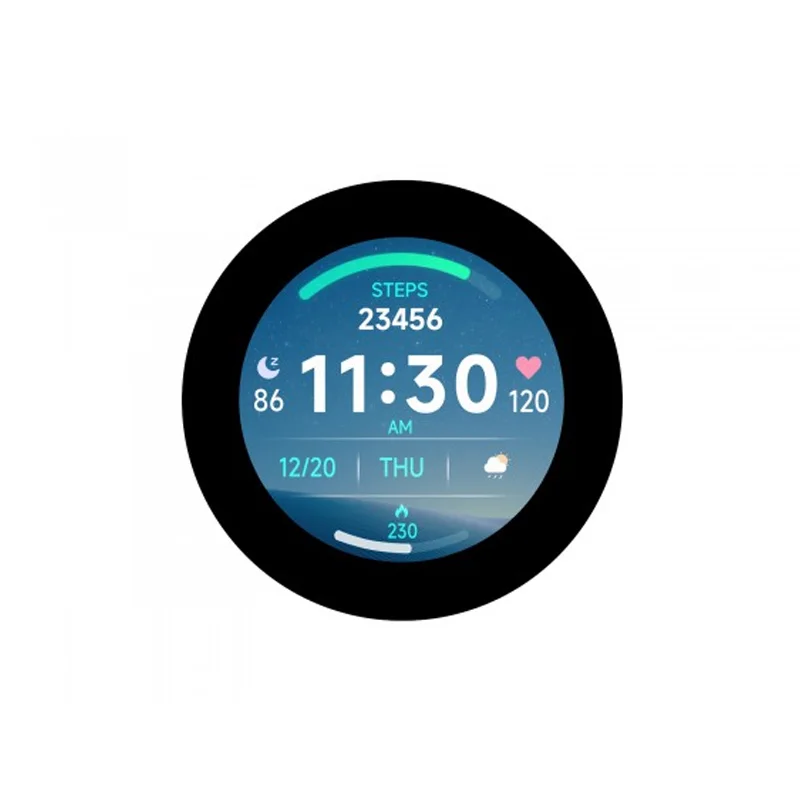
The Waveshare RP2350 Development Board integrates a 2.8-inch 480×480 IPS round capacitive touchscreen with the dual-core RP2350B microcontroller, providing a compact platform for embedded GUI and HMI projects. It supports C/C++, MicroPython, and Arduino IDE development.

Features

  • 2.8-inch IPS round capacitive touchscreen with 480×480 resolution for vivid, interactive displays.
  • Dual-core RP2350B microcontroller (ARM Cortex-M33 & RISC-V) for versatile, high-performance processing.
  • 16MB onboard Flash with solder pads for PSRAM expansion to handle complex graphics and data.
  • Integrated QMI8658 6-axis IMU sensor and RTC for motion sensing and timekeeping in portable applications.
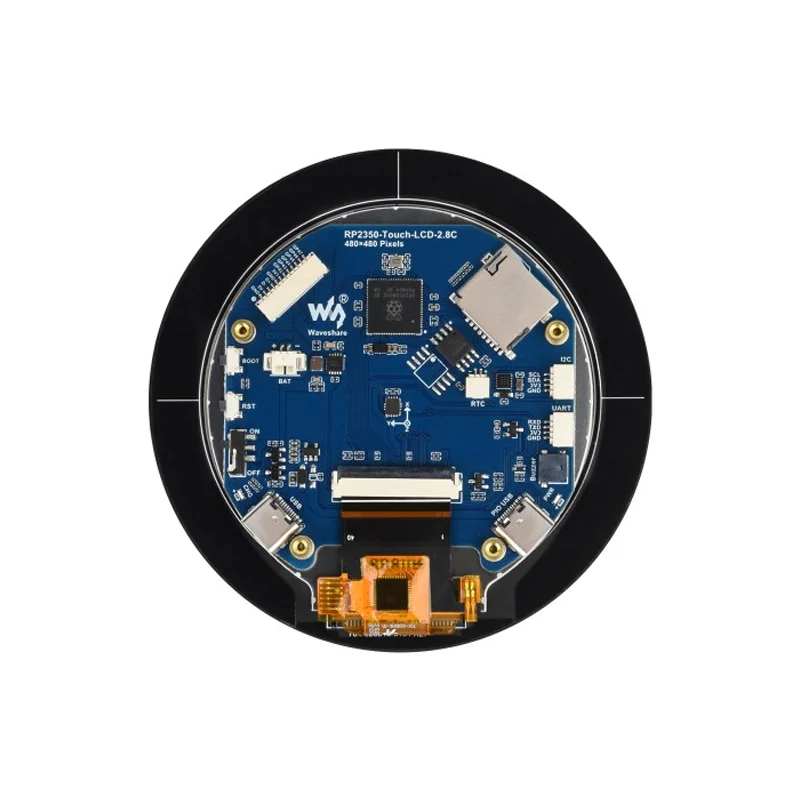
  • USB Type-C port with host/device support, TF card slot, and lithium battery management for complete system integration.

Out of stock

Description

The Waveshare RP2350 2.8-Inch Round Display Development Board is an all-in-one embedded platform designed for developers creating interactive human-machine interfaces (HMIs) and graphical applications. It combines a high-resolution, round IPS touchscreen with the computational power of Raspberry Pi’s RP2350B dual-core microcontroller, which features both an ARM Cortex-M33 core and a Hazard3 RISC-V core for architectural flexibility.

Beyond its display capabilities, the board includes essential peripherals for portable and standalone projects, such as a 6-axis inertial measurement unit (IMU) for motion detection, a real-time clock (RTC) for time-sensitive operations, and a power management circuit supporting lithium battery charging. The inclusion of USB 1.1 host/device functionality via a Type-C connector, a microSD card slot, and expandable memory via PSRAM solder pads makes it a versatile foundation for data logging, media playback, or custom control panels.

Key Features

  • High-resolution 2.8-inch round IPS capacitive touchscreen with wide viewing angles.
  • Dual-architecture RP2350B microcontroller supporting both ARM and RISC-V instruction sets.
  • Onboard 16MB Flash memory with provision for external PSRAM to boost graphical performance.
  • Integrated QMI8658 6-axis accelerometer and gyroscope (IMU) for motion sensing applications.
  • Onboard real-time clock (RTC) with battery backup support for timekeeping.
  • USB Type-C port configured for both USB host and device modes.
  • Comprehensive power management with lithium battery charging circuit and 3.3V operation.
  • Supported by extensive SDKs and libraries for C/C++, MicroPython, and Arduino IDE development.

Applications

  • Custom embedded human-machine interface (HMI) and control panels.
  • Portable data loggers and instrumentation displays with sensor integration.
  • Interactive smart home controllers and IoT device dashboards.
  • Wearable device prototypes leveraging the round display and IMU.
  • Educational platforms for learning RISC-V and ARM microcontroller programming with graphics.

Technical Specifications

Microcontroller/SoCRaspberry Pi RP2350B Dual-Core (Cortex-M33 & RISC-V)
Display2.8-inch IPS Round, 480x480 Pixels, Capacitive Touch (I2C)
Flash Memory16MB
SRAM520kB
Clock FrequencyUp to 150 MHz
Supply Voltage3.3V
Operating Current~800 mA (Max)
InterfacesUSB Type-C (Host/Device), I2C Touch, TF Card Slot, PSRAM Pads
SensorsQMI8658 6-axis IMU, Onboard RTC
Operating Temperature-20°C to 70°C
DimensionsApprox. 10.5 x 10.5 cm (Board)
Weight56g (Board)

Frequently Asked Questions

What programming environments are supported for the Waveshare RP2350 board?

The board is supported by C/C++ using the official Raspberry Pi Pico SDK or Arduino IDE via community boards. It also runs MicroPython, allowing rapid prototyping. You need to connect via the USB Type-C port, put the board into bootloader mode, and flash the corresponding UF2 file or compile your code using the appropriate toolchain for the RP2350B's dual-core architecture.

How do I connect and use the capacitive touchscreen?

The round capacitive touchscreen is connected via an I2C interface on the board's internal connector. In your code, you will need to initialize the I2C bus and use a library compatible with the touch controller (typically FT5x06 or similar) to read touch coordinates. The provided Waveshare examples demonstrate the basic setup for reading touch events and translating them into screen coordinates for your GUI application.

Can I expand the memory on this board for more complex graphics?

Yes, the board has solder pads designated for connecting external PSRAM (Pseudo Static RAM). You need to source a compatible PSRAM chip (e.g., 8MB or 16MB) and solder it to the provided pads. After soldering, you must configure the SDK to enable the QSPI interface and map the external memory, significantly increasing available RAM for frame buffers and graphical assets.

What is the power supply requirement and how does battery charging work?

The board operates at 3.3V and can be powered via the USB Type-C port or through its battery connector. The onboard power management IC includes a lithium battery charging circuit. Connect a standard 3.7V Li-ion or Li-Po battery to the dedicated terminals. The charging current and status are managed by the IC, allowing the board to operate as a portable device and switch to battery power when USB is disconnected.

Package Includes

  • 1 x RP2350-Touch-LCD-2.8C Development Board
  • 1 x SH1.0 12PIN Cable (~100mm)
  • 2 x SH1.0 4PIN Cable (~100mm)

Additional Information

Weight 0.083 kg
Dimensions 10.5 × 10.5 × 3 cm