SKU: IOWC-1955
📋 GST Invoice Available

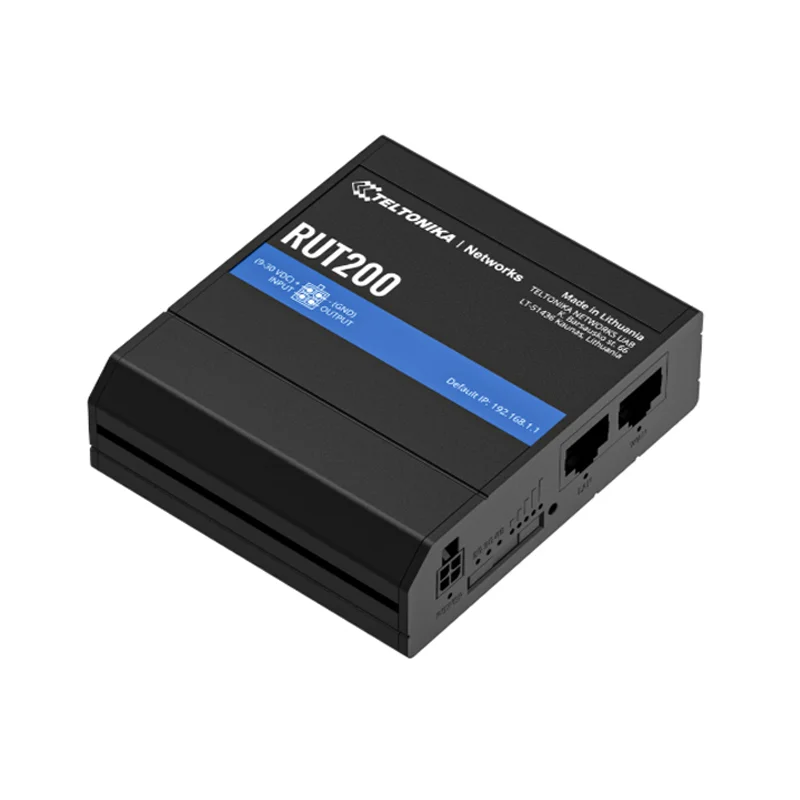
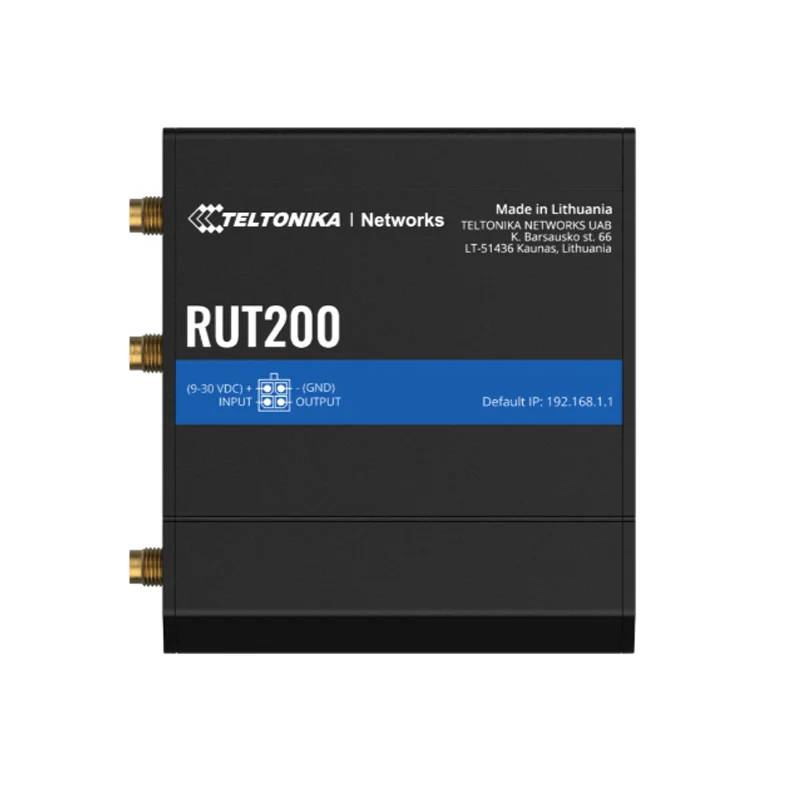
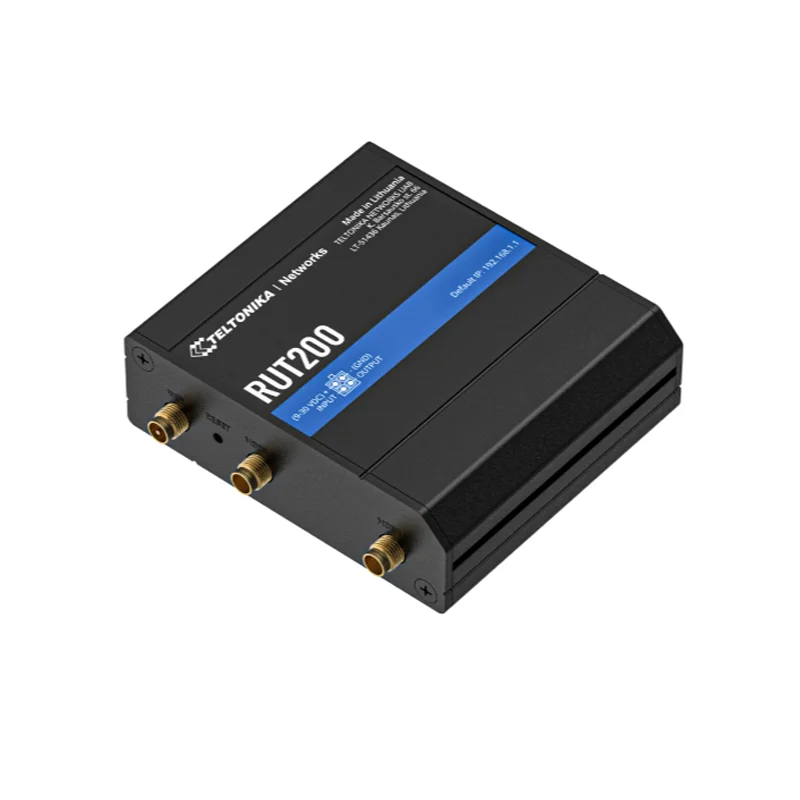
Teltonika RUT200 Industrial Cellular Router w/ 4G LTE, Wi-Fi & Dual ETH

₹10,689.00 (Inclusive of all taxes)
Out of Stock

The Teltonika RUT200 is an industrial-grade cellular router providing primary 4G LTE and backup Wi-Fi/Ethernet connectivity with automatic WAN failover for mission-critical IoT and automation systems. It operates from a 9-30 VDC supply and supports advanced protocols including MQTT, MODBUS, and OPC UA for seamless industrial integration.

Features

  • Industrial-Grade Connectivity: Combines 4G LTE (with 3G/2G fallback), dual 10/100 Mbps Ethernet ports, and Wi-Fi 4 (802.11b/g/n) for robust, multi-path internet access in harsh environments.
  • Automatic WAN Failover: Ensures uninterrupted network uptime by seamlessly switching between cellular, Wi-Fi, and wired connections if the primary link fails.
  • IoT & Industrial Protocol Support: Native integration for MODBUS, OPC UA, MQTT, DLMS, and DNP3, making it ready for smart manufacturing, telemetry, and SCADA systems.
  • Advanced Security & Management: Features VPN support (OpenVPN, IPsec, WireGuard), a configurable firewall, and remote management via Teltonika RMS, Web UI, SNMP, or API.
  • Ruggedized Design: Built for extreme conditions with an IP30 rating and an operational temperature range of -40°C to 75°C, powered by a 9-30 VDC industrial input.

Out of stock

Description

The Teltonika RUT200 (model RUT142) is a compact, high-reliability industrial cellular router engineered for demanding IoT deployments in transportation, manufacturing, and remote automation. Its core architecture is powered by a 580 MHz Mediatek MIPS CPU paired with 128 MB of RAM and 16 MB of flash memory, providing the processing headroom for concurrent VPN tunnels, protocol translation, and traffic routing.

It establishes primary WAN connectivity via its integrated 4G LTE modem, with automatic failover to its secondary Wi-Fi (operating in AP or STA mode) or wired Ethernet ports to maintain constant data flow. This multi-WAN capability is critical for applications where network downtime is not an option. The router’s power design accepts a wide 9-30 VDC input through a 4-pin industrial connector, with a maximum consumption under 6.5W, suitable for vehicular and panel-mounted installations.

Key Features

  • Multi-WAN Resilience: Integrates 4G LTE, Wi-Fi, and Ethernet in a single device with configurable failover and load balancing for maximum network availability.
  • Industrial IoT Gateway: Functions as a protocol converter, supporting MODBUS TCP/RTU, OPC UA, MQTT, and other industrial standards for seamless data acquisition from sensors and PLCs.
  • Comprehensive VPN Suite: Secures all data traffic with support for OpenVPN, IPsec, WireGuard, and GRE tunnels, ideal for creating secure private networks over public cellular links.
  • Remote Configuration & Monitoring: Fully manageable via the cloud-based Teltonika Remote Management System (RMS), local Web UI, SNMP, or a RESTful API for large-scale deployments.
  • Extended Wi-Fi Capabilities: Supports advanced features including WPA3 security, 802.11s mesh networking, and can handle connections for up to 50 concurrent Wi-Fi clients.
  • Digital I/O for Automation: Includes configurable digital input/output ports for triggering alerts, controlling relays, or monitoring door sensors and other binary events.
  • Rugged Mechanical Build: Housed in a metal casing with IP30 protection, designed to withstand vibration, dust, and extreme temperature fluctuations from -40°C to 75°C.

Applications

  • Industrial Telemetry & IIoT: Remote monitoring of PLCs, sensors, and machinery in manufacturing plants, water treatment facilities, and oil & gas fields.
  • Transportation & Fleet Management: Providing always-on connectivity for vehicle telematics, GPS tracking, and in-vehicle infotainment systems.
  • Smart City & Infrastructure: Deploying in traffic control systems, digital signage, EV charging stations, and remote kiosks requiring reliable backhaul.
  • Renewable Energy Monitoring: Connecting solar inverters, wind turbines, and battery storage systems to central SCADA and cloud platforms.
  • Retail & Hospitality: Securing point-of-sale systems, digital menu boards, and guest Wi-Fi networks with VPN tunnels and failover protection.

Technical Specifications

Model / CPURUT142 / Mediatek 580 MHz MIPS 24KEc
Memory128 MB DDR2 RAM, 16 MB NOR Flash
Cellular Connectivity4G LTE with 3G/2G fallback
Wi-Fi Standard802.11b/g/n (Wi-Fi 4), AP & STA modes
Ethernet Ports1x WAN, 1x LAN (10/100 Mbps, Auto-MDI/MDIX)
Supported ProtocolsTCP/IP, IPv4/IPv6, MQTT, MODBUS, OPC UA, SNMP, VPN
Power Supply9 – 30 VDC via 4-pin industrial socket
Max Power Consumption< 6.5 W
Antenna Connectors1x RP-SMA (Wi-Fi), External SMA for Cellular
Operating Temperature-40°C to +75°C
Ingress ProtectionIP30
Dimensions (L x W)83 mm x 74 mm
Weight125 g

Frequently Asked Questions

How do I configure the primary WAN connection and failover on the RUT200?

Log into the router's Web UI and navigate to the Network > WAN section. Set your preferred primary connection (e.g., Mobile). In the Failover tab, enable the feature and set the check interval and failure detection method (like ping). Specify the backup interfaces (Wi-Fi or Ethernet) in order of priority. The router will automatically switch if the primary link's health checks fail.

What is the procedure for setting up a MODBUS TCP gateway on this router?

Access the router's Web UI and go to Services > MODBUS TCP Gateway. Enable the service and define the listening TCP port. Map your remote MODBUS RTU slave devices by specifying their serial parameters (baud rate, parity) connected via the RS232 port or remote IP addresses. The router will then translate MODBUS TCP requests from your SCADA system into RTU frames for your field devices.

How do I establish a secure VPN tunnel using WireGuard on the RUT200?

In the router's Web UI, navigate to Network > VPN > WireGuard. Create a new instance and generate a private/public key pair. Configure the local tunnel IP address and port. Add your peer's public key, allowed IPs, and endpoint address. Enable the tunnel and apply the settings. Ensure firewall rules permit traffic on the WireGuard interface and that your remote peer is configured with complementary settings.

What power supply specifications are required, and how is the DC connector wired?

The router requires a 9-30 VDC power source capable of delivering at least 1A. The 4-pin industrial DC socket is wired with pins 1 and 4 as positive (+) and pins 2 and 3 as negative (-) ground. Always use the supplied 9W PSU or a compatible industrial-grade supply, ensuring correct polarity to avoid damaging the device.

Package Includes

  • 1 x Teltonika RUT142 Industrial Cellular Router
  • 1 x 9W Power Supply Unit (PSU)
  • 2 x Mobile Antennas (SMA Male, Swivel)
  • 1 x Wi-Fi Antenna (RP-SMA Male, Swivel)
  • 1 x Quick Start Guide

Additional Information

Weight 0.125 kg
Dimensions 8.3 × 7.4 cm