SKU: IOWC-1246
📋 GST Invoice Available

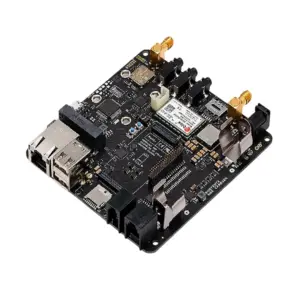
LilyGO T-SimHat Expansion Board w/ CAN, RS485, Relay, DHT11, INA219

₹1,129.00 (Inclusive of all taxes)
Out of Stock

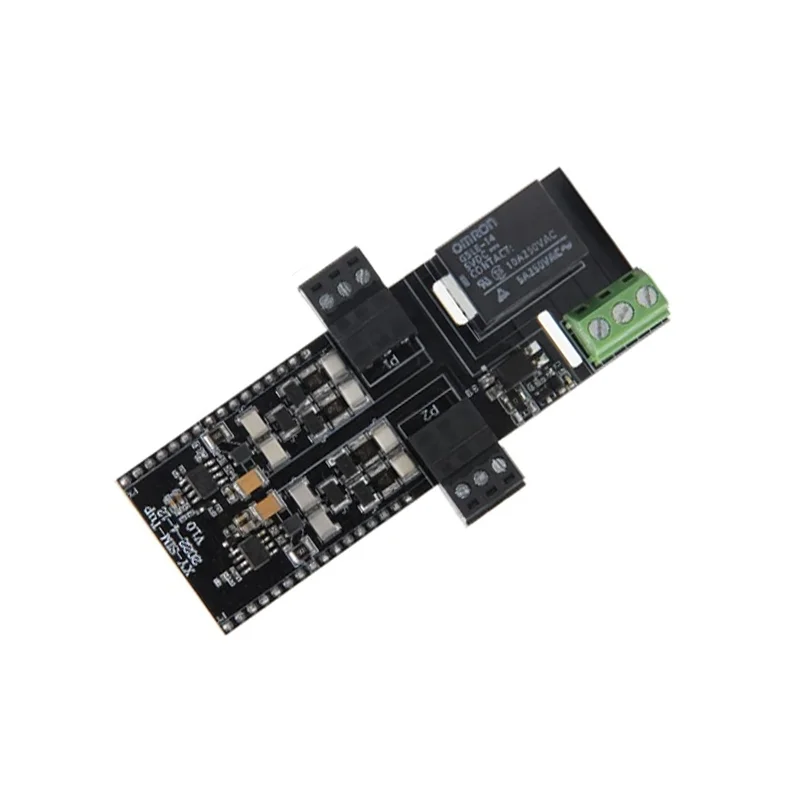
The LilyGO T-SimHat is a multi-interface expansion board designed for T-SIM7000, A7670, and A7608 series cellular modules, integrating CAN, RS485, relay control, and environmental sensors for robust IoT telemetry and control applications.

Features

  • Multi-protocol expansion board for LilyGO T-SIM7000/A7670/A7608 cellular modules.
  • Integrated CAN and RS485 interfaces for industrial communication and sensor networks.
  • Features a 1/3-way relay for switching high-power AC/DC loads up to 250VAC/10A.
  • Includes DHT11 sensor for temperature/humidity and INA219 chip for power monitoring.
  • Compact form factor designed for seamless stacking with cellular IoT development kits.

Out of stock

Description

The LilyGO T-SimHat Expansion Board is a comprehensive peripheral module engineered to extend the functionality of the T-SIM series of 4G LTE Cat-1 and NB-IoT cellular modules. It provides critical industrial-grade interfaces and sensors, enabling developers to build sophisticated remote monitoring and control systems without external wiring complexity.

Built around robust communication protocols, the board integrates a CAN controller for automotive and industrial bus networks and an RS485 transceiver for long-distance, noise-immune serial communication, commonly used with Modbus RTU. The onboard electromechanical relay allows for direct control of actuators, motors, or lighting. Sensor integration includes a DHT11 for basic environmental data and an INA219 for precise voltage, current, and power consumption telemetry of the connected load or system.

Key Features

  • Expansion board specifically designed for LilyGO T-SIM7000G, A7670, and A7608 series cellular IoT modules.
  • Dual industrial communication interfaces: CAN (Controller Area Network) and RS485.
  • Integrated 1-channel (1/3-way) electromechanical relay for high-power switching applications.
  • Onboard DHT11 digital sensor provides temperature and humidity readings.
  • INA219 high-side current sensor and power monitor with I2C interface.
  • Compatible with the QMI8658 6-axis IMU (accelerometer + gyroscope) for motion sensing.
  • Direct plug-and-play stacking form factor, simplifying system integration.
  • Ideal for creating cellular-connected industrial controllers, environmental monitors, and asset tracking solutions.

Applications

  • Industrial IoT (IIoT) remote control and monitoring systems with cellular backhaul.
  • Smart agriculture setups for environmental sensing and irrigation control.
  • Fleet and asset tracking solutions with CAN bus data logging.
  • Remote equipment status monitoring and predictive maintenance.
  • Building automation for HVAC control and energy management.

Technical Specifications

CompatibilityT-SIM7000, A7670, A7608 Series Modules
Communication InterfacesCAN, RS485
Relay1-Channel (1/3-Way) Electromechanical
SensorsDHT11 (Temp/Humidity), INA219 (Current/Power), QMI8658 (IMU)
Shipping Weight0.06 kg
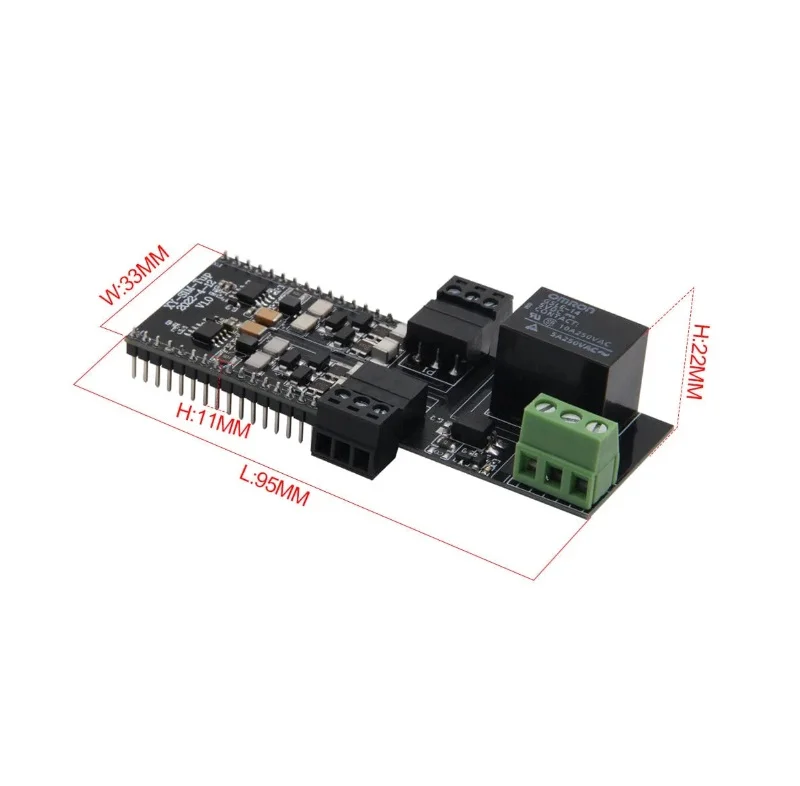
Shipping Dimensions13 x 5 x 3 cm

Frequently Asked Questions

How do I connect the T-SimHat to my LilyGO T-SIM7000 module?

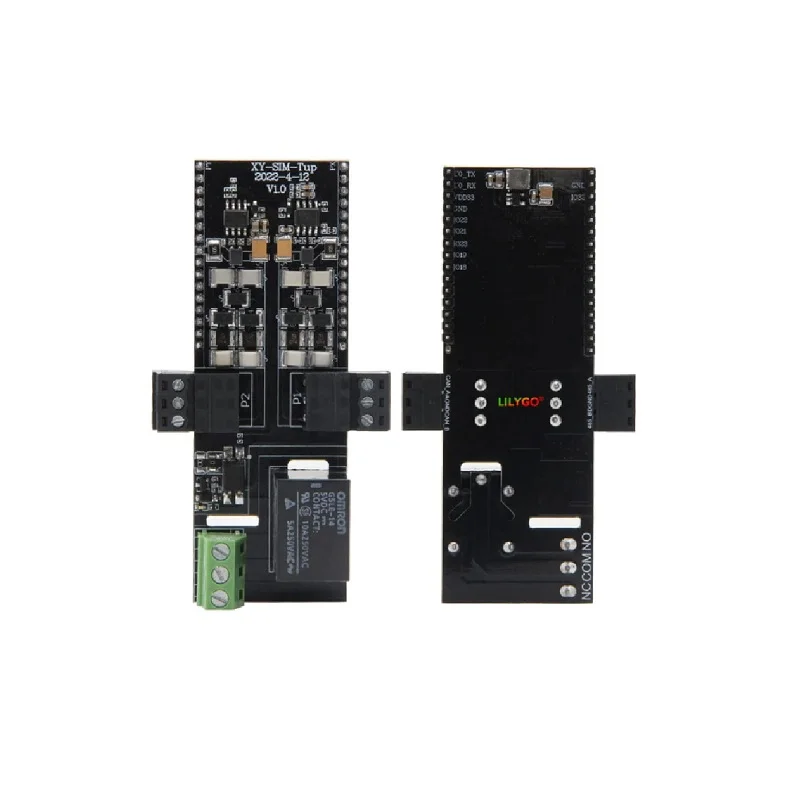
The T-SimHat is designed for direct stacking. Align the board's male headers with the corresponding female GPIO headers on your T-SIM7000, A7670, or A7608 development board and press firmly to seat the connection. Ensure the board is oriented correctly by matching the silkscreen labels. No external wiring is required for the primary interfaces, though you will need to connect external devices (like sensors on RS485 or loads to the relay terminals).

What is the relay specification and how do I wire a load to it?

The onboard relay is a 1-channel (single-pole, double-throw) electromechanical type, typically rated for 10A at 250VAC or 30VDC. The screw terminal block provides three connections: Common (COM), Normally Open (NO), and Normally Closed (NC). To switch a load, connect one lead of your load to the COM terminal and the other lead to either NO (for closed circuit when relay is energized) or NC (for open circuit when relay is energized). Always ensure your load's voltage and current ratings are within the relay's specifications.

How can I read data from the DHT11 and INA219 sensors using Arduino?

For the DHT11, use the Adafruit DHT sensor library. Define the data pin (consult the T-SimHat pinout diagram) and call `dht.readTemperature()` and `dht.readHumidity()`. For the INA219, use the Adafruit INA219 library. Initialize the sensor with `ina219.begin()` and read values using `ina219.getBusVoltage_V()`, `ina219.getCurrent_mA()`, and `ina219.getPower_mW()`. Both sensors communicate via dedicated I2C or digital pins that are pre-wired on the expansion board, so no external connections are needed.

Package Includes

  • 1 x LilyGO T-SimHat Expansion Board

Additional Information

Weight 0.06 kg
Dimensions 13 × 5 × 3 cm