SKU: IOWC-0608
📋 GST Invoice Available

DFRobot SEN0305 Gravity HuskyLens K210 AI Vision Sensor w/ Display

₹4,009.00 (Inclusive of all taxes)
Out of Stock

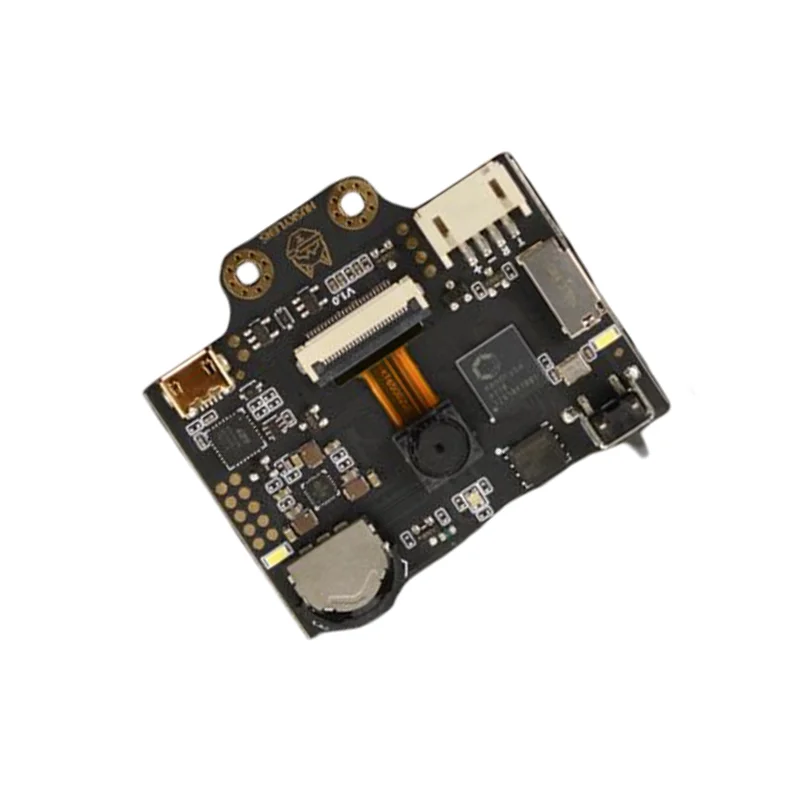
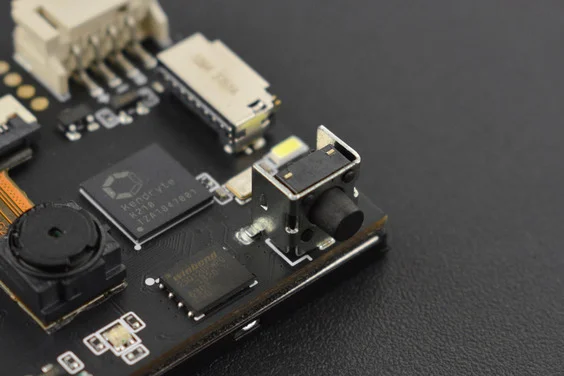
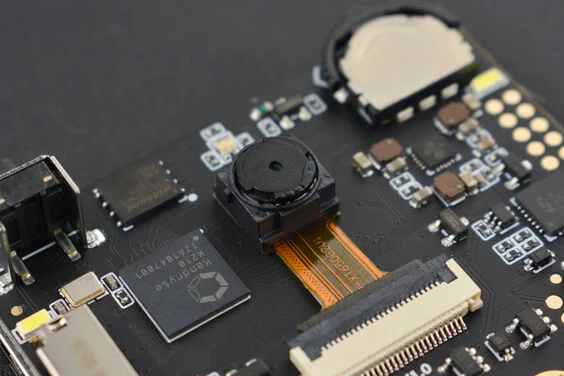
The DFRobot HuskyLens SEN0305 is a no-code AI vision sensor powered by a Kendryte K210 processor and OV2640 camera. It connects via UART or I2C to Arduino, Raspberry Pi, or ESP32 platforms, enabling face, object, color, and line recognition without complex programming.

Features

  • Kendryte K210 AI processor with built-in machine learning for on-device face, object, line, color, and tag recognition.
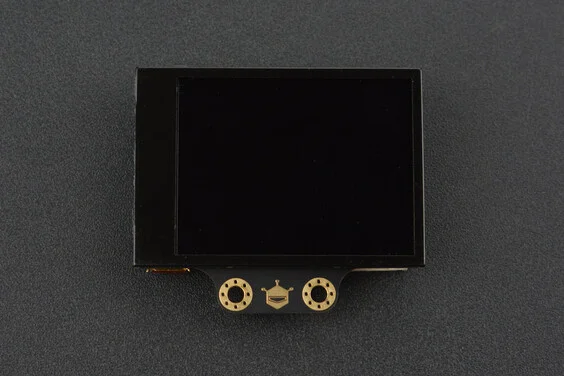
  • Integrated 2.0-inch IPS display (320×240) for real-time visual feedback and parameter tuning without a PC.
  • Simple one-button learning: press to teach new objects or faces; improves accuracy with more data.
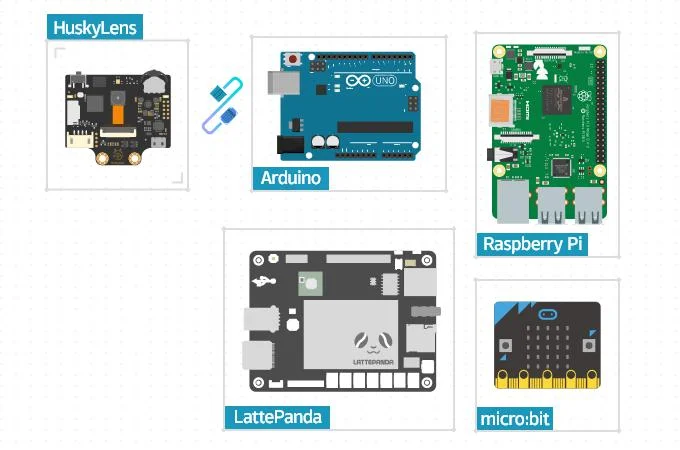
  • Dual communication interfaces: UART and I2C for easy integration with Arduino, Raspberry Pi, and microcontrollers.
  • Wide 3.3V to 5.0V power supply range with optimized current consumption for portable and embedded projects.

Out of stock

Description

The HuskyLens SEN0305 from DFRobot is a self-contained AI vision module designed to bring machine learning capabilities to makers and developers without requiring deep learning expertise. Its core is the Kendryte K210 RISC-V dual-core processor, which handles neural network inference locally, paired with a 2-megapixel OV2640 CMOS sensor for image capture. This combination allows for real-time execution of multiple vision algorithms directly on the device.

Power management is flexible, supporting a 3.3V to 5.0V input range, with current draw optimized at lower voltages for battery-powered edge AI applications. The onboard 2-inch IPS screen provides immediate visual confirmation of detection results and system status, streamlining development and debugging. The sensor communicates over standard UART or I2C serial protocols, making it compatible with a vast ecosystem of development boards and single-board computers.

Key Features

  • No-code AI vision sensor with pre-trained models for face, object, line, color, and QR code recognition.
  • On-device Kendryte K210 processor performs edge AI inference, reducing latency and host MCU load.
  • Interactive 2.0-inch IPS display for live view, algorithm selection, and learning feedback.
  • One-touch learning function allows the sensor to memorize and recognize new custom objects.
  • Supports continuous learning from multiple angles to improve recognition robustness over time.
  • Dual serial interfaces (UART/I2C) enable plug-and-play connectivity with popular maker platforms.
  • Low-power design suitable for portable vision applications like robots and smart devices.
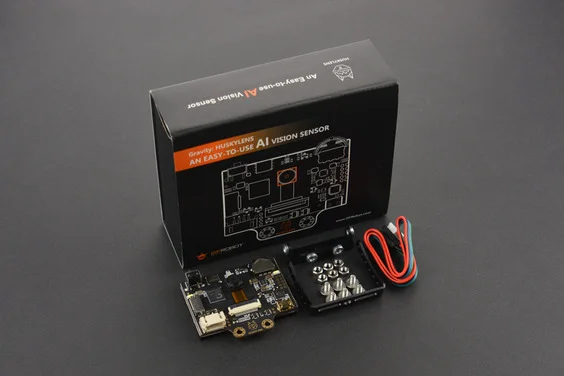
  • Includes mounting hardware and a Gravity 4-pin cable for rapid prototyping and installation.

Applications

  • Smart robotics for object tracking, line following, and human-robot interaction.
  • Educational kits for teaching AI and computer vision concepts without coding.
  • Interactive art installations and exhibits using face or gesture recognition.
  • Smart home automation systems with presence detection or custom object identification.
  • Prototyping vision-based security systems or access control devices.

Technical Specifications

ProcessorKendryte K210
Image SensorOV2640 (2.0 Megapixel)
Display2.0-inch IPS, 320 x 240 pixels
Supply Voltage3.3V to 5.0V
Current Consumption320mA @ 3.3V, 230mA @ 5.0V
InterfacesUART, I2C
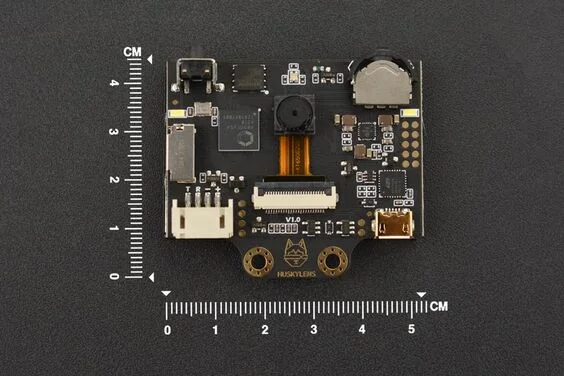
Dimensions52mm (L) x 44.5mm (W)

Frequently Asked Questions

How do I connect the HuskyLens to an Arduino or ESP32 board?

Connect the HuskyLens using the included Gravity 4-pin cable. For UART, link the sensor's TX/RX pins to your microcontroller's RX/TX pins respectively, and provide 3.3V-5V power. For I2C, connect SDA and SCL pins to the corresponding I2C bus on your board. Use the official DFRobot library to initialize communication and call functions like `learn()` or `request()` to get recognition results. Ensure baud rate is set to 9600 by default for UART mode.

What is the procedure for teaching the HuskyLens to recognize a new object?

Power on the sensor and select the desired algorithm (e.g., Object Recognition) using the function button. Point the camera at the target object and press the learning button once. A green frame will appear; keep the object centered. For improved accuracy, press and hold the learning button to capture the object from multiple angles and distances. The onboard display provides real-time feedback. The learned data is stored in flash memory and can be recalled even after a power cycle.

What are the power requirements and sleep modes for the HuskyLens sensor?

The HuskyLens operates from 3.3V to 5.0V DC. Current draw is approximately 320mA at 3.3V and 230mA at 5.0V during active vision processing. There is no dedicated software-controlled sleep mode; power consumption is managed by turning the module's power supply on or off entirely. For battery projects, use a suitable step-up/step-down regulator and consider a MOSFET switch controlled by your main MCU to cut power when the sensor is not in use to conserve energy.

Package Includes

  • 1 x HuskyLens Mainboard
  • 6 x M3 Screws
  • 6 x M3 Nuts
  • 1 x Small Mounting Bracket
  • 1 x Heightening Bracket
  • 1 x Gravity 4-Pin Sensor Cable

Additional Information

Weight 0.1 kg
Dimensions 5.2 × 4.45 cm