SKU: IOWC-1999
📋 GST Invoice Available

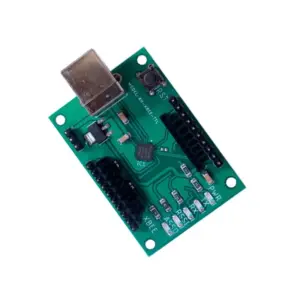
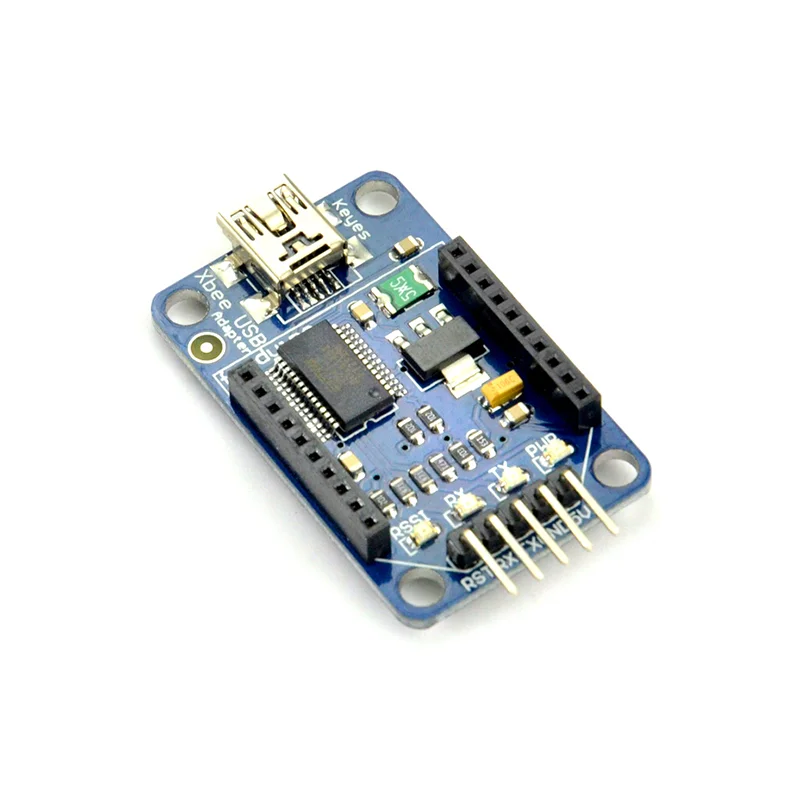
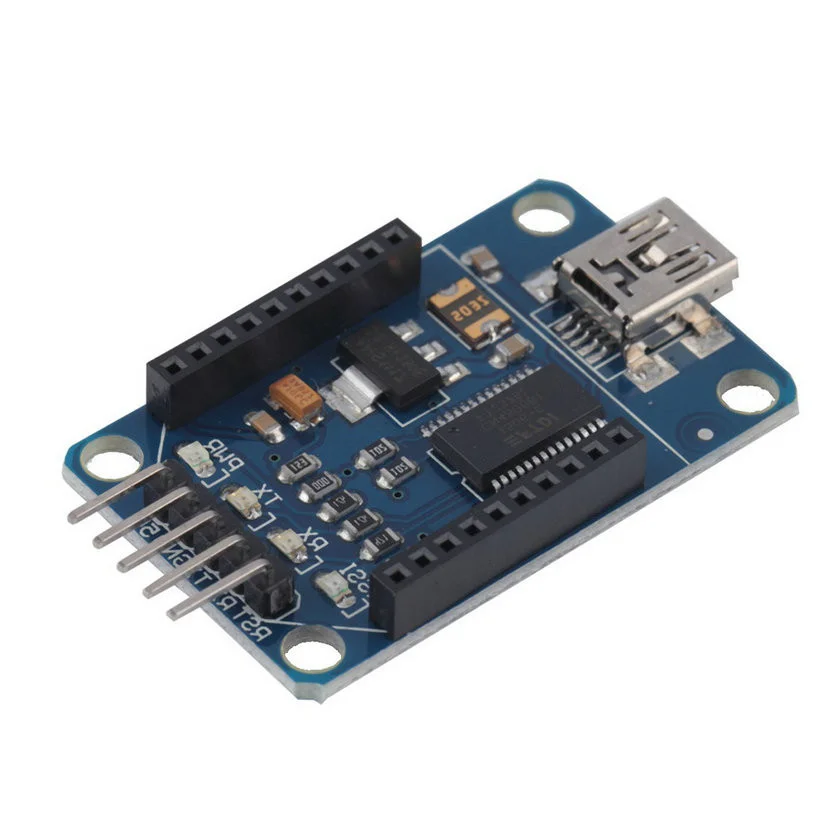
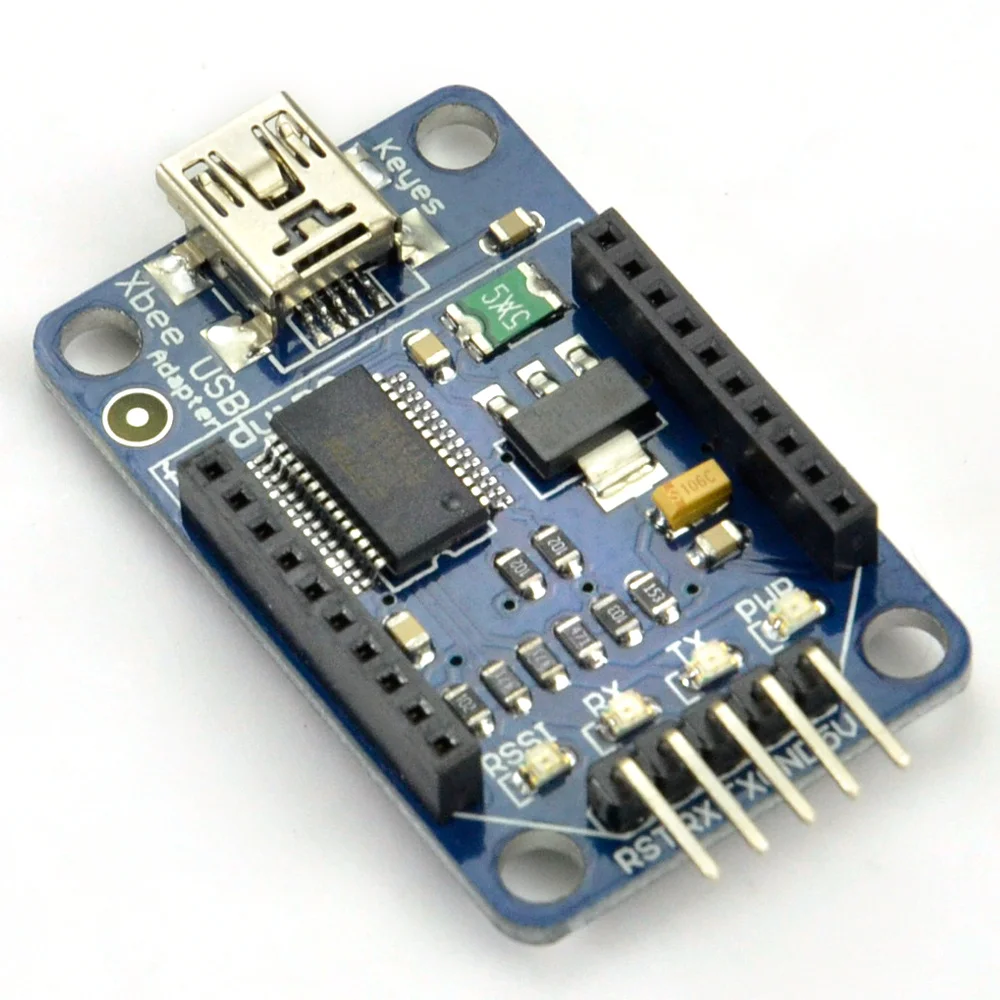
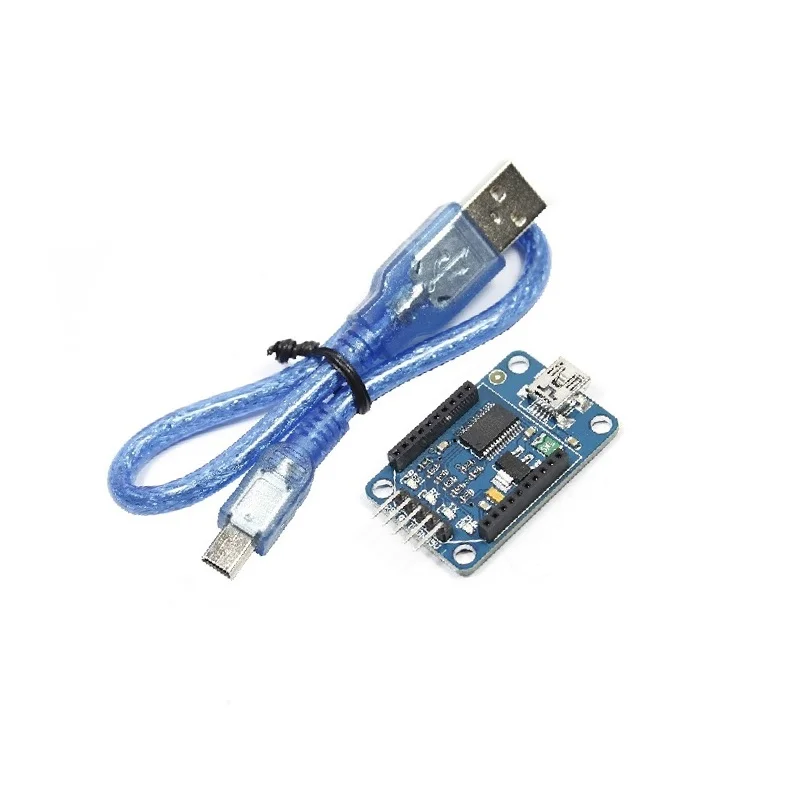
XBee USB Adapter FT232RL for Arduino with Micro USB Cable

₹289.00 (Inclusive of all taxes)
Out of Stock

This FT232RL-based USB adapter provides a UART bridge for programming and serial communication with XBee, Bluetooth Bee, and Arduino Pro Mini boards via a standard Micro USB cable, featuring 3.3V/5V dual-voltage I/O compatibility.

Features

  • FT232RL USB-to-Serial bridge chip for reliable UART communication with XBee and Arduino boards.
  • Dual-voltage I/O support compatible with both 3.3V and 5V logic levels for versatile device interfacing.
  • XBee-compatible 2.0mm pitch female socket for direct plug-in of XBee and Bluetooth Bee modules.
  • Includes BitBang mode for direct GPIO control and SPI communication via USB.
  • Works with Digi International’s X-CTU software for configuring and testing XBee network parameters.

Out of stock

Description

The XBee USB Adapter built around the FTDI FT232RL chipset serves as a critical development and configuration tool for wireless IoT projects. It translates USB signals from a host computer into a serial UART interface, enabling firmware uploads, real-time debugging, and AT command configuration for XBee Series 1/2, Bluetooth Bee, and similar 2.4GHz RF modules. The board’s design includes a precise 2.0mm pitch socket that matches the XBee footprint, ensuring secure mechanical and electrical connection without soldering.

Engineered for developer convenience, the adapter supports both 3.3V and 5V logic levels, making it compatible with a wide range of microcontroller boards and wireless modules. Its integrated BitBang mode allows for advanced protocols like SPI and direct GPIO manipulation, extending its utility beyond simple serial communication. The included Micro USB cable provides immediate connectivity to any modern PC, streamlining the workflow for prototyping and deploying Sub-1GHz and 2.4GHz wireless sensor networks.

Key Features

  • FT232RL USB-to-UART bridge IC ensures stable, driver-supported serial communication on Windows, macOS, and Linux.
  • Dual-power rail design with 3.3V and 5V tolerant I/O pins for safe interfacing with various logic families.
  • Direct plug-in socket for XBee and Bluetooth Bee modules (2.0mm pitch) eliminates need for breakout boards.
  • BitBang operational mode enables SPI, JTAG, and custom synchronous serial protocols for advanced hardware control.
  • Fully compatible with Digi International International's X-CTU configuration and testing software for XBee network management.
  • Standard Micro USB port for data and power, backed by USB 2.0 Full Speed protocol.
  • Compact PCB footprint (42x26mm) designed for portable use in field deployments and lab benches.

Applications

  • Configuration and firmware updating of Digi International XBee Zigbee, 802.15.4, and LoRa modules.
  • Serial communication bridge for Bluetooth Bee and other 2.4GHz wireless transceivers.
  • Programmer and bootloader for Arduino Pro Mini and other 5V/3.3V AVR microcontroller boards.
  • Development tool for prototyping wireless sensor networks and mesh topologies.
  • General-purpose USB-to-serial adapter for debugging embedded systems and IoT gateways.

Technical Specifications

Interface ControllerFTDI FT232RL
Primary InterfaceUSB 2.0 to UART Serial
Supported ProtocolsUART, Bit Bang I/O, SPI
Logic Level Compatibility3.3V & 5V
USB ConnectorMicro-B
Module SocketXBee-compatible 2.0mm pitch female header
Header Pitch2.54mm pin header for general I/O
Board Dimensions42 x 26 x 6 mm
Operating Voltage5V via USB
Compatible SoftwareDigi International X-CTU, Arduino IDE, Serial Terminal

Frequently Asked Questions

How do I install drivers for this FT232RL XBee USB Adapter on Windows 10?

Download the latest VCP drivers from the FTDI website, run the installer, and connect the adapter. Windows will automatically detect the COM port. For older systems, you may need to disable driver signature enforcement temporarily before installation. The adapter will appear as a standard COM port in Device Manager, ready for use with X-CTU or Arduino IDE.

Can this adapter program 3.3V Arduino Pro Mini boards without damaging them?

Yes, the adapter's I/O pins are 3.3V and 5V tolerant. For a 3.3V Pro Mini, ensure the adapter's VCC pin is set to 3.3V output. Connect RX/TX lines directly, and the logic level translation is handled internally by the FT232RL chip. Always double-check the target board's voltage requirement before connecting power to prevent any potential mismatch.

What is the procedure for configuring an XBee S2C module using this adapter and X-CTU?

Insert the XBee module into the 2.0mm socket, connect the USB cable, and launch Digi International X-CTU. Select the correct COM port, set the baud rate (default 9600), and open the radio modem configuration. You can then read/write parameters like PAN ID, destination address, and API mode. Always write settings to the module and perform a reset for changes to take effect.

How do I use the BitBang mode for SPI communication or custom GPIO control?

BitBang mode is enabled via FTDI's proprietary D2XX drivers or the libftdi library. You must write a custom application that uses the FT_SetBitMode function to configure specific pins as outputs. This mode allows you to bit-bang SPI clocks, chip selects, or general-purpose I/O signals directly from your PC, useful for prototyping without a microcontroller.

Package Includes

  • 1 x XBee USB Adapter (FT232RL)
  • 1 x Micro USB Cable

Additional Information

Weight 0.06 kg
Dimensions 8 × 4 × 4 cm