SKU: IOWC-1378
📋 GST Invoice Available

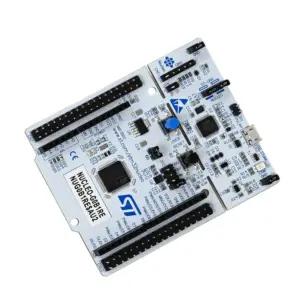
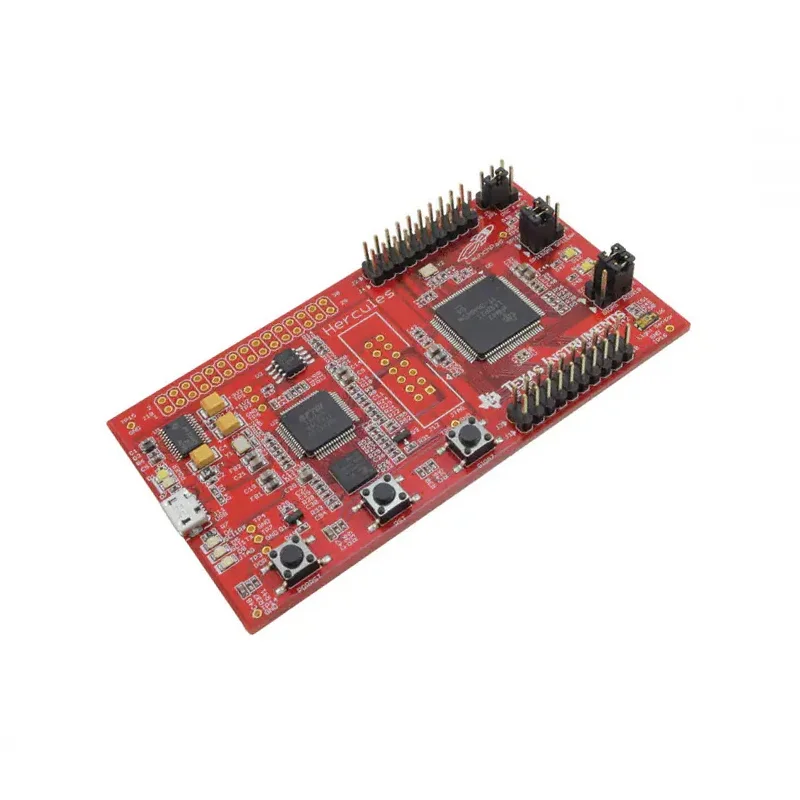
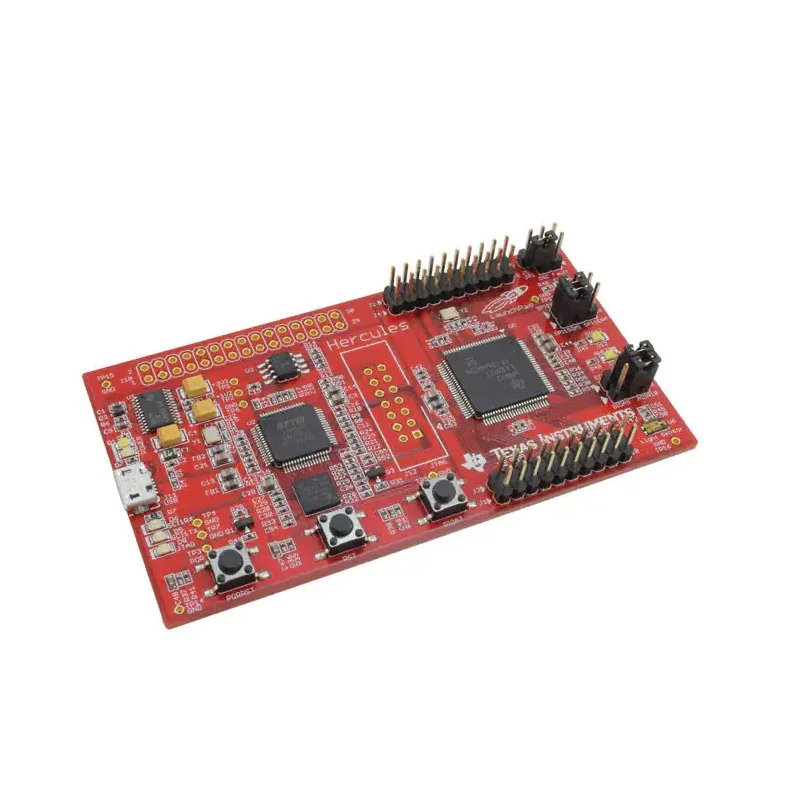
Texas Instruments LAUNCHXL-RM42 Development Board, Hercules Launchpad

₹7,239.00 (Inclusive of all taxes)
Out of Stock

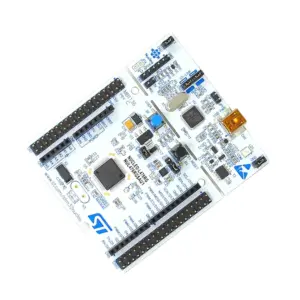
The Texas Instruments LAUNCHXL-RM42 is a USB-powered evaluation platform for the Hercules RM42L432 dual-core ARM Cortex-R4 safety MCU, featuring an onboard XDS100v2 JTAG debugger and serial communication interface for rapid prototyping of industrial control and safety-critical applications.

Features

  • Features the Hercules RM42L432 dual-core ARM Cortex-R4 safety MCU for robust, fault-tolerant industrial designs.
  • Integrated USB XDS100v2 JTAG debugger eliminates the need for an external emulator, streamlining firmware development.
  • USB-powered operation simplifies setup with a single cable for both power and programming/debugging.
  • Onboard SCI (Serial Communication Interface) enables direct UART communication with a PC for data logging and command control.
  • Pre-loaded with the Hercules Safety MCU Demo for immediate evaluation of safety features, ADC, HET, and communication peripherals.

Out of stock

Description

The LAUNCHXL-RM42 LaunchPad from Texas Instruments provides a cost-effective entry point for developing with the high-reliability Hercules RM42 microcontroller family. Based on the RM42L432, this board integrates a dual-core ARM Cortex-R4F CPU lockstepped for functional safety, alongside critical peripherals like a 12-bit ADC, High-End Timer (HET) co-processor, and multiple serial interfaces (MibSPI, SCI).

Its integrated design includes a full XDS100v2 JTAG debug circuit, allowing for direct programming and real-time debugging via a standard USB Micro-B connection without additional hardware. The board is engineered for low-power operation and is ideal for prototyping safety-critical systems in industrial automation, motor control, and transportation, where functional safety standards like IEC 61508 and ISO 26262 are paramount.

Key Features

  • Evaluation platform for the Hercules RM42x series of safety-certified ARM Cortex-R4 microcontrollers.
  • Onboard USB XDS100v2 JTAG debug probe simplifies the development workflow and reduces BOM cost.
  • Direct USB power supply and communication via a single Micro-B cable.
  • Onboard Serial Communication Interface (SCI) provides a UART bridge to a host PC for terminal output.
  • Pre-programmed with a comprehensive demo showcasing MCU safety features, ADC data acquisition, and timer control.
  • Includes user LEDs and reset switch for basic GPIO and system control testing.
  • Ideal for learning and prototyping applications requiring functional safety (SIL/ASIL) compliance.

Applications

  • Prototyping functional safety (SIL/ASIL) systems for industrial automation and control.
  • Development of motor control and power conversion applications using HET and eQEP peripherals.
  • Safety-critical monitoring and data acquisition systems with integrated ADC.
  • Educational platform for learning about ARM Cortex-R architecture and safety-certified MCU design.
  • Gateway and controller development for industrial serial communication networks.

Technical Specifications

Microcontroller / SoCHercules RM42L432 (Dual-core ARM Cortex-R4F)
Core Architecture32-bit ARM Cortex-R4F (Lockstepped)
Debug InterfaceOnboard USB XDS100v2 JTAG Emulator
Communication InterfacesSCI (UART), MibSPI, HET, eQEP
Analog Input12-bit ADC
Power SupplyUSB 5V (Micro-B)
User I/O2x LEDs, Reset Switch
Operating TemperatureCommercial range (see datasheet)
DimensionsApprox. 17 x 13 cm (Board footprint)

Frequently Asked Questions

How do I program and debug the LAUNCHXL-RM42 board?

Connect the board to your PC using a USB Micro-B cable. The integrated XDS100v2 JTAG debugger will be recognized. Install Texas Instruments' Code Composer Studio (CCS) or Hercules IDE. Create a new project for the RM42L432 target. The onboard debugger allows you to flash firmware, set breakpoints, and inspect registers directly through the IDE's debug perspective without any external hardware.

What software and tools are required to start development?

You need Texas Instruments' Code Composer Studio (CCS) or the Hercules Integrated Development Environment (IDE), both available as free downloads. Install the Hercules RM4x/5x device family support package. The board comes pre-programmed with a demo; to run your own code, create a project targeting the RM42L432, build it, and use the onboard debugger to load the compiled binary onto the MCU's flash memory.

Can I use the board's serial communication (SCI) interface with a terminal program?

Yes. The onboard SCI provides a USB-to-serial bridge. Once connected via USB, a virtual COM port will appear on your PC. Use a terminal emulator like Tera Term or PuTTY, set the correct COM port, and configure the baud rate (defaults are project-specific, often 115200 bps). This allows you to send and receive data, print debug messages, and interact with your application's command line interface.

Package Includes

  • 1 x LAUNCHXL-RM42 Development Board (Hercules Launchpad)

Additional Information

Weight 0.113 kg
Dimensions 17 × 13 × 4 cm