SKU: IOWC-1158
📋 GST Invoice Available

Waveshare RP2350-GEEK Development Board w/ 1.14-Inch IPS LCD

₹1,229.00 (Inclusive of all taxes)
Out of Stock

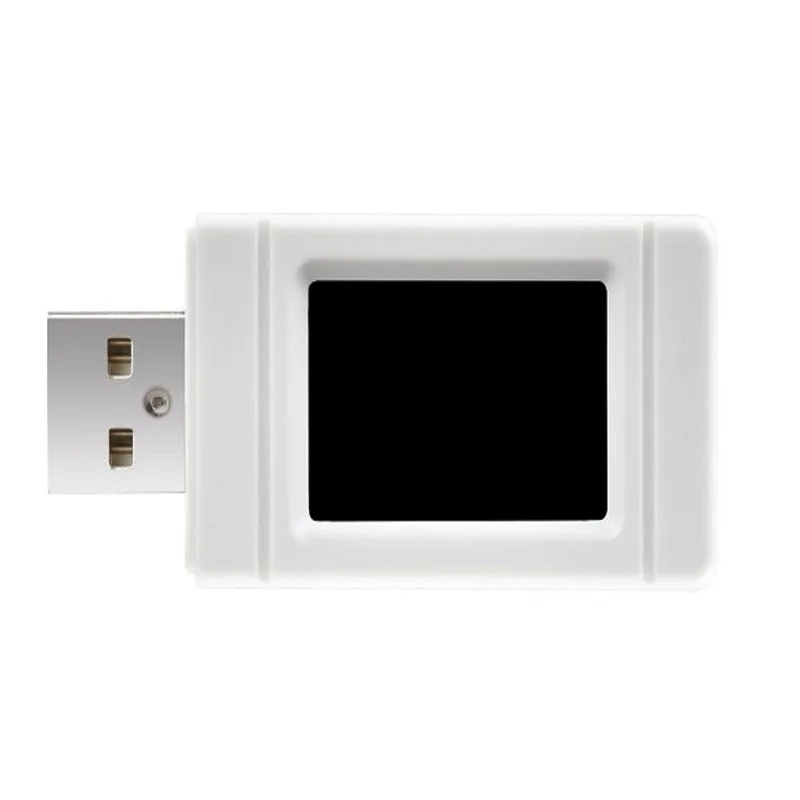
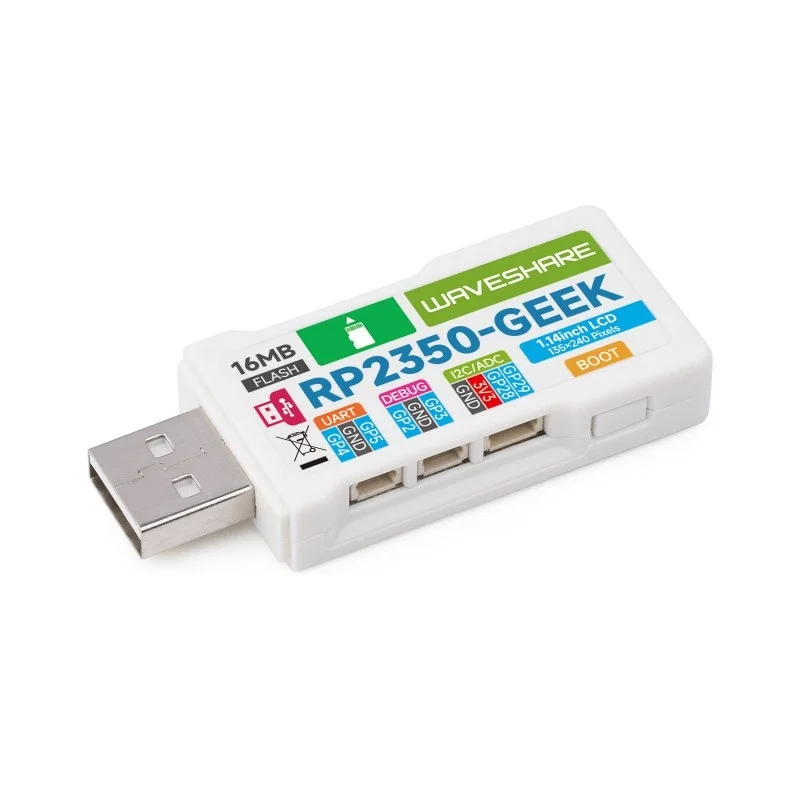
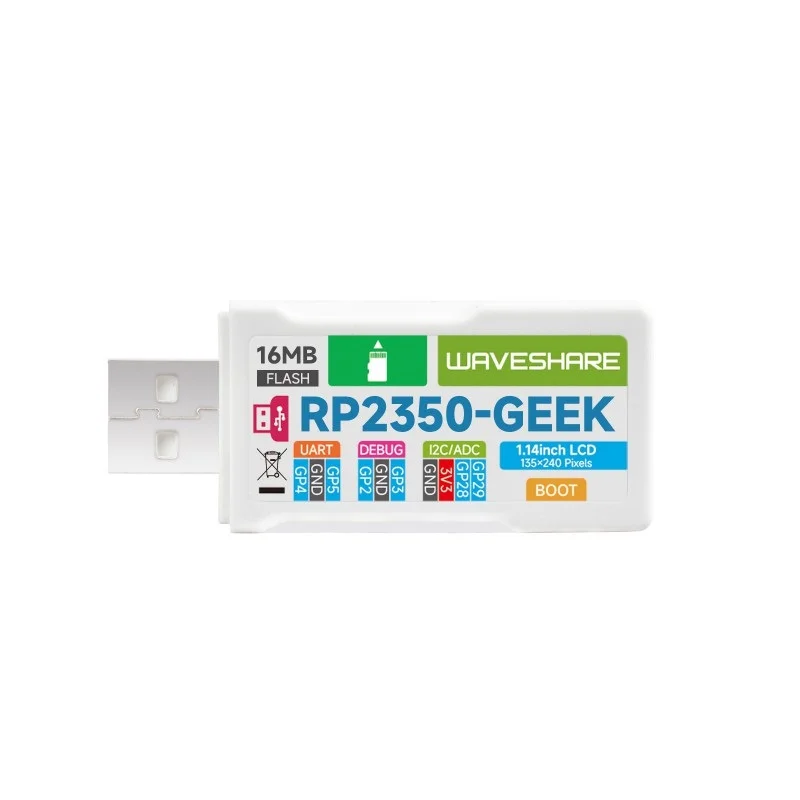
The Waveshare RP2350-GEEK is a compact development board built around the Raspberry Pi RP2350 microcontroller, featuring an integrated 1.14-inch IPS LCD for embedded UI projects. It includes a CMSIS-DAP debug interface and USB-UART bridge for seamless programming via OpenOCD and Arduino IDE.

Features

  • RP2350 Microcontroller: Features the dual-core ARM Cortex-M33+ chip from Raspberry Pi for robust embedded processing.
  • Integrated 1.14″ IPS Display: 240×135 pixel, 65K-color LCD enables local GUI and status visualization without external screens.
  • Onboard CMSIS-DAP Debugger: Standard interface for programming and debugging ARM-based targets via the 3-pin SWD port.
  • Multi-Interface Connectivity: Includes USB Type-A host, 4-pin I2C port, and UART bridge for peripheral expansion and testing.
  • Open-Source Firmware: Fully customizable codebase supports easy upgrades and integration with OpenOCD, PlatformIO, and MicroPython.

Out of stock

Description

The Waveshare RP2350-GEEK Development Board serves as a versatile hardware platform centered on the Raspberry Pi RP2350 microcontroller, designed for embedded developers and IoT prototyping. Its integrated 1.14-inch IPS LCD provides a crisp, color display for building user interfaces, sensor dashboards, or diagnostic readouts directly on the device, eliminating the need for separate display modules.

Engineered for streamlined development, the board incorporates a CMSIS-DAP compliant debug interface, allowing direct connection to most ARM Cortex-M based microcontrollers for in-circuit programming and debugging via tools like OpenOCD. The onboard USB to UART bridge and dedicated I2C port facilitate rapid testing and integration of external sensors, EEPROMs, or actuators, while the USB Type-A host port supports additional peripheral connectivity.

Key Features

  • Core processing powered by the Raspberry Pi RP2350 microcontroller with dual ARM Cortex-M33+ cores.
  • Integrated 1.14-inch IPS LCD screen with 240x135 resolution and 65K colors for embedded graphical applications.
  • Onboard CMSIS-DAP debug probe enables programming and debugging of external ARM targets via the 3-pin SWD connector.
  • USB Type-A host interface and built-in USB to UART serial bridge for PC communication and peripheral connectivity.
  • Dedicated 4-pin I2C port for quick prototyping and testing with I2C-compatible sensors and modules.
  • Complies with Raspberry Pi 3-pin debug connector specification for compatibility with Pi debug accessories.
  • Open-source firmware allows for customization and easy updates via GitHub or community repositories.
  • Includes protective plastic case and necessary cables for out-of-the-box development.

Applications

  • Embedded GUI Development: Create handheld instruments, smart device interfaces, or diagnostic tools with integrated color display.
  • ARM Microcontroller Debugging: Use as a CMSIS-DAP debug probe for programming and testing external RP2040, STM32, or other ARM Cortex-M boards.
  • IoT Prototyping & Sensor Hubs: Rapidly prototype sensor nodes with I2C environmental sensors, data loggers, or telemetry units.
  • Educational Electronics Platform: Teach embedded systems, real-time interfaces, and microcontroller programming in academic or maker settings.
  • Custom Embedded Controllers: Develop bespoke control panels for robotics, automation, or interactive art installations.

Technical Specifications

Microcontroller/SoCRaspberry Pi RP2350 (Dual-core ARM Cortex-M33+)
Display1.14-inch IPS LCD, 240 x 135 pixels, 65K colors
Debug InterfaceCMSIS-DAP (via 3-pin SWD port)
Serial InterfaceOnboard USB to UART bridge
I2C Interface4-pin I2C port
USB HostUSB Type-A port
Storage ExpansionTF card slot
Firmware SupportOpenOCD, Arduino IDE, MicroPython, PlatformIO
DimensionsApprox. 11 x 7 x 3 cm (Shipping)
WeightApprox. 0.07 kg (Shipping)

Frequently Asked Questions

How do I program the Waveshare RP2350-GEEK board itself?

You can program the onboard RP2350 microcontroller using the Arduino IDE with the Raspberry Pi Pico board package installed, or via MicroPython/PlatformIO. Connect the board via USB, select the correct COM port, and upload your sketch. The board appears as a mass storage device for dragging UF2 files, similar to Raspberry Pi Pico. For lower-level development, use the CMSIS-DAP interface with OpenOCD and GCC ARM toolchain.

Can I use this board as a debugger for other microcontrollers?

Yes, the onboard CMSIS-DAP interface allows it to function as a standalone debug probe. Connect the 3-pin SWD port (GND, SWDIO, SWCLK) to your target ARM Cortex-M board (e.g., STM32, RP2040). Install OpenOCD on your PC and configure it to use the CMSIS-DAP driver. You can then flash firmware, set breakpoints, and inspect memory on the target device using GDB or IDE integrations like VS Code.

What is the pinout for the I2C port and how do I connect sensors?

The 4-pin I2C port uses a standard layout: Pin 1 is 3.3V power, Pin 2 is ground (GND), Pin 3 is serial data (SDA), and Pin 4 is serial clock (SCL). To connect an I2C sensor like a BME280, match VCC to 3.3V, GND to GND, SDA to SDA, and SCL to SCL. Use pull-up resistors (typically 4.7kΩ) on SDA and SCL lines if not internally provided. Access the port via your code using the Wire library in Arduino or machine.I2C in MicroPython.

Package Includes

  • 1 x Waveshare RP2350-GEEK Development Board

Additional Information

Weight 0.07 kg
Dimensions 11 × 7 × 3 cm