SKU: IOWC-1973
📋 GST Invoice Available

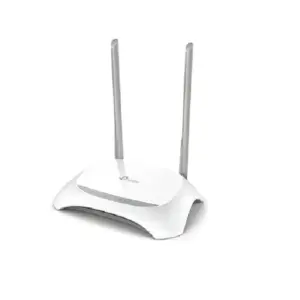
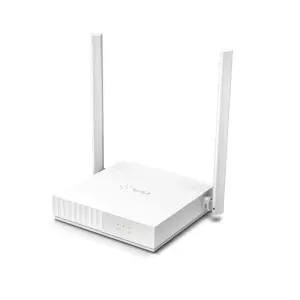
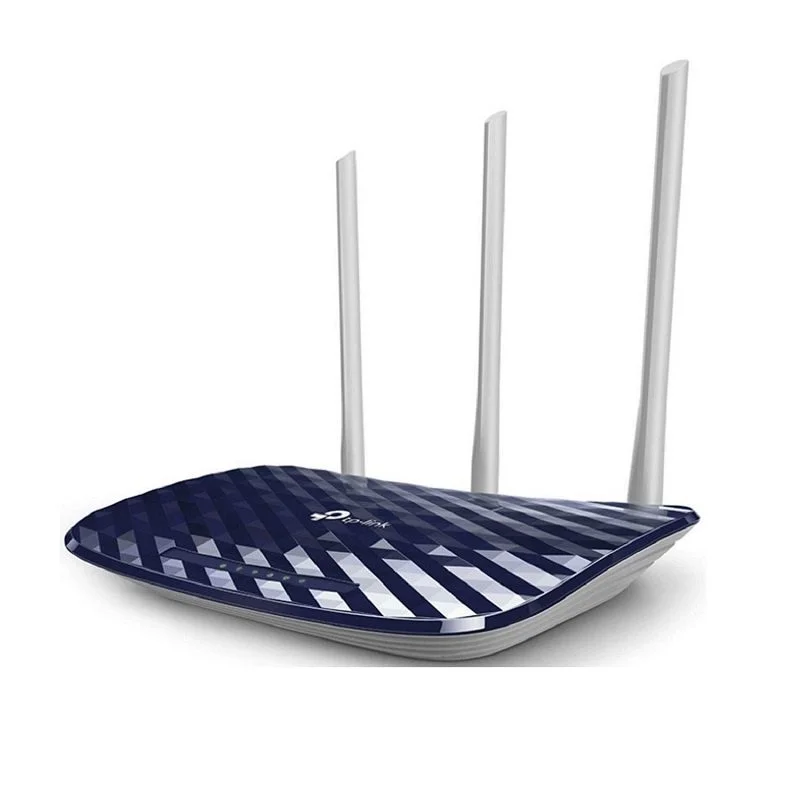
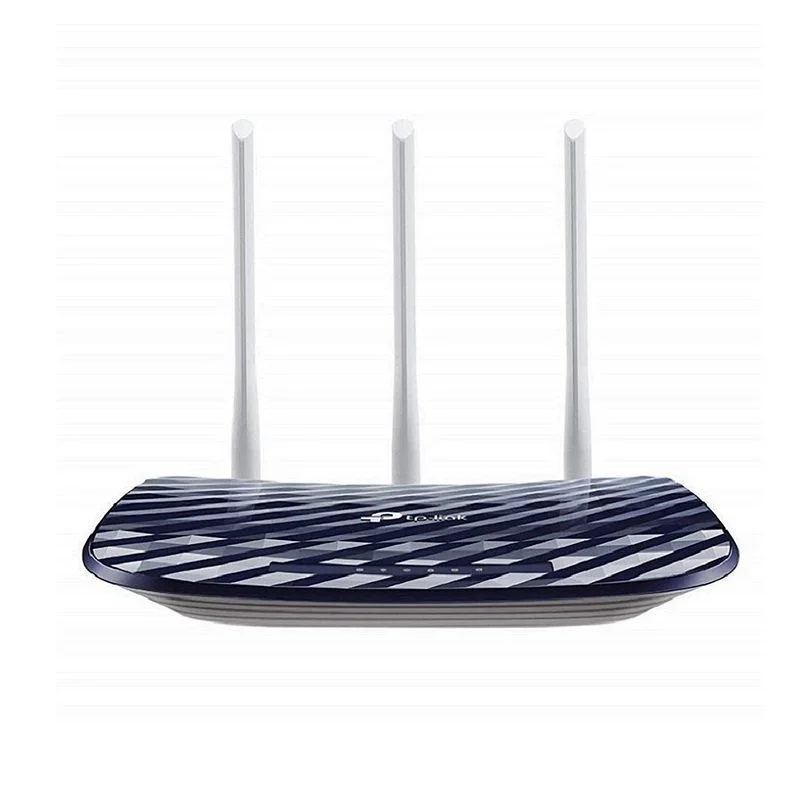
TP-Link Archer C20 AC750 Dual-Band Wi-Fi Router

₹2,519.00 (Inclusive of all taxes)
Out of Stock

The TP-Link Archer C20 is an AC750 dual-band Wi-Fi router designed for reliable home and small office networking, offering simultaneous 2.4GHz and 5GHz bands for up to 733Mbps total throughput with three external antennas for stable coverage.

Features

  • AC750 Dual-Band Wi-Fi delivers combined speeds of up to 300Mbps on 2.4GHz and 433Mbps on 5GHz for smooth HD streaming and online gaming.
  • Three fixed external antennas provide stable, omnidirectional wireless coverage for larger homes and multi-device connectivity.
  • Supports Router, Access Point, and Range Extender modes (3-in-1) for flexible network deployment and expansion.
  • Enhanced WPA3 security protocol safeguards your personal network against modern cybersecurity threats.
  • Includes IPTV support with IGMP Proxy/Snooping and VLAN tagging for optimized high-definition video streaming.

Out of stock

Description

The TP-Link Archer C20 AC750 is a budget-friendly dual-band wireless router engineered for stable home and basic office networking. It leverages 802.11ac Wi-Fi technology to provide simultaneous connectivity on the 2.4GHz and 5GHz frequency bands, minimizing interference and ensuring reliable performance for streaming, browsing, and online gaming. With a total theoretical throughput of up to 733Mbps, it efficiently handles multiple connected devices.

Its user-friendly web interface simplifies initial setup and ongoing network management, making it accessible for users of all technical levels. The router’s robust construction and integrated heat dissipation design ensure stable operation during continuous use, providing a dependable foundation for your local area network and internet access.

Key Features

  • AC750 Dual-Band Wi-Fi (300Mbps @2.4GHz + 433Mbps @5GHz) for reduced interference and higher throughput.
  • Three fixed omnidirectional antennas enhance wireless range and provide stable whole-home coverage.
  • Multi-functional 3-in-1 operation supports Router, Access Point, and Range Extender modes for network flexibility.
  • Advanced WPA3 wireless encryption protocol for improved personal network security over older standards.
  • Dedicated IPTV support features IGMP Proxy/Snooping and VLAN tagging to optimize multicast video streaming.
  • Built-in parental controls allow management of internet access schedules and content filtering for connected devices.
  • Separate Guest Network capability provides visitors with internet access while isolating them from the main LAN.
  • Four 10/100 Mbps Ethernet LAN ports and one 10/100 Mbps WAN port for wired device connections.

Applications

  • Primary wireless router for residential homes, apartments, and small offices requiring stable dual-band connectivity.
  • Network expansion as a wireless access point or range extender to eliminate dead zones in larger spaces.
  • Supporting IPTV and multimedia streaming setups with optimized VLAN and multicast traffic handling.
  • Providing a secure, managed network with guest access and parental controls for family environments.

Technical Specifications

Wireless StandardIEEE 802.11ac/n/g/b (Dual-Band)
Total Wi-Fi SpeedAC750 (300 Mbps @2.4GHz, 433 Mbps @5GHz)
ProcessorSingle-Core CPU
Ethernet Ports1x 10/100 Mbps WAN, 4x 10/100 Mbps LAN
Antennas3 Fixed External Antennas
Operating ModesRouter, Access Point, Range Extender
SecurityWPA3, WPA2, WPA, WEP
Special FeaturesIPTV Support, Guest Network, Parental Controls
Power Supply9V DC
Dimensions (LxWxH)230 x 144 x ~30 mm (approx.)
Weight~646 g (with accessories)

Frequently Asked Questions

How do I set up the Archer C20 as a wireless access point?

Connect the router to your main network via a LAN port, log into its web interface, and navigate to the 'Operation Mode' section. Select 'Access Point' mode, configure the wireless settings (SSID and password), and save. The device will reboot and function as an AP, extending your existing network without performing NAT routing. Ensure its IP address is within your main network's subnet but does not conflict with other devices.

What is the difference between the 2.4GHz and 5GHz bands on this router?

The 2.4GHz band offers wider coverage and better wall penetration at speeds up to 300Mbps, ideal for general browsing and IoT devices. The 5GHz band provides faster speeds up to 433Mbps with less interference, perfect for HD video streaming and online gaming. The router broadcasts both networks simultaneously, allowing you to connect devices to the most suitable band manually or let them auto-select based on capability and signal strength.

How do I enable and configure the Guest Network feature?

Log into the router's admin panel, go to 'Advanced' > 'Network' > 'Guest Network'. Enable the guest network for your desired band (2.4GHz or 5GHz), set a separate network name (SSID) and password. You can configure access schedules and bandwidth limits if needed. This creates an isolated wireless network for visitors, preventing them from accessing your primary LAN devices and shared resources while providing internet access.

Package Includes

  • 1 x TP-Link Archer C20 AC750 Wi-Fi Router
  • 1 x Power Adapter
  • 1 x RJ45 Ethernet Cable
  • 1 x Quick Installation Guide

Additional Information

Weight 0.646 kg
Dimensions 23 × 14.4 cm