SKU: IOWC-1349
📋 GST Invoice Available

Seeed Studio Studio SenseCAP Indicator D1Pro 4-Inch Touch Screen IoT Platform w/ ESP32-S3 & RP2040

₹9,759.00 (Inclusive of all taxes)
Out of Stock

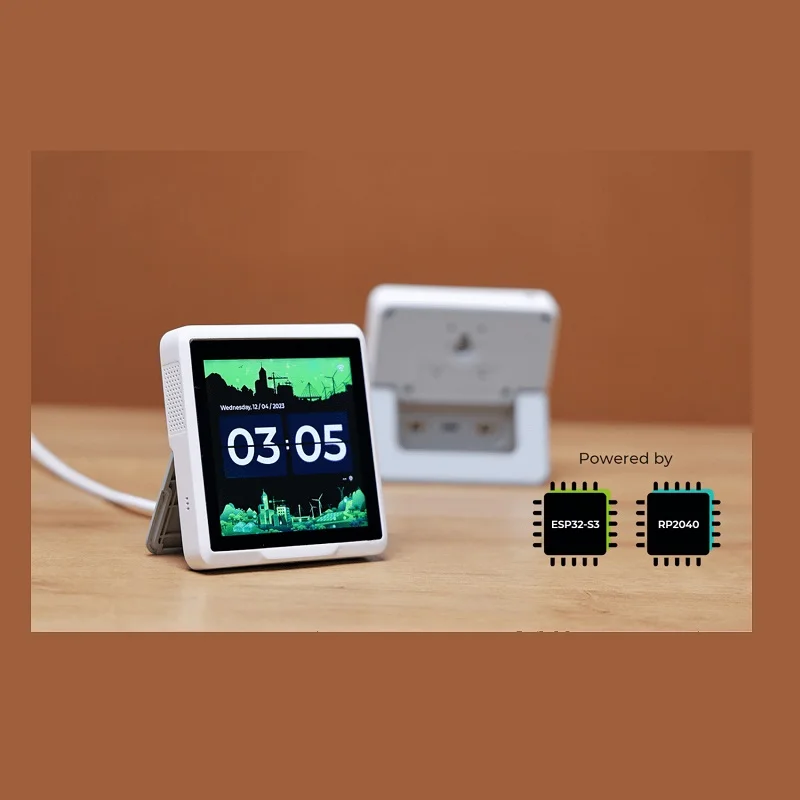
The SenseCAP Indicator D1Pro is a dual-MCU IoT development platform featuring a 3.95-inch capacitive touch screen, powered by an ESP32-S3 for Wi-Fi/BLE and an RP2040 for processing, with built-in LoRa® for local hub functionality and air quality sensors.

Features

  • Dual-MCU Power: Combines an ESP32-S3 (240MHz dual-core) for Wi-Fi 2.4GHz/Bluetooth 5.0 connectivity and an RP2040 (133MHz dual-core) for robust application processing and peripheral control.
  • 4-Inch Touch Interface: Features a high-resolution 480×480 capacitive RGB touchscreen for building interactive IoT dashboards, control panels, and data visualization applications.
  • Multi-Protocol Connectivity: Integrates Wi-Fi, BLE, and LoRa® communication on a single board, enabling it to function as a sensor node, gateway, or local LoRaWAN network hub.
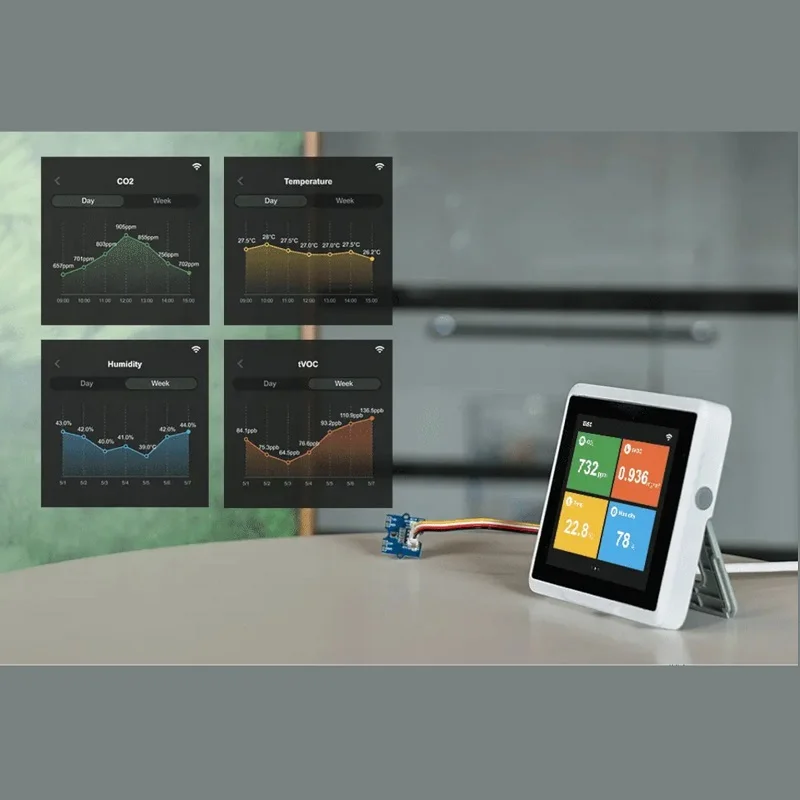
  • Integrated Environmental Sensing: Includes built-in tVOC and CO2 sensors, plus an external Grove connector for a temperature/humidity sensor to minimize heat interference for accurate readings.
  • Developer-Friendly Expansion: Offers rich GPIOs, USB Type-C, two Grove interfaces (ADC/I2C), and a fully open-source platform compatible with Arduino, ESP-IDF, and MicroPython for rapid prototyping.

Out of stock

Description

The SenseCAP Indicator D1Pro is a comprehensive IoT development platform engineered for developers and system integrators requiring a powerful, display-centric edge device. Its core architecture leverages the Espressif ESP32-S3 microcontroller, providing robust 2.4GHz Wi-Fi and Bluetooth Low Energy 5.0 connectivity, alongside a Raspberry Pi RP2040 co-processor dedicated to handling the high-resolution touch display and complex application logic. This dual-MCU design ensures smooth UI performance while maintaining efficient wireless communication and network protocol stacks.

Beyond its processing capabilities, the platform is distinguished by its integrated LoRa® transceiver, transforming it into a versatile local hub for LoRaWAN networks. It can aggregate data from remote LoRa sensors, process it locally, and forward insights via its Wi-Fi backbone. The board is pre-equipped with environmental sensors for air quality monitoring, making it immediately deployable as a desktop air quality station. With its open-source firmware, extensive GPIO breakout, and Grove ecosystem compatibility, the D1Pro serves as an ideal foundation for smart home automation, industrial HMIs, environmental monitoring stations, and interactive edge AI projects.

Key Features

  • Dual-Processor Design: ESP32-S3 handles wireless comms (Wi-Fi/BLE/LoRa), while the RP2040 manages the display and primary application, enabling parallel task execution.
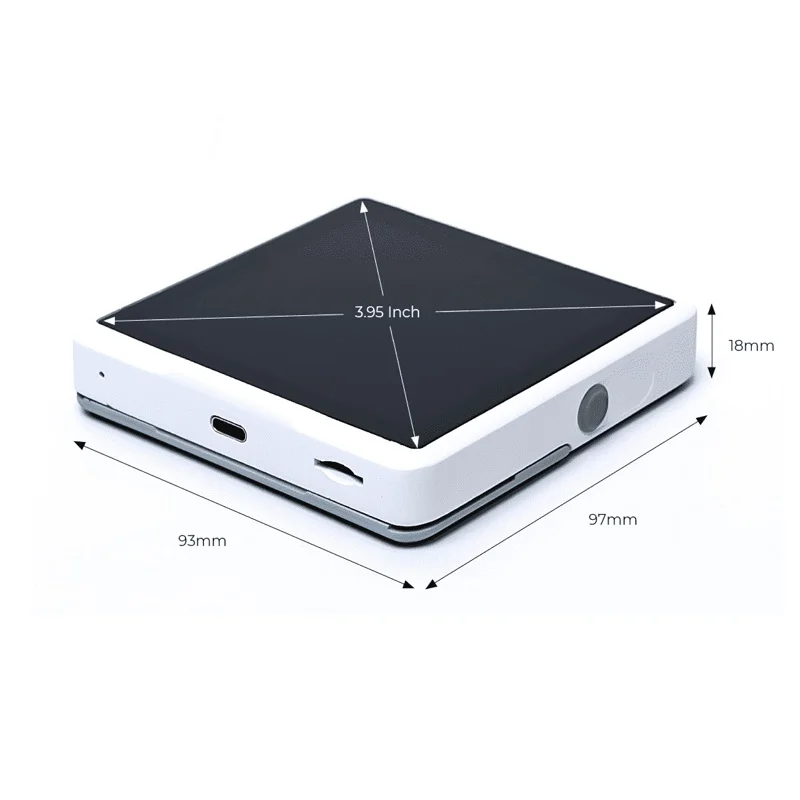
  • High-Resolution Capacitive Touchscreen: 3.95-inch, 480x480 pixel display supports multi-touch gestures for creating intuitive user interfaces.
  • Multi-Radio Connectivity Hub: Functions as a Wi-Fi/BLE endpoint and a local LoRa® concentrator, bridging different IoT network layers.
  • Onboard Environmental Sensors: Integrated Sensirion SGP40 tVOC and SCD40 CO2 sensors provide real-time air quality data out of the box.
  • Expandable Sensor Interface: Includes Grove connectors (I2C & ADC) for easily attaching external sensors like the provided temperature/humidity module.
  • Open-Source Ecosystem: Hardware design, firmware, and software SDKs are fully open-source, supporting development in Arduino IDE, ESP-IDF, and MicroPython.
  • Robust Power & I/O: Powered via 5V USB Type-C with rich GPIO headers for connecting peripherals, relays, or custom expansion boards.
  • Compact Industrial Form Factor: Housed in a sleek enclosure ready for desktop deployment or integration into larger systems.

Applications

  • Smart Building & Environmental Dashboards: Deploy as a wall-mounted or desktop unit for real-time monitoring of indoor air quality (CO2, tVOC, temperature, humidity).
  • Industrial HMI & Control Panels: Utilize the touchscreen and dual-MCU power to create interactive interfaces for machine control, SCADA systems, or process visualization.
  • LoRaWAN Network Gateway/Hub: Act as a local concentrator to collect data from a fleet of LoRa sensors (e.g., soil moisture, tank levels) and relay it to the cloud via Wi-Fi.
  • Prototyping Platform for Edge AI: Develop and demonstrate TinyML or computer vision applications using the RP2040's processing power and the high-resolution display for feedback.
  • Educational IoT & Makerspace Projects: Ideal for teaching embedded systems, wireless communication, and sensor integration due to its all-in-one design and open-source tools.

Technical Specifications

Microcontroller/SoCESP32-S3 (Xtensa® dual-core LX7, up to 240MHz) & RP2040 (Dual ARM Cortex-M0+, up to 133MHz)
Wireless ProtocolsWi-Fi 802.11 b/g/n (2.4GHz), Bluetooth 5.0 (LE), LoRa® (SX1262)
Display3.95-inch Capacitive Touch Screen, RGB, 480 x 480 pixels
Onboard SensorsSGP40 (tVOC), SCD40 (CO2), External Grove TH Sensor Port
Supply Voltage5V DC via USB Type-C
Operating CurrentApprox. 1A (typical under load)
InterfacesUSB Type-C, 2x Grove (I2C, ADC), Extended GPIO Headers
Operating Temperature-10°C to +50°C
Operating Humidity0 - 90% RH (non-condensing)
Dimensions (L x W)96mm x 92.2mm
Weight215g (board only)

Frequently Asked Questions

What software frameworks are supported for programming the SenseCAP Indicator D1Pro?

The D1Pro supports multiple development environments. For the ESP32-S3 (handling Wi-Fi, BLE, LoRa), you can use the Arduino IDE with the ESP32 board package or Espressif's official ESP-IDF framework. The RP2040 core can be programmed using the Arduino IDE with the Raspberry Pi Pico core, CircuitPython, or MicroPython. Seeed Studio Studio provides example code and libraries to integrate both processors, allowing you to manage wireless communication on the ESP32 and UI/sensor logic on the RP2040.

How do I connect external sensors or actuators to the Grove ports?

The board features two standardized Grove connectors: one for I2C (digital) and one for ADC (analog). Use Grove cables to connect compatible sensors like the included temperature/humidity module. The I2C port uses SDA and SCL lines for digital sensors, while the ADC port connects to the ESP32-S3's analog input for reading voltage values. Ensure your code initializes the correct communication protocol. For non-Grove devices, break out the signals from the side GPIO headers, matching the voltage levels (3.3V logic).

Can the D1Pro act as a standalone LoRaWAN gateway without Wi-Fi?

No, it cannot function as a full LoRaWAN gateway independently. Its integrated LoRa module (typically an SX1262) allows it to act as a LoRaWAN Class A or B end-node, communicating directly with a separate gateway. However, its "Local LoRa Hub" feature means it can receive data from other LoRa sensors and forward it via its own Wi-Fi connection to a network server. To be a true gateway requiring a packet forwarder, you would need a dedicated multi-channel concentrator module, which the D1Pro does not contain.

What is the power consumption in sleep mode, and how do I enable it?

Exact sleep current figures are not specified, but you can place both MCUs into low-power states. For the ESP32-S3, use `esp_deep_sleep_start()` in your code, which can be triggered by a timer or external wake-up pins, drastically reducing current draw. The RP2040 can also be put into sleep modes. Note that the display and sensors will be powered down. For battery-operated projects, you must design external power management, as the board's primary 5V input is not optimized for ultra-low-power scenarios without modification.

How do I update the firmware or flash a new program onto the board?

Connect the USB Type-C port to your computer. For the RP2040, hold the BOOT button while plugging in the USB to enter bootloader mode; it will appear as a mass storage device where you drag a .uf2 file. For the ESP32-S3, put it into download mode by holding the BOOT button and pressing RESET, then release BOOT. Use Arduino IDE or ESP-IDF's `idf.py flash` command to upload code via the serial port. Seeed Studio provides detailed wiring diagrams for the internal USB-UART bridge to ensure correct COM port selection.

Package Includes

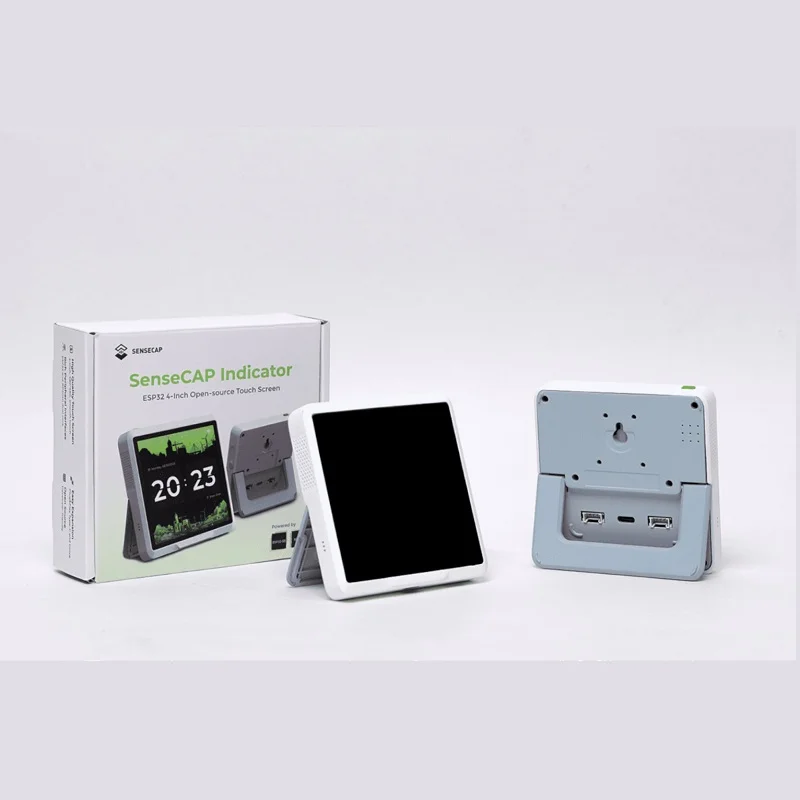
  • 1 x SenseCAP Indicator D1Pro 4-Inch Touch Screen IoT Development Platform

Additional Information

Weight 0.215 kg
Dimensions 9.6 × 9.22 cm