SKU: IOWC-1824
📋 GST Invoice Available

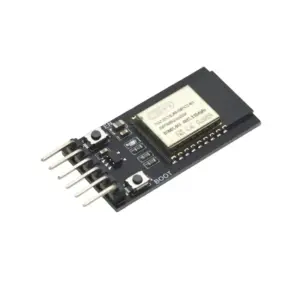
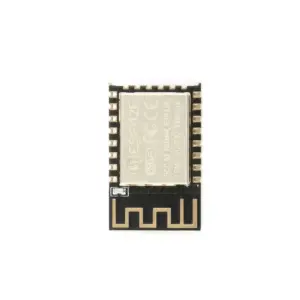
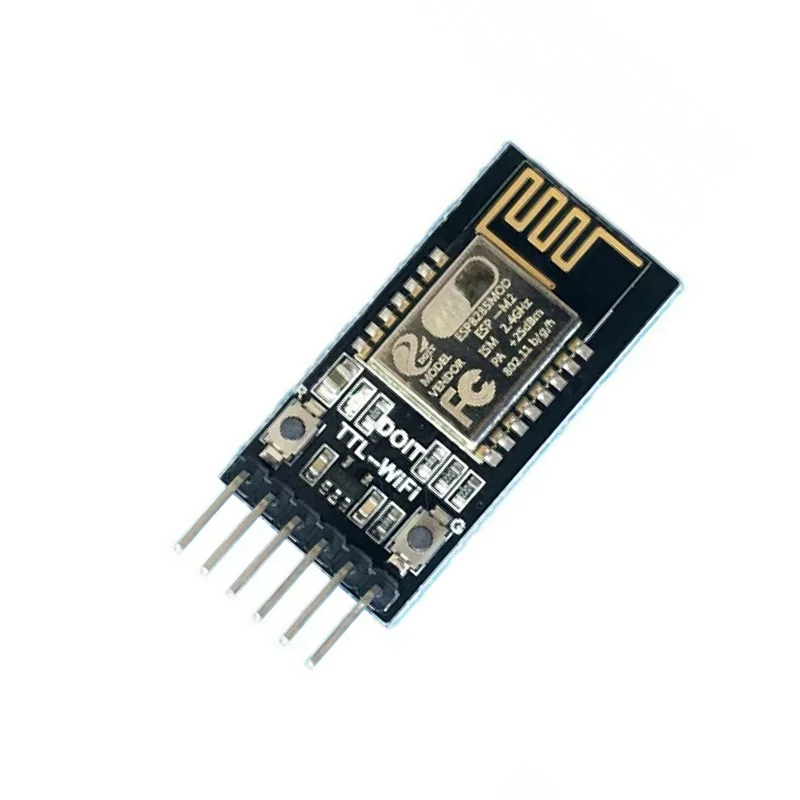
DT-06 WiFi Serial Port Transparent Transmission Module ESP-M2

₹499.00 (Inclusive of all taxes)
Out of Stock

The DT-06 is a TTL-to-WiFi serial transparent transmission module based on the ESP-M2, enabling legacy serial devices to connect to cloud platforms via AT commands or a built-in HTTP web server for configuration.

Features

  • Built-in ESP-M2 Wi-Fi module with pre-loaded serial transparent transmission firmware for real-time data relay.
  • Features a built-in HTTP web server for easy parameter configuration via any browser without additional software.
  • Supports multiple network modes including TCP/UDP Server/Client and automatic Wi-Fi reconnection.
  • Offers deep sleep mode with ultra-low 20μA current for battery-powered IoT applications.
  • Provides a STATE pin for Wi-Fi status indication and is fully compatible with 3.3V/5.0V TTL logic.

Out of stock

Description

The DT-06 WiFi Serial Port Transparent Transmission Module is a dedicated bridge for converting traditional serial TTL communication to wireless IP networks. Built around the ESP-M2 Wi-Fi SoC, it comes pre-programmed with industrial-grade transparent transmission firmware, eliminating the need for complex firmware development. Its integrated HTTP server allows for effortless configuration of SSID, passwords, IP addresses, and baud rates directly through a web browser on any connected device.

Engineered for reliability, the module supports a wide range of baud rates up to 3,686,400 bps and features automatic reconnection in STA mode. It operates on a 4.5V to 6.0V supply, with a 3.3V TTL interface that is 5V-tolerant, making it compatible with a vast array of microcontrollers and legacy serial devices like printers and industrial controllers.

Key Features

  • Serial-to-WiFi transparent bridge with pre-installed firmware for immediate deployment.
  • Integrated HTTP Web Server for tool-free configuration via PC or mobile browser.
  • Supports comprehensive AT command set for remote management and status checking.
  • Features multiple operating modes: AP, STA, TCP Server/Client, and UDP Server/Client.
  • Automatic Wi-Fi hotspot scanning and DHCP support with configurable static IP.
  • Programmable baud rate, data bits, parity, stop bits, and packetization timing.
  • Includes a dedicated IO4 (STATE) pin for visual Wi-Fi connection status indication.
  • Supports Over-the-Air (OTA) firmware updates for future feature enhancements.

Applications

  • Smart home automation for retrofitting legacy serial devices.
  • Wireless data acquisition and transparent transmission for industrial telemetry.
  • Remote control systems for smart cars or robotics.
  • Converting wired serial printers to network-enabled wireless printers.
  • LED lighting and industrial control systems requiring wireless serial links.

Technical Specifications

Microcontroller/SoCESP-M2 Wi-Fi Module
Wireless ProtocolWi-Fi 802.11 b/g/n
Supply Voltage4.5V - 6.0V
TTL Logic Voltage3.3V (5V Tolerant)
Operating Current (Avg)80mA
Peak Current (Tx)170mA
Deep Sleep Current20μA
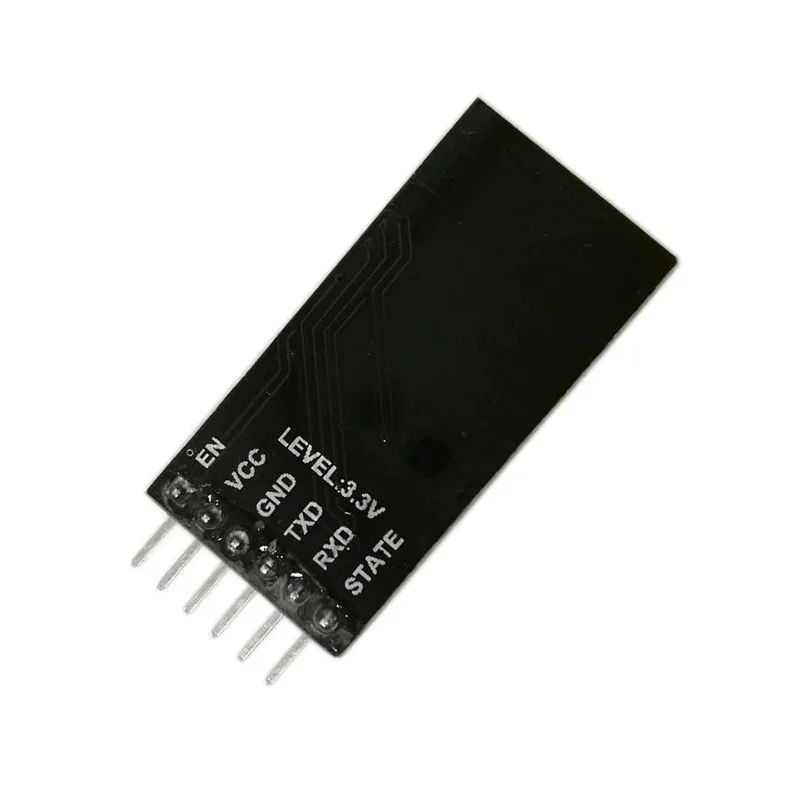
InterfacesTXD, RXD, EN, STATE
Supported Baud Rates300 to 3,686,400 bps
Operating Temperature-40°C to +125°C
Dimensions (LxW)40mm x 17mm

Frequently Asked Questions

How do I configure the DT-06 module's Wi-Fi settings?

Power the module. It will create an open access point named "ESP_XXXXXX". Connect your computer or phone to this network, open a web browser, and navigate to 192.168.4.1. The built-in HTTP web server will load a configuration page where you can set the module to STA mode, input your local Wi-Fi SSID and password, and configure network parameters like IP address and baud rate without any extra software.

What is the power supply requirement and how do I connect it?

The DT-06 requires a 4.5V to 6.0V DC supply connected to its VCC and GND pins. The serial TTL interface (TXD, RXD) operates at 3.3V logic levels but is 5V-tolerant, allowing direct connection to both 3.3V and 5V microcontroller UART pins. Ensure the EN pin is pulled high for normal operation. Average current draw is 80mA, spiking to 170mA during data transmission, but it can enter a deep sleep mode drawing only 20μA.

How do I use AT commands with the DT-06 module?

Connect the module's TXD and RXD pins to your microcontroller's UART RX and TX pins respectively. Set the serial baud rate to 115200 (default) using a terminal program like Arduino IDE Serial Monitor or PuTTY. Send "AT\r\n" to check communication; it should respond with "OK". You can then use standard AT commands to query Wi-Fi status (AT+CWJAP?), set modes (AT+CWMODE), or configure TCP connections (AT+CIPSTART). A full AT command manual is typically provided in the product documentation.

Package Includes

  • 1 x DT-06 WiFi Serial Port Transparent Transmission Module

Additional Information

Weight 0.005 kg
Dimensions 4 × 1.7 cm