SKU: IOWC-0910
📋 GST Invoice Available

Waveshare RP2350-USB-C Development Board w/ RP2350A Dual-Core ARM/RISC-V

₹689.00 (Inclusive of all taxes)
Out of Stock

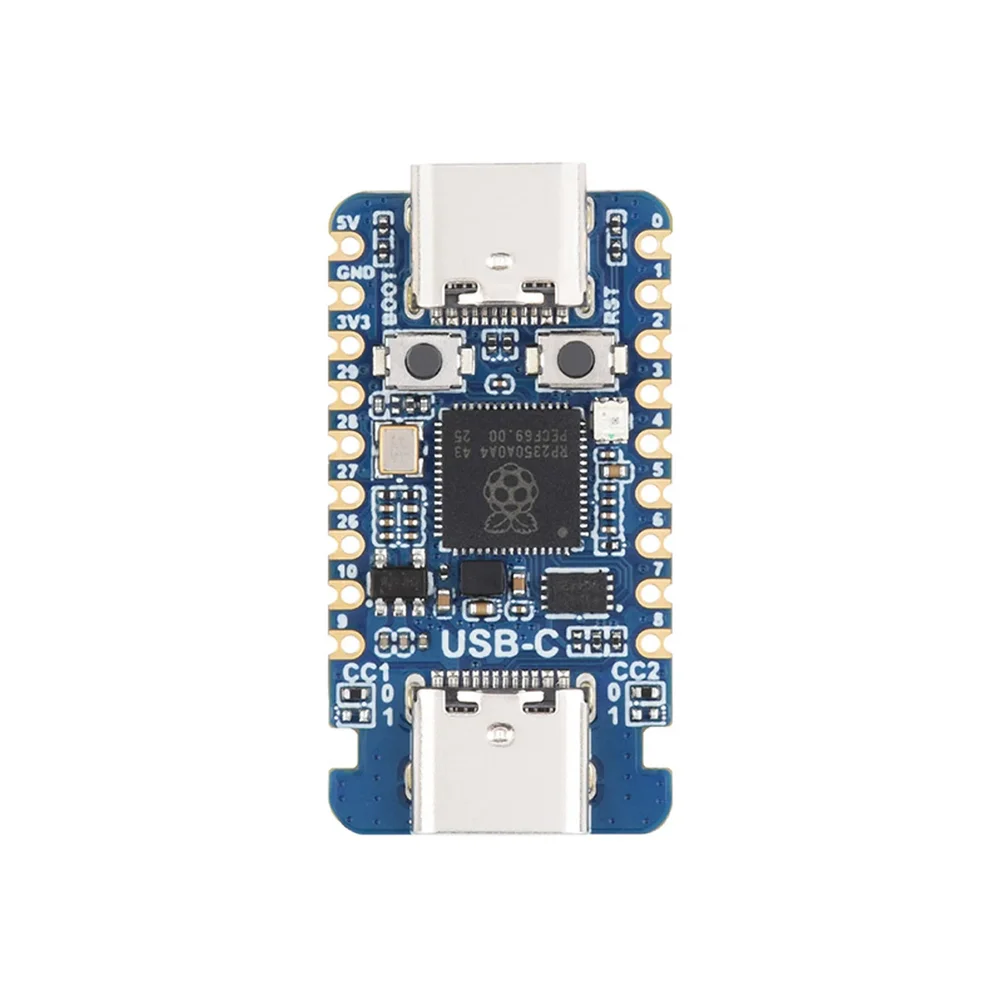
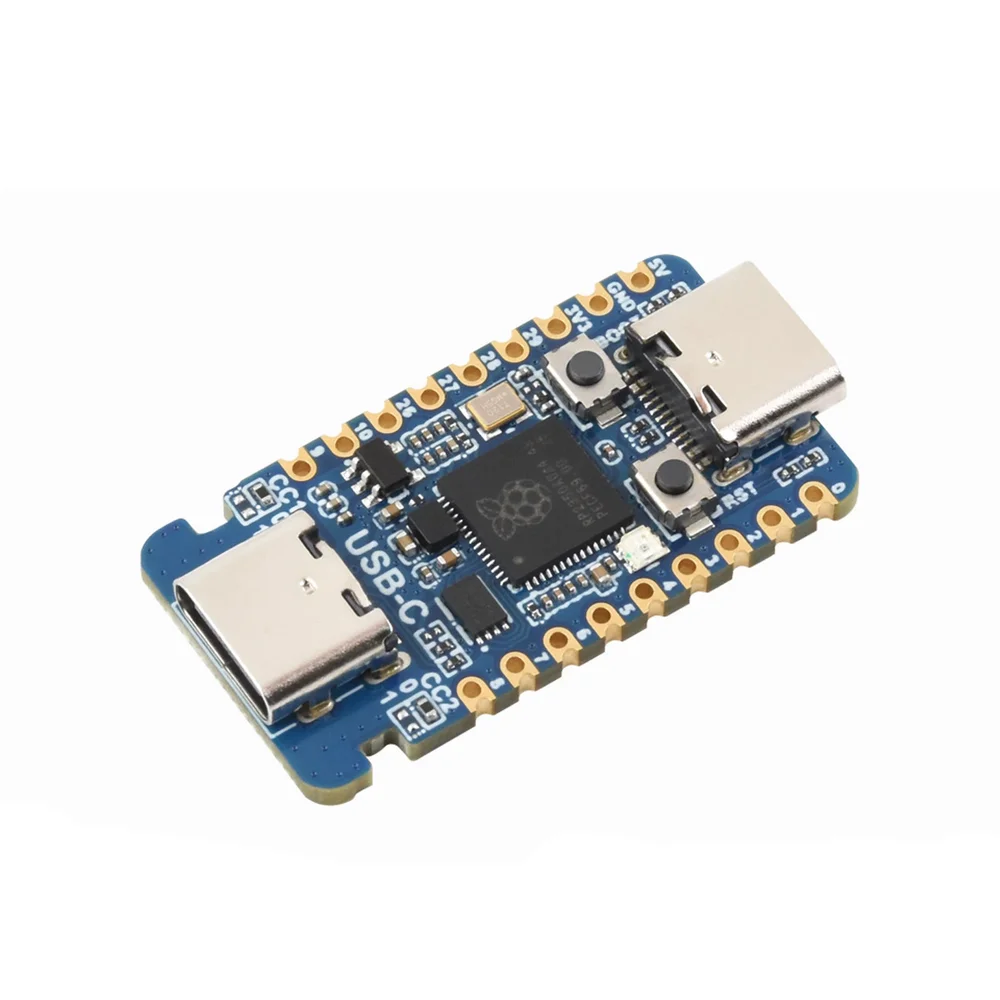
The Waveshare RP2350-USB-C Development Board is a compact, castellated module powered by the Raspberry Pi RP2350A dual-core ARM Cortex-M33 and RISC-V microcontroller. It offers 520KB SRAM, 2MB Flash, USB-C connectivity, and 15 multifunction GPIOs, supporting development in MicroPython, Arduino, and C/C++ for embedded IoT and automation projects.

Features

  • Dual-Core Heterogeneous Processor: Combines ARM Cortex-M33 and Hazard3 RISC-V cores running up to 150MHz for flexible, high-performance embedded computing.
  • Ample Onboard Memory: Features 520KB of SRAM and 2MB of NOR Flash (W25Q16JVUXIQ) for complex application code and data handling.
  • USB-C Power & Programming: USB Type-C port provides power delivery (PD) compatibility and serves as a USB 1.1 host/device interface for streamlined development.
  • Rich I/O & Peripherals: Offers 15 multifunction GPIOs supporting 2x SPI, 2x I2C, 2x UART, 4x 12-bit ADC, 14 PWM channels, and 12 PIO state machines for extensive hardware interfacing.
  • Castellated Module Design: Enables direct soldering onto custom carrier PCBs for seamless and compact integration into final product designs.

Out of stock

Description

The Waveshare RP2350-USB-C Development Board is engineered around the Raspberry Pi RP2350A, a unique microcontroller featuring a dual-core, dual-architecture design. This setup pairs an ARM Cortex-M33 core with a Hazard3 RISC-V core, both capable of operating at speeds up to 150MHz, providing developers with architectural flexibility for partitioning real-time tasks and application logic. The board’s 520KB of integrated SRAM and 2MB of external NOR flash memory cater to demanding embedded applications, from data logging to running MicroPython interpreters.

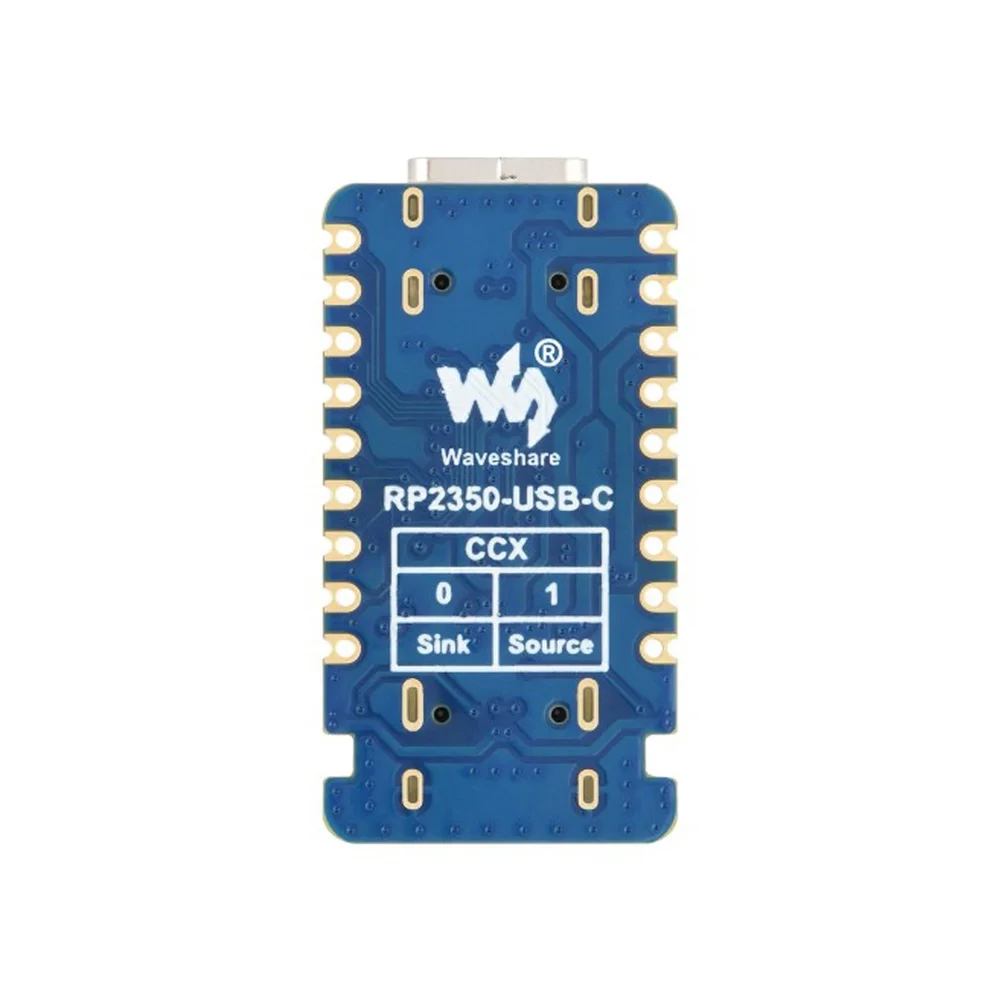
Its physical design emphasizes integration and prototyping ease. The castellated edge allows the module to be treated as a surface-mount component, soldered directly onto a custom PCB to create a final, production-ready device. The onboard USB Type-C connector handles both power delivery and communication, supporting USB 1.1 host and device modes. With a comprehensive set of 15 programmable GPIOs linked to SPI, I2C, UART, ADC, and PWM interfaces, plus 12 programmable I/O (PIO) state machines for bit-banging protocols, it delivers exceptional connectivity for sensors, actuators, and displays in IoT systems.

Key Features

  • Heterogeneous Computing Core: Leverage the ARM Cortex-M33 for efficient control tasks and the RISC-V core for custom, application-specific processing.
  • Programmable I/O (PIO) Subsystem: Implements custom serial protocols (like DPI, VGA) in software without CPU overhead, using 12 independent state machines.
  • Integrated Development Support: Out-of-the-box compatible with MicroPython, Arduino IDE, and C/C++ via the Raspberry Pi Pico SDK for rapid prototyping.
  • Onboard Debugging & Indicators: Includes a user-programmable RGB LED (WS2812) and a built-in temperature sensor for system monitoring and feedback.
  • Robust Power Management: Powered via USB-C with an onboard RT9013-33GB LDO regulator providing a stable 3.3V, 500mA supply for the core and peripherals.
  • Compact & Embeddable Form Factor: The small, castellated board footprint is ideal for space-constrained designs and final product integration.

Applications

  • Embedded System Prototyping: Rapid development platform for custom control systems, data loggers, and industrial automation controllers.
  • IoT Sensor Nodes: Building low-power, connected sensor hubs for environmental monitoring (temperature, humidity) with USB or serial connectivity.
  • Educational & Maker Projects: Ideal for learning microcontroller programming, electronics, and embedded systems design with Arduino and MicroPython.
  • Custom Peripheral Integration: Utilizing PIO for driving non-standard displays (VGA, DPI), reading custom sensors, or implementing unique communication protocols.
  • Compact USB Devices: Development of USB HID devices, serial adapters, or custom input devices leveraging the USB 1.1 host/device capability.

Technical Specifications

MicrocontrollerRaspberry Pi RP2350A
Processor ArchitectureDual-core ARM Cortex-M33 & Dual-core Hazard3 RISC-V
Operating FrequencyUp to 150MHz
SRAM520KB
Flash Memory2MB NOR Flash (W25Q16JVUXIQ)
USB PortUSB Type-C
USB SupportUSB 1.1 Host & Device
GPIO Pins15 Multifunction GPIO
SPI2
I2C2
UART2
ADC4 × 12-bit
PWM Channels14
PIO State Machines12
Onboard RGB LEDWS2812
Temperature SensorBuilt-in
Power SupplyUSB Type-C (PD Compatible)
LDO RegulatorRT9013-33GB, 500mA
Programming LanguagesMicroPython, C/C++, Arduino
DimensionsApprox. 5 × 5 cm

Frequently Asked Questions

How do I start programming the Waveshare RP2350-USB-C board with MicroPython?

First, download the latest MicroPython UF2 firmware file for the RP2350 from the official Raspberry Pi website. Hold the BOOTSEL button on the board while connecting it to your computer via USB-C. It will mount as a storage device. Drag and drop the downloaded UF2 file onto this drive. The board will reboot, and you can then connect using a serial terminal (e.g., PuTTY, Thonny) to the COM port at 115200 baud to begin coding interactively or uploading scripts.

What is the purpose of the dual ARM and RISC-V cores on the RP2350A?

The dual-core ARM Cortex-M33 and dual-core Hazard3 RISC-V architecture provides design flexibility. You can assign real-time, deterministic tasks (like motor control or sensor polling) to one core while running application logic or network stacks on another. This heterogeneous design allows for efficient workload partitioning, potentially improving performance and power management in complex embedded applications compared to a homogeneous multi-core system.

Can I use the Arduino IDE to develop for this board, and how do I set it up?

Yes, you can use the Arduino IDE. You need to add support for Raspberry Pi RP2350-based boards. Install the "Raspberry Pi Pico" core via the Arduino Boards Manager. After installation, select a compatible RP2350 board (like "Raspberry Pi Pico") from the Tools menu. For programming, you'll typically use the UF2 method: put the board in bootloader mode (BOOTSEL button), then use the "Upload" command in Arduino IDE, which will transfer the compiled sketch to the mounted drive.

How do I utilize the 12 Programmable I/O (PIO) state machines on this board?

The PIO subsystem is programmed using a dedicated assembly-like language or higher-level libraries provided in the Raspberry Pi Pico SDK or MicroPython. You write short PIO programs that define how to output or read serial data bit-by-bit. These programs are loaded into the PIO block and run independently of the CPU cores. They are ideal for implementing non-standard protocols like DPI for displays, VGA, or driving NeoPixel (WS2812) LEDs precisely without CPU timing overhead.

Package Includes

  • 1 x Waveshare RP2350-USB-C Microcontroller Development Board

Additional Information

Weight 0.008 kg
Dimensions 5 × 5 × 1 cm