SKU: IOWC-1972
📋 GST Invoice Available

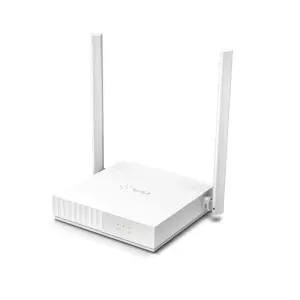
TP-Link Archer C50 AC1200 Dual-Band Wi-Fi Router

₹2,729.00 (Inclusive of all taxes)
Out of Stock

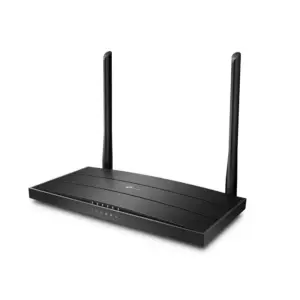
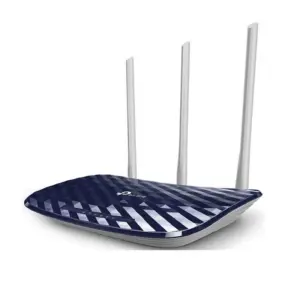
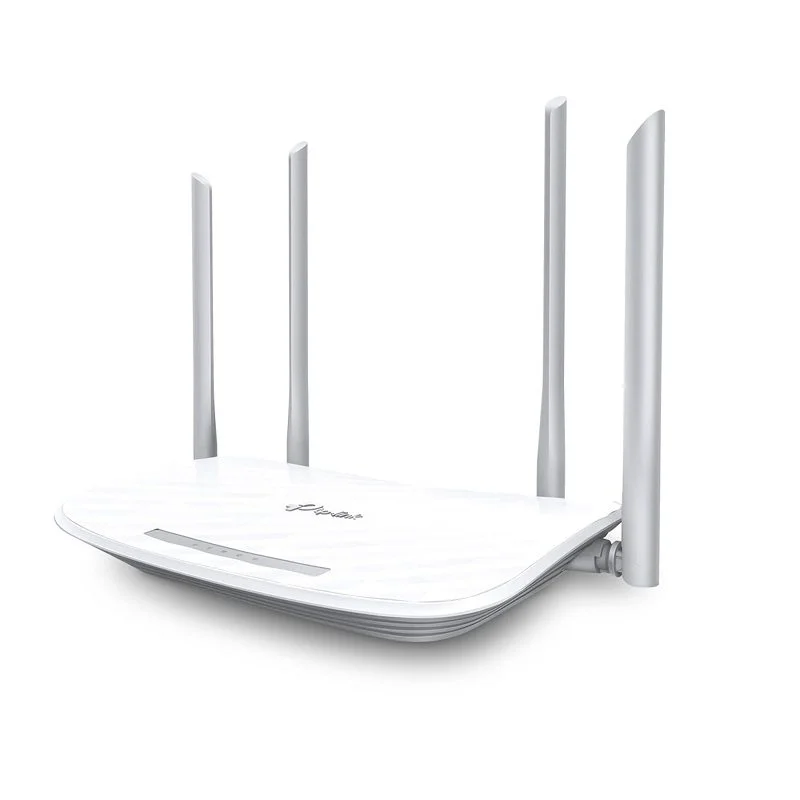
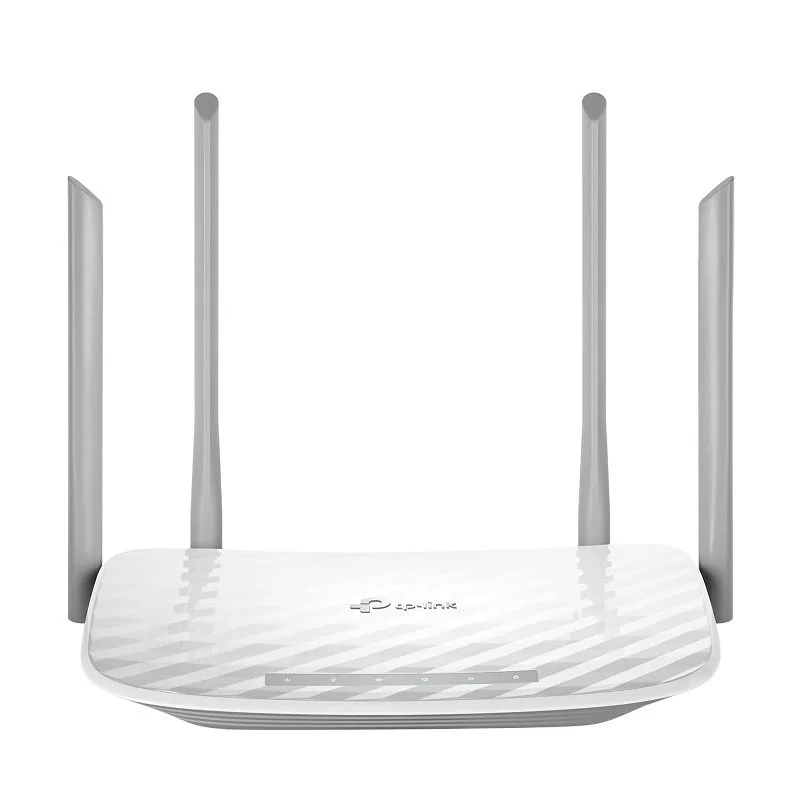
The TP-Link Archer C50 is an AC1200 dual-band Wi-Fi router designed for reliable home networking and seamless 4K streaming, featuring four external antennas, MU-MIMO technology, and easy management via the TP-Link Tether mobile app.

Features

  • AC1200 Dual-Band Wi-Fi: Delivers combined speeds of up to 300 Mbps on 2.4 GHz and 867 Mbps on 5 GHz for smooth HD streaming and gaming.
  • Enhanced Coverage & Stability: Four external high-gain antennas coupled with beamforming technology focus the Wi-Fi signal towards connected devices for stronger, more reliable connections throughout your home.
  • Efficient Multi-Device Handling: MU-MIMO (Multi-User, Multiple-Input, Multiple-Output) technology allows the router to communicate with multiple devices simultaneously, reducing lag and improving network efficiency.
  • Simplified Network Management: Configure and control your network easily via the intuitive web interface or the TP-Link Tether app for iOS and Android, featuring parental controls and guest network setup.
  • Versatile Operating Modes: Supports standard router, Access Point, and IPTV optimization modes (IGMP Proxy/Snooping, VLAN) for flexible integration into various home network setups.

Out of stock

Description

The TP-Link Archer C50 AC1200 Wireless Dual Band Router is engineered to provide a robust and efficient networking foundation for modern smart homes. It leverages 802.11ac Wave 2 technology to deliver fast, stable Wi-Fi, making it ideal for bandwidth-intensive activities like 4K video streaming, online gaming, and video conferencing. The router’s four fixed external antennas work in conjunction with beamforming to direct wireless signals towards your devices, significantly improving range and reducing dead zones.

Beyond raw speed, the Archer C50 incorporates advanced features for modern network management. Its MU-MIMO capability ensures that multiple connected devices—from smartphones and laptops to smart TVs and IoT sensors—receive dedicated bandwidth streams simultaneously, preventing bottlenecks. The integrated Tether app provides a centralized platform for monitoring connected devices, setting up parental controls with website filtering, and creating secure guest networks with captive portal authentication, all from your mobile device.

Key Features

  • Dual-Band AC1200 Wi-Fi: Combines 2.4 GHz (300 Mbps) for wider coverage and 5 GHz (867 Mbps) for high-speed, low-interference connectivity.
  • Beamforming Technology: Focuses and strengthens the Wi-Fi signal directionally towards connected clients for improved range and stability.
  • MU-MIMO Support: Enables efficient data transmission to multiple devices at the same time, enhancing overall network capacity and performance.
  • TP-Link Tether App: Offers full remote management via smartphone, including network monitoring, guest access setup, and parental controls.
  • Advanced IPTV Support: Features IGMP Proxy/Snooping and VLAN tagging for optimized IPTV/OTT streaming services.
  • Flexible Operation Modes: Can be configured as a standard router, an Access Point to extend an existing network, or in Bridge mode.
  • Enhanced Security: Supports WPA/WPA2-PSK wireless encryption and includes a built-in firewall and guest network isolation.
  • Simple Setup: Quick installation via web browser or the Tether app with a guided setup process.

Applications

  • Primary Home Wi-Fi Network: Providing reliable internet connectivity for streaming, gaming, and general web browsing across multiple rooms.
  • Smart Home Hub Backbone: Serving as the central network gateway for connecting and managing various Wi-Fi-based IoT devices like smart lights, plugs, cameras, and sensors.
  • Small Office/Home Office (SOHO): Supporting the networking needs of a small business with multiple computers, printers, and VoIP phones.
  • Guest Network Provisioning: Creating a separate, secure Wi-Fi network for visitors to protect the privacy of the main network.
  • Network Extension: Used in Access Point mode to add Wi-Fi coverage to an area served by an existing wired router or modem.

Technical Specifications

Wireless StandardIEEE 802.11ac/n/g/b/a, Dual-Band
Aggregate SpeedAC1200 (300 Mbps @2.4GHz + 867 Mbps @5GHz)
Antennas4 x Fixed External Antennas
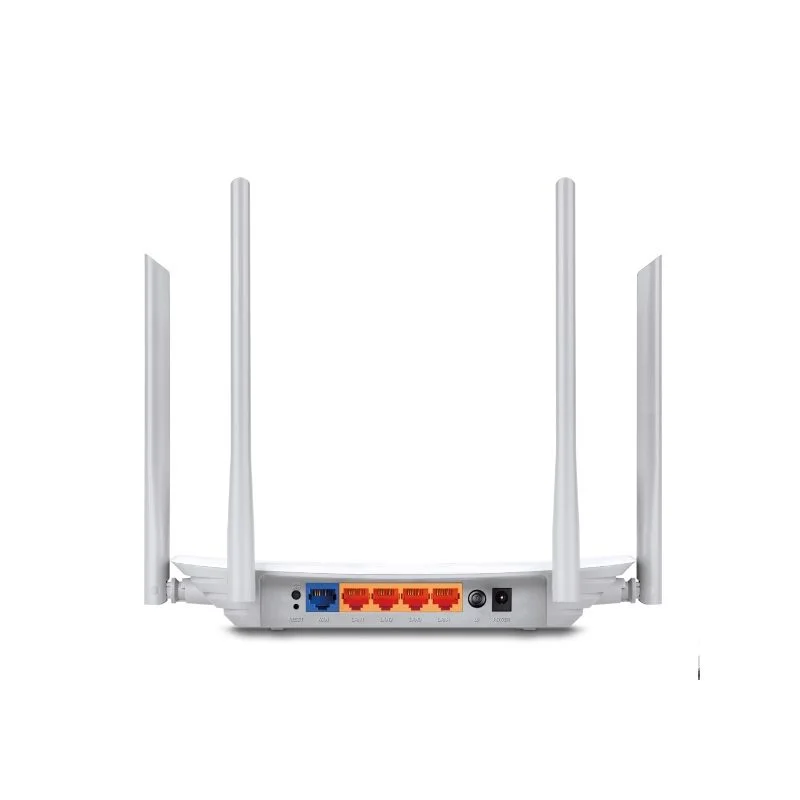
Ethernet Ports1 x 10/100 Mbps WAN, 4 x 10/100 Mbps LAN
MU-MIMOYes
BeamformingYes
ManagementWeb Interface, TP-Link Tether App (iOS/Android)
Special FeaturesIPTV Support, Access Point Mode, Parental Controls, Guest Network
Power Supply9V DC / 0.85A
SecurityWPA/WPA2-PSK, Firewall, Guest Network Isolation
Dimensions (L x W x H)229.9 mm x N/A x N/A

Frequently Asked Questions

How do I set up the TP-Link Archer C50 router?

You can set up the Archer C50 in minutes using either the web interface or the TP-Link Tether app. Connect the router to your modem via the yellow WAN port using the included Ethernet cable, plug in the power adapter, and wait for the lights to stabilize. Then, connect a computer or mobile device to the router's default Wi-Fi network (found on the label) or via a LAN port. Open a browser and navigate to tplinkwifi.net, or launch the Tether app, and follow the on-screen instructions to configure your internet connection and Wi-Fi settings.

Does the Archer C50 support creating a separate guest network?

Yes, the Archer C50 supports a secure guest network feature. You can enable it via the web interface or the Tether app. This creates a separate Wi-Fi SSID with its own password, isolating guest devices from your main network for privacy and security. The guest network can also utilize a captive portal, requiring users to agree to terms or enter a password before gaining internet access, which is useful for cafes or small businesses.

What is the benefit of MU-MIMO technology in this router?

MU-MIMO (Multi-User, Multiple-Input, Multiple-Output) allows the Archer C50 to communicate with multiple compatible Wi-Fi clients simultaneously, rather than sequentially. This significantly improves network efficiency and reduces latency when several devices are active at once, such as when one person is streaming 4K video while another is gaming online. It ensures each device gets a dedicated data stream, leading to smoother performance for all connected users compared to standard single-user MIMO routers.

Can I use the Archer C50 as an Access Point to extend my existing network?

Absolutely. The Archer C50 includes an Access Point (AP) mode. To use it, connect one of its LAN ports to an Ethernet port on your existing main router using a network cable. Then, log into the Archer C50's web interface, navigate to the Operation Mode settings, and select 'Access Point.' After applying the settings, it will broadcast Wi-Fi, effectively extending your network's wireless coverage. This mode disables the router's WAN port and DHCP server, as the main router handles those functions.

Package Includes

  • 1 x TP-Link Archer C50 AC1200 Wi-Fi Router
  • 1 x Power Adapter (9V/0.85A)
  • 1 x RJ45 Ethernet Cable
  • 1 x Quick Installation Guide

Additional Information

Weight 0.647 kg
Dimensions 29 × 24 × 8 cm