SKU: IOWC-0840
📋 GST Invoice Available

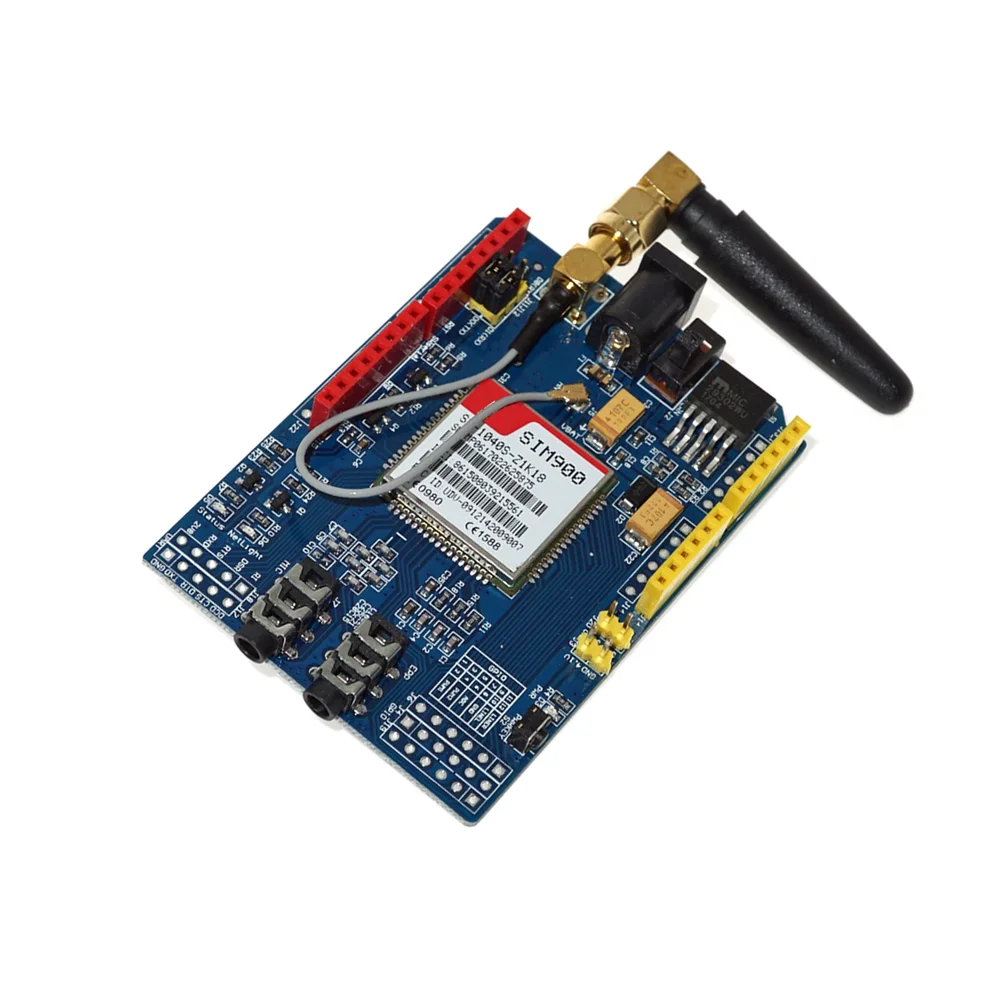
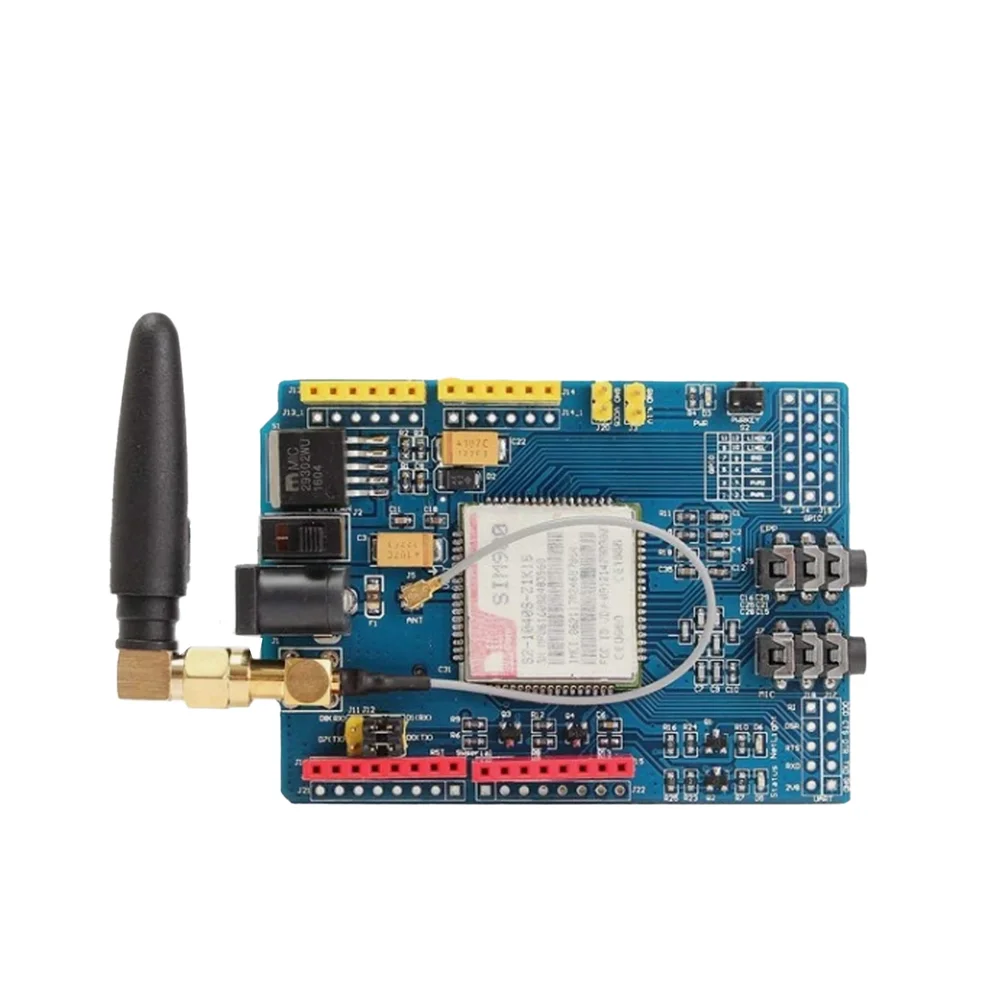
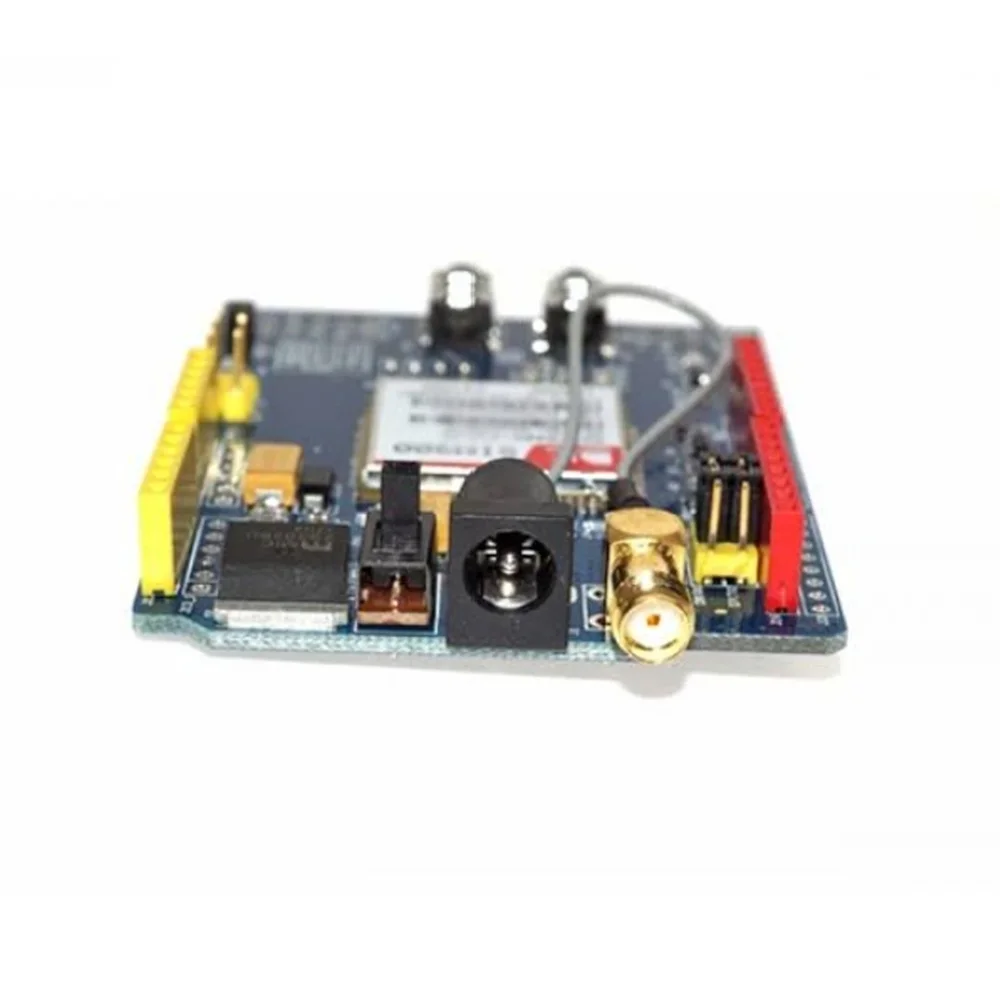
SIM900 Quad-Band GSM GPRS Module Development Board

₹1,249.00 (Inclusive of all taxes)
Out of Stock

The SIM900 is a quad-band GSM/GPRS development board providing SMS, voice, and data connectivity for IoT and embedded systems via AT commands. It features a UART interface for easy integration with Arduino, Raspberry Pi, and other microcontrollers.

Features

  • Quad-band GSM coverage (850/900/1800/1900 MHz) for global network compatibility.
  • Full-featured GPRS Class 10/8 data, SMS, and voice call support for remote communication.
  • Embedded TCP/IP stack enables direct internet connectivity for data logging and remote monitoring.
  • Industrial-grade design operates reliably from -40°C to +85°C for harsh environments.
  • Low-power sleep mode (~1.5mA) extends battery life in portable and solar-powered applications.

Out of stock

Description

The SIM900 GSM/GPRS Development Board is a robust wireless communication module engineered for reliable IoT connectivity. It integrates a complete quad-band GSM transceiver with an embedded TCP/IP stack, enabling SMS messaging, voice calls, and packet-switched data transmission over GPRS networks. Its industrial-grade construction ensures stable operation across an extreme temperature range from -40°C to +85°C.

Designed for seamless system integration, the module communicates via a standard UART serial interface using SIMCom and GSM-standard AT commands. This allows for straightforward control from popular development platforms like Arduino, ESP32, or Raspberry Pi. With support for power-saving sleep modes and an integrated real-time clock (RTC), it is an optimal solution for battery-powered remote telemetry, asset tracking, and automated alert systems.

Key Features

  • Global quad-band GSM/GPRS support for deployment in most cellular networks worldwide.
  • Comprehensive communication suite including SMS, voice calls, and GPRS internet data.
  • Embedded TCP/IP and UDP stack simplifies sending data to web servers and cloud platforms.
  • Direct AT command interface based on GSM 07.07/07.05 standards for easy microcontroller integration.
  • Industrial operating temperature range ensures reliability in outdoor and challenging conditions.
  • Low current sleep mode significantly reduces average power consumption for battery operation.
  • On-board SIM card slot, audio jacks, and UART breakout facilitate rapid prototyping.
  • Compact form factor development board ready for embedding into final product designs.

Applications

  • Remote environmental monitoring and data logging sensors.
  • IoT asset tracking and fleet management systems.
  • Smart agriculture for soil moisture and weather station telemetry.
  • Industrial machine monitoring (IIoT) and alarm/alert notifications via SMS.
  • Basic M2M (Machine-to-Machine) communication and backup data links.

Technical Specifications

Wireless ProtocolGSM/GPRS
Frequency Range850 / 900 / 1800 / 1900 MHz
Data ServicesSMS, Voice, GPRS Class 10/8
Network ProtocolTCP/IP, UDP (Embedded Stack)
Control InterfaceUART Serial, AT Commands
Supply Voltage3.4V – 4.4V
Operating Current (Typical)Not Specified
Sleep Current~1.5 mA
RF Power ClassClass 4 (850/900 MHz), Class 1 (1800/1900 MHz)
Operating Temperature-40°C to +85°C
Dimensions (Board)78 x 55 x 13 mm
Weight39 g

Frequently Asked Questions

How do I connect and communicate with the SIM900 module using a microcontroller?

Connect the module's TX and RX pins to your microcontroller's UART RX and TX pins, respectively. Supply power between 3.4V and 4.4V. Use a serial terminal or your code to send AT commands (e.g., AT+CPIN?, AT+CSQ) at a typical baud rate of 9600 or 115200 to check network registration and signal strength before sending SMS or initiating GPRS data connections.

What is the procedure for sending an SMS message with this SIM900 board?

First, ensure the module is registered on the network (AT+CREG?). Set SMS text mode with AT+CMGF=1. Specify the recipient number using AT+CMGS="+1234567890". After the '>' prompt appears, type your message and send a Ctrl+Z character (0x1A) to transmit. The module will return an OK confirmation upon successful sending to the network.

How do I establish a GPRS internet connection and send data via TCP?

Configure the GPRS context with AT+CGDCONT=1,"IP","yourAPN". Activate the context using AT+CGACT=1,1. Open a TCP connection with AT+CIPSTART="TCP","server.com","port". Send data using AT+CIPSEND, followed by your payload and Ctrl+Z. Always close the connection with AT+CIPCLOSE and deactivate the context when finished to conserve power.

What are the power requirements and how can I minimize current consumption?

The module requires a 3.4V to 4.4V DC supply capable of delivering peak currents up to 2A during transmission. To minimize consumption, utilize the AT+CSCLK command to enter sleep mode when idle, reducing current to ~1.5mA. Ensure proper power supply decoupling and consider using a dedicated voltage regulator for stable operation during RF bursts.

Package Includes

  • 1 x SIM900 GSM/GPRS Development Board
  • 1 x Nano SIM Card Adapter

Additional Information

Weight 0.048 kg
Dimensions 14 × 13 × 3 cm