SKU: SENS-0559
📋 GST Invoice Available

Grow KR501 Fingerprint Control Board - 20 Fingerprint Capacity, 3.7-10V DC

₹1,019.00 (Inclusive of all taxes)
Out of Stock

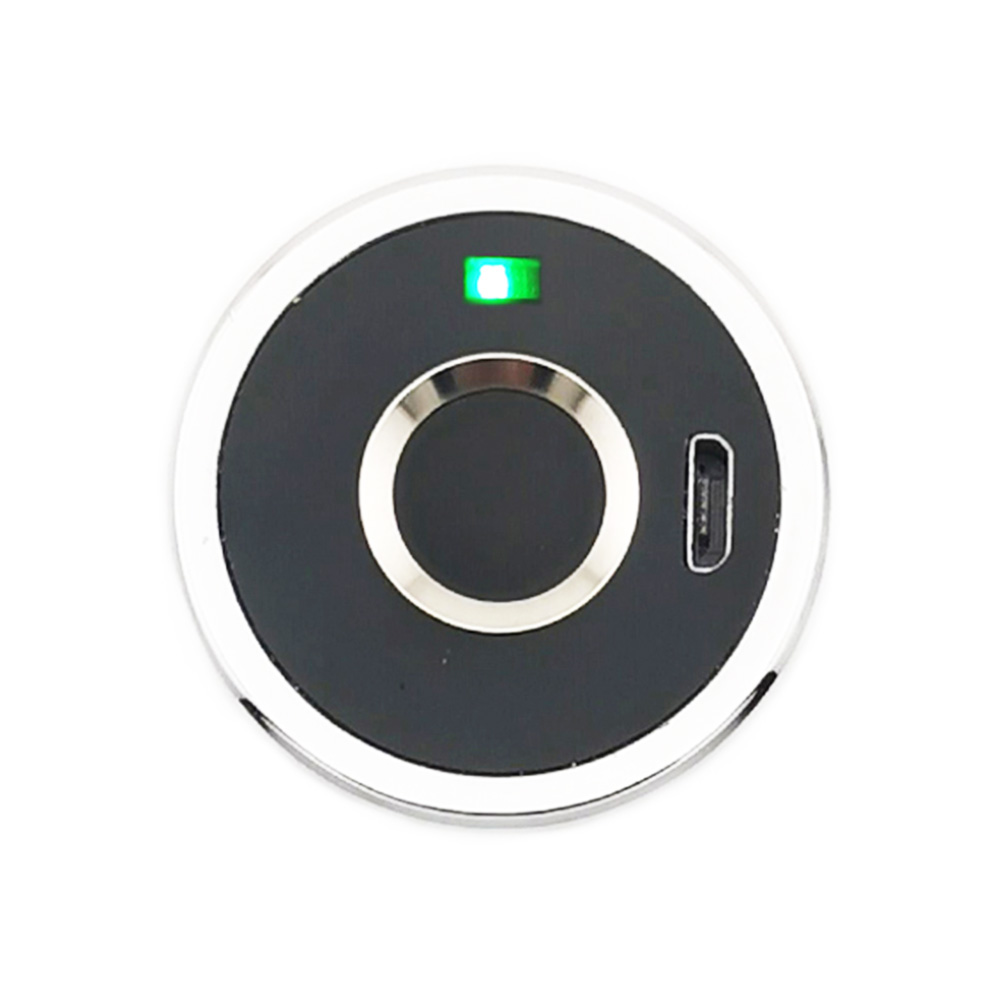
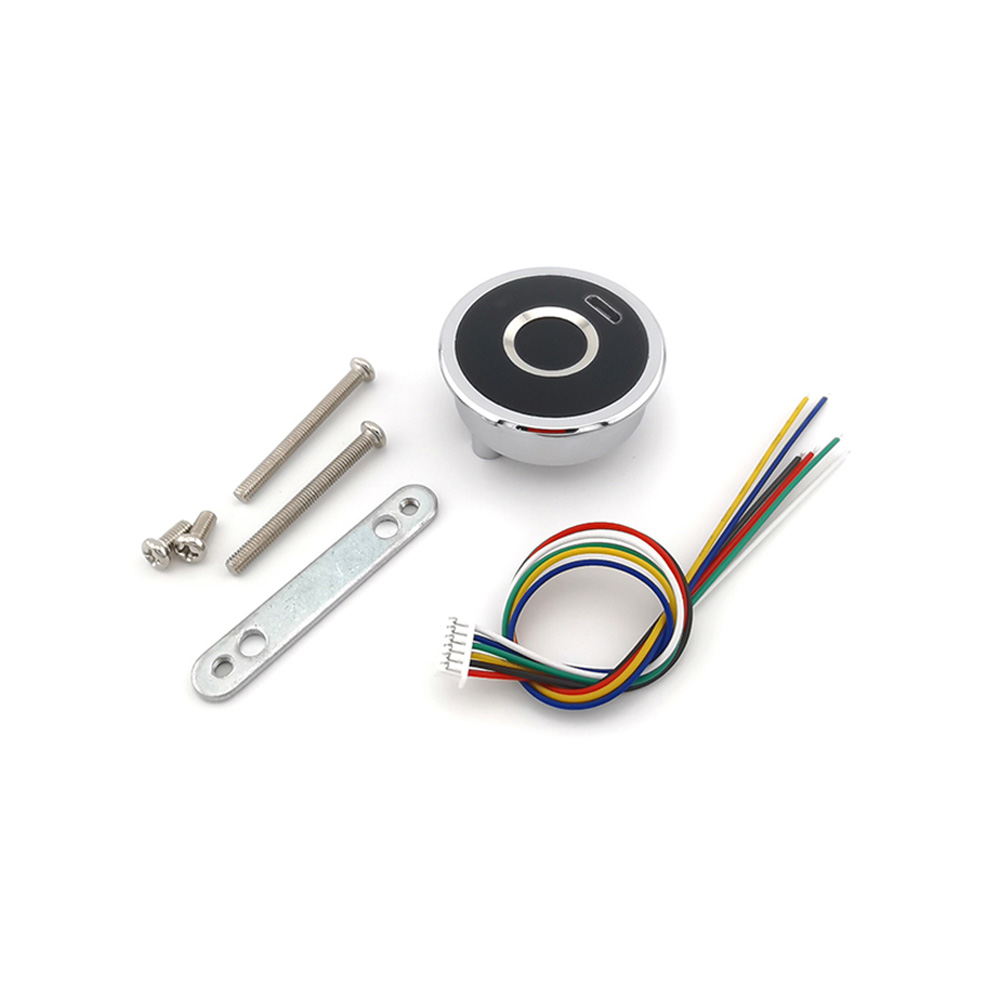
The Grow KR501 Fingerprint Control Board is a compact biometric module designed for secure access control systems, operating from a wide 3.7-10V DC supply and compatible with 3.3V logic microcontrollers like Arduino, ESP32, and Raspberry Pi.

Features

  • Stores up to 20 unique fingerprints for multi-user access control.
  • Wide operating voltage range from 3.7V to 10V DC for flexible power supply integration.
  • Ultra-low standby current of 2.5-7 µA ensures minimal power consumption in idle state.
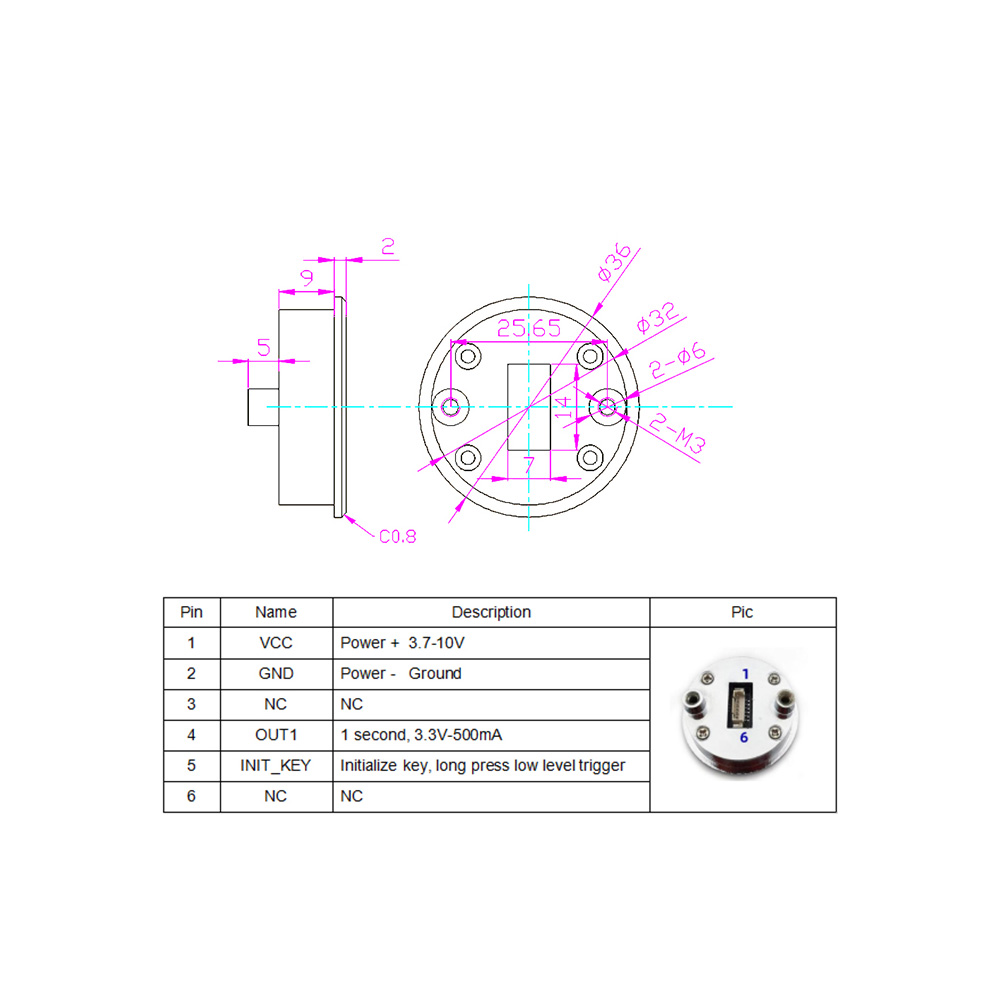
  • Provides a 1-second, 3.3V/500mA high-level output signal to directly drive relays or solenoids.
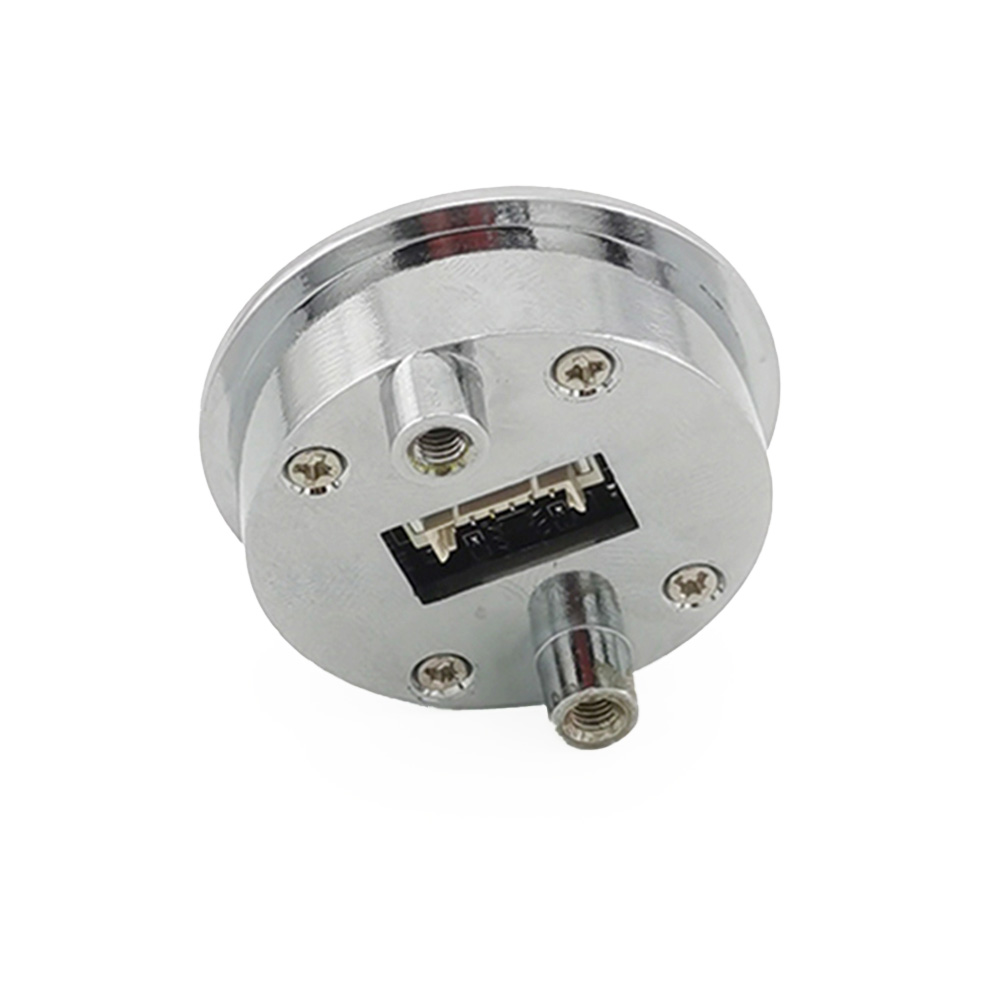
  • Compact 36mm diameter circular PCB design for easy integration into panels and enclosures.

Out of stock

Description

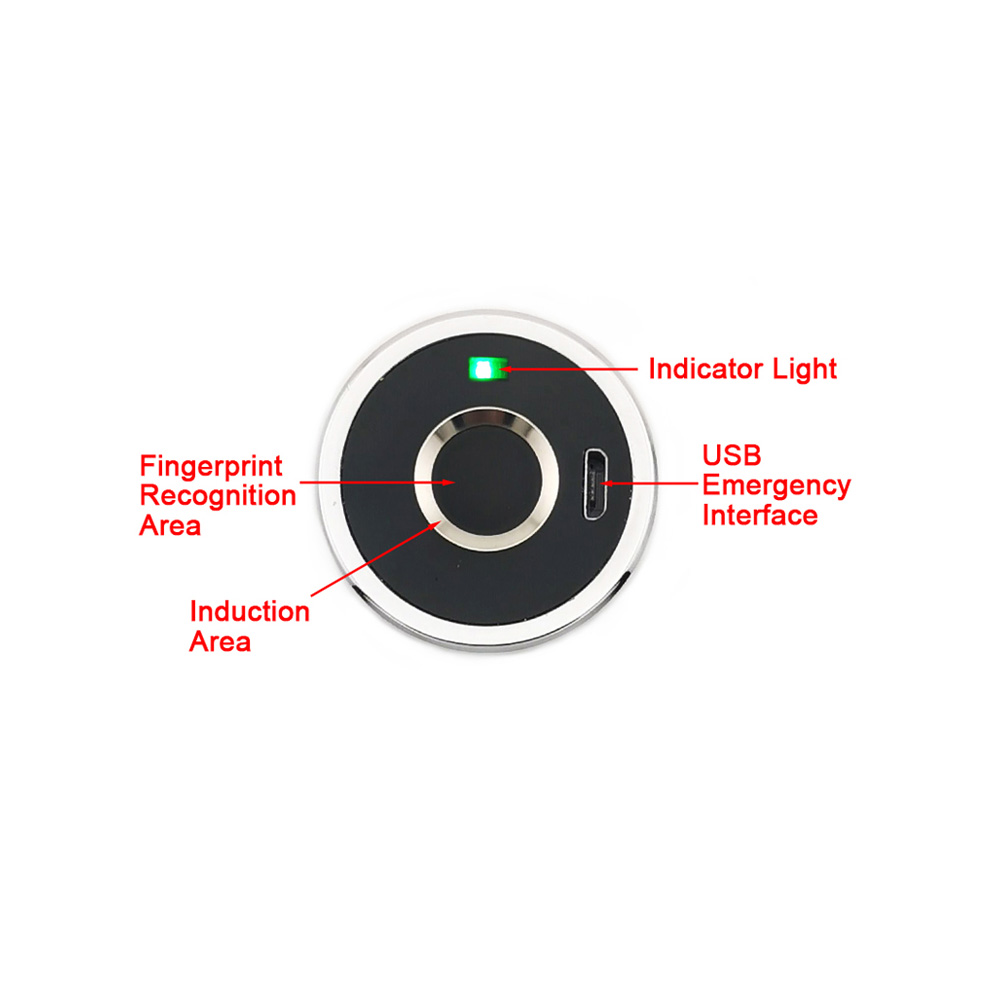
The KR501 Fingerprint Control Board utilizes capacitive fingerprint sensing technology to capture and match unique biometric patterns. It features an onboard processor for template storage and matching, delivering a secure digital output signal upon successful verification.

Engineered for reliability, the board operates across a broad temperature range typical for consumer electronics and includes a dedicated INIT_KEY pin for resetting the fingerprint database to its factory initialization state. Its low-power design makes it suitable for battery-backed or always-on security applications.

Key Features

  • High-Capacity Biometric Storage: Securely stores and matches up to 20 fingerprint templates.
  • Broad Voltage Compatibility: Functions reliably from 3.7V to 10V DC, accommodating various power sources.
  • Power-Optimized Design: Features an ultra-low standby current (2.5-7 µA) for energy-efficient continuous operation.
  • Direct Drive Output: Delivers a robust 3.3V, 500mA signal for one second to control external actuators without additional buffering.
  • Compact Form Factor: 36mm circular board facilitates neat installation in access control panels, safes, and DIY projects.
  • Simple Management Interface: Includes tactile registration and a dedicated hardware pin (INIT_KEY) for easy fingerprint database management and reset.

Applications

  • DIY Smart Door Locks and Access Control Systems for homes and offices.
  • Secure Activation for Toolboxes, Safes, and Personal Storage Cabinets.
  • Biometric Time & Attendance Systems for small-scale workforce management.
  • User Authentication in Arduino, Raspberry Pi, or ESP32-based security projects.
  • Personalized Ignition or Power Enable Systems for custom vehicles or machinery.

Technical Specifications

Item TypeFingerprint Control Board
Model NumberKR501
Fingerprint CapacityUp to 20
Operating VoltageDC 3.7V - 10V
Standby Current2.5 µA - 7 µA
Operating Current40 mA - 250 mA
Output SignalHigh-level, 3.3V / 500mA for 1 second
Board Diameter36 mm
Reset FunctionINIT_KEY pin (ground to reset)

Frequently Asked Questions

What is the operating voltage range for the KR501 Fingerprint Control Board?

The KR501 operates from a wide DC voltage range of 3.7V to 10V. This flexibility allows it to be powered by a single Li-ion cell (3.7V), a 5V USB supply, or regulated power adapters up to 10V, making it compatible with various project power supplies.

How do I register a new fingerprint and how many can be stored?

To register a fingerprint, long-press a registered finger (or any finger in the initial state) until the blue LED lights and a tone sounds. Then, press the finger multiple times on the sensor until a success tone plays. The module can store and match up to 20 unique fingerprint templates.

What kind of output signal does the board provide upon a successful match?

Upon a successful fingerprint match, the OUT1 pin outputs a high-level signal of 3.3V with a 500mA current capability for a duration of one second. This signal is sufficient to directly trigger a relay module, solenoid lock, or other 3.3V logic devices without an additional driver.

How do I reset the module to delete all stored fingerprints?

You can reset the fingerprint database in two ways: 1) Long-press a registered fingerprint until the red LED lights, indicating a full deletion. 2) In standby mode, ground the dedicated INIT_KEY pin until the red LED lights and a tone sounds, then disconnect. Both methods restore the module to its initial state.

Package Includes

  • 1 x Grow KR501 Fingerprint Control Board

Additional Information

Weight 0.1 kg
Dimensions 5 × 5 × 4 cm