SKU: IOWC-1982
📋 GST Invoice Available

TP-Link TG-3468 Gigabit PCI Express Network Adapter

₹1,039.00 (Inclusive of all taxes)
Out of Stock

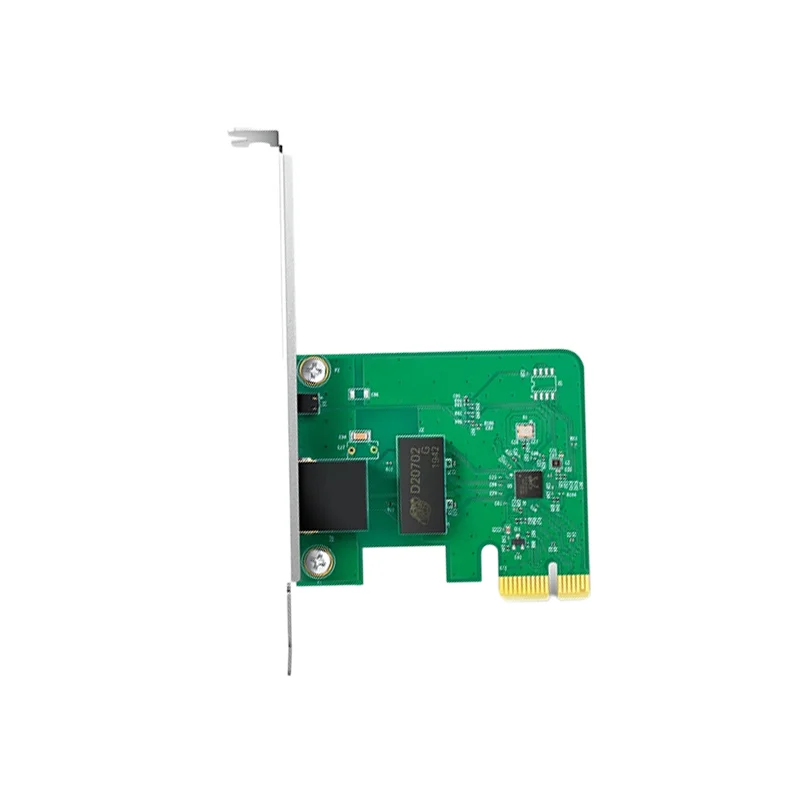
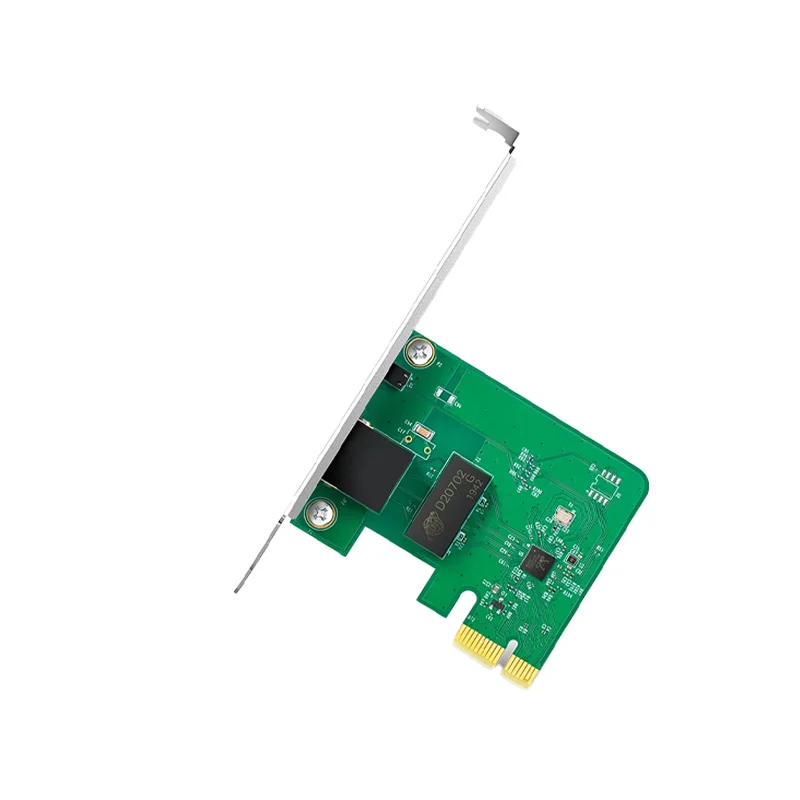
The TP-Link TG-3468 is a Gigabit Ethernet PCI Express network adapter card, providing a stable and high-speed wired connection for desktop PCs. It features a 32-bit PCIe interface, supports 10/100/1000 Mbps speeds, and includes a low-profile bracket for compact cases.

Features

  • Gigabit Ethernet performance with 10/100/1000 Mbps auto-negotiation for high-speed data transfer.
  • 32-bit PCI Express interface with included low-profile bracket for compatibility with standard and compact desktop PCs.
  • Wake-on-LAN (WoL) support enables remote power management and network access for energy-efficient operation.
  • IEEE 802.3x Flow Control and auto MDI/MDIX ensure stable, efficient, and reliable network connections.
  • Broad driver support for Windows operating systems from Windows XP through to Windows 11.

Out of stock

Description

The TP-Link TG-3468 Gigabit PCI Express Network Adapter delivers a reliable, high-performance wired Ethernet solution for desktop computers lacking integrated Gigabit ports or requiring a network upgrade. Its compact 32-bit PCIe design integrates seamlessly into most motherboard slots, with a low-profile bracket included for installation in small form factor or mini-tower cases.

Engineered for stability, the adapter leverages IEEE 802.3x Flow Control to manage data traffic and prevent packet loss, while auto MDI/MDIX eliminates the need for crossover cables. The Wake-on-LAN feature allows the host PC to be powered on remotely over the network, facilitating centralized management in office or home server environments. Built with quality components and certified to FCC, CE, and RoHS standards, this adapter provides a dependable backbone for gaming, media streaming, and general office connectivity.

Key Features

  • Delivers full Gigabit Ethernet speeds up to 1000 Mbps for lag-free online gaming, 4K streaming, and fast file transfers.
  • Compact PCI Express (PCIe) interface offers a space-efficient upgrade path for desktop PCs without onboard Gigabit Ethernet.
  • Integrated Wake-on-LAN functionality supports remote power-up and management, ideal for headless servers or workstations.
  • Auto-negotiation and IEEE 802.3x Flow Control ensure optimal connection speed and stable data transmission with reduced latency.
  • Includes a versatile low-profile bracket, making it compatible with both standard and small form factor PC cases.
  • Broad driver compatibility across decades of Windows OS versions, from legacy XP systems to the latest Windows 11.

Applications

  • Upgrading desktop PCs and workstations to Gigabit Ethernet for faster network access.
  • Providing reliable wired connectivity for gaming PCs and home media servers.
  • Installing network interfaces in compact or small form factor office computers.
  • Enabling remote management and Wake-on-LAN for headless servers or networked workstations.
  • Replacing failed onboard Ethernet ports or adding a secondary network connection.

Technical Specifications

ModelTG-3468
InterfacePCI Express (32-bit)
Ethernet Standards10BASE-T, 100BASE-TX, 1000BASE-T
Data Transfer Rates10/100/1000 Mbps
FeaturesAuto MDI/MDIX, IEEE 802.3x Flow Control, Wake-on-LAN (WoL)
Operating System SupportWindows 11, 10, 8.1, 8, 7, Vista, XP
CertificationsFCC, CE, RoHS
Dimensions (L x W)120.8 mm x 78.5 mm
Weight90 g

Frequently Asked Questions

Is the low-profile bracket pre-installed on the TP-Link TG-3468 adapter?

No, the low-profile bracket is included separately in the package. You must remove the standard full-height bracket from the card and replace it with the included low-profile one to fit the adapter into a small form factor or slim desktop PC case. The swap typically requires a small Phillips-head screwdriver.

What is the driver installation process for this PCIe network adapter on Windows?

For most modern Windows systems (10 & 11), the basic driver is often installed automatically via Windows Update upon detecting the new hardware. For optimal performance and Wake-on-LAN features, it is recommended to download and install the latest driver package from the official TP-Link support website. For older OS versions like Windows 7 or XP, you must manually install the drivers from the provided CD or TP-Link's website before the adapter will function.

How do I enable and configure Wake-on-LAN (WoL) functionality with this adapter?

Enabling Wake-on-LAN requires configuration in both the adapter's driver settings and your computer's BIOS/UEFI. First, enter your BIOS and enable Wake-on-LAN or PCIe Power Management. Then, in Windows, open Device Manager, locate the network adapter under 'Network adapters', open its Properties, go to the 'Advanced' or 'Power Management' tab, and enable 'Wake on Magic Packet' and 'Wake on pattern match'. Ensure your PC is connected to a powered-on network via an Ethernet cable.

Package Includes

  • 1 x TP-Link TG-3468 Gigabit PCI Express Network Adapter
  • 1 x Low-profile bracket

Additional Information

Weight 0.09 kg
Dimensions 12.08 × 7.85 cm