SKU: IOWC-1061
📋 GST Invoice Available

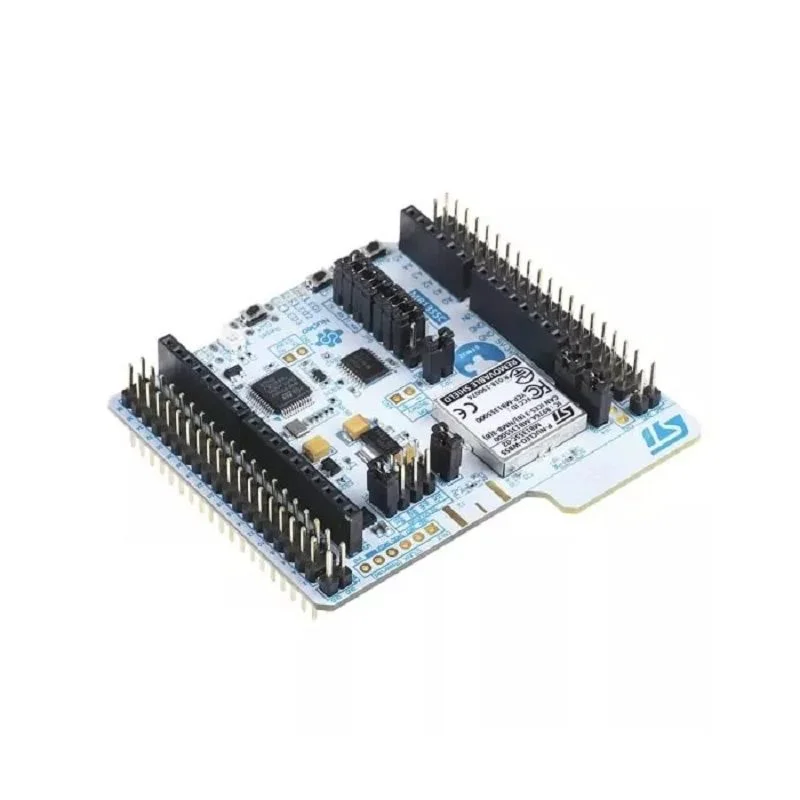
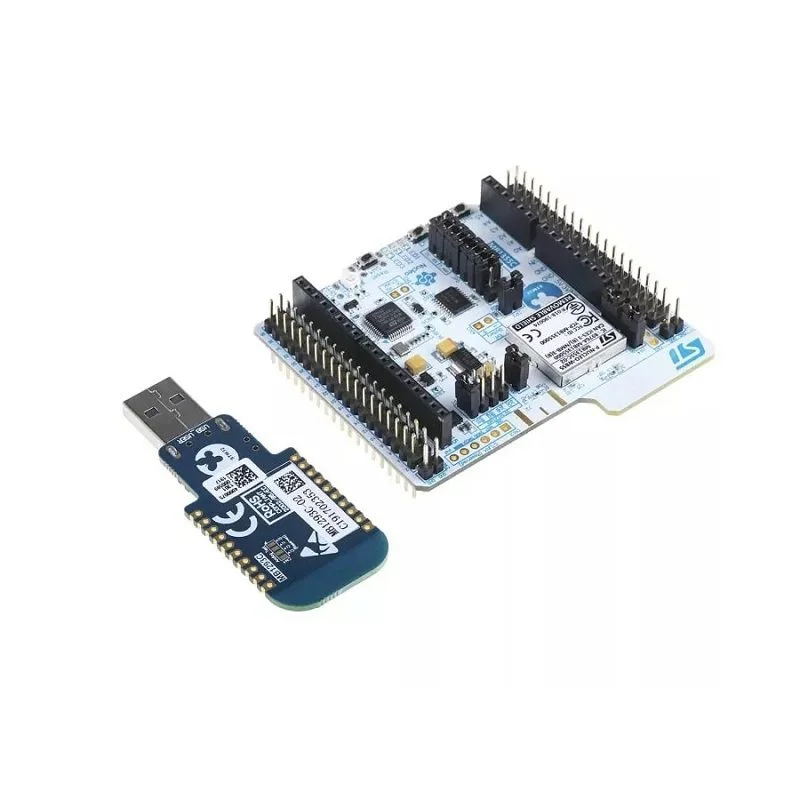
STMicroelectronics P-NUCLEO-WB55 Nucleo Pack Wireless Development Board

₹6,409.00 (Inclusive of all taxes)
Out of Stock

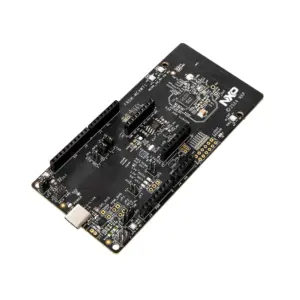
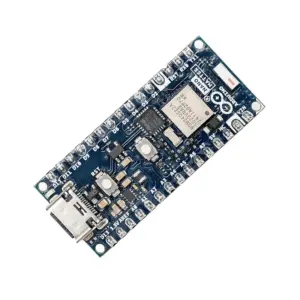
The STMicroelectronics P-NUCLEO-WB55 Nucleo Pack is a wireless development board centered on the dual-core STM32WB55RG MCU, supporting Bluetooth 5.4, Zigbee, Thread, and Matter protocols. It includes an integrated ST-LINK debugger and offers Arduino Uno V3 and ST morpho connectors for rapid prototyping of low-power IoT applications.

Features

  • Dual-Core Wireless MCU: Features the STM32WB55RG with Arm Cortex-M4 for application processing and a dedicated Cortex-M0+ for real-time RF layer, enabling efficient concurrent wireless protocol handling.
  • Multi-Protocol 2.4GHz Radio: Integrated transceiver supports Bluetooth Low Energy 5.4, IEEE 802.15.4, Zigbee 3.0, Thread 1.3, and Matter for versatile IoT connectivity.
  • Integrated Development Tools: On-board ST-LINK/V2-1 debugger/programmer provides USB mass storage, Virtual COM port, and debug port for streamlined firmware flashing and testing.
  • Flexible Expansion & Power: Equipped with Arduino Uno V3 and ST morpho connectors, plus options for USB VBUS, external power, or CR2032 coin cell for portable deployments.
  • Dual Antenna Options: Supports both an integrated PCB antenna and an external SMA/U.FL connector footprint for optimizing range and placement in final designs.

Out of stock

Description

The P-NUCLEO-WB55 Nucleo Pack is a comprehensive wireless evaluation and prototyping platform built around the STM32WB55 microcontroller family. Its dual-core architecture separates application logic on the Cortex-M4 from real-time radio tasks on the Cortex-M0+, ensuring robust and low-latency wireless performance for Bluetooth 5.4, Zigbee, Thread, and Matter networks. This design is critical for developing secure, interoperable smart home, industrial automation, and wearable devices.

The board provides extensive hardware interfaces, including user LEDs, push-buttons, and flexible power management supporting active and deep sleep modes for battery-operated scenarios. The integrated ST-LINK debugger simplifies code upload and real-time debugging within popular IDEs like STM32CubeIDE, IAR, and Keil MDK-ARM. With its morpho and Arduino-compatible headers, developers can rapidly connect a wide array of sensors and actuators, accelerating the transition from prototype to production-ready wireless IoT solutions.

Key Features

  • Multi-Protocol Wireless Core: Single-chip solution for Bluetooth 5.4, IEEE 802.15.4 (Zigbee/Thread), and Matter, reducing BOM and complexity.
  • Dedicated Radio Coprocessor: Arm Cortex-M0+ core handles all RF stack timing, freeing the main Cortex-M4 application core for user tasks.
  • Comprehensive Development Suite: Fully supported by STM32CubeWB MCU Package, including HAL libraries, middleware (BLE, Zigbee, Thread stacks), and code examples.
  • Flexible Antenna Design: Switchable between an onboard PCB antenna for compact designs and an external SMA or U.FL connector for extended range applications.
  • Advanced Power Management: Supports multiple low-power modes, with an onboard footprint for a CR2032 battery holder for ultra-low-power sensor node development.
  • Rich I/O Expansion: Full Arduino Uno V3 shield compatibility and high-density ST morpho connector expose all MCU GPIOs, analog, and communication peripherals.

Applications

  • Smart Home & Building Automation: Develop Matter-over-Thread or Zigbee 3.0 compatible smart switches, sensors, and lighting controllers.
  • Wearable & Healthcare Devices: Create Bluetooth 5.4-enabled fitness trackers, medical monitors, and personal IoT gadgets with extended range features.
  • Industrial IoT (IIoT) Sensors: Build wireless sensor nodes for asset monitoring, predictive maintenance, and environmental telemetry using low-power protocols.
  • Mesh Networking Prototypes: Prototype and test robust Thread or Zigbee mesh networks for reliable, scalable device-to-device communication.

Technical Specifications

Microcontroller/SoCSTM32WB55RG (Dual-core Arm Cortex-M4 & Cortex-M0+)
Wireless ProtocolsBluetooth 5.4, IEEE 802.15.4, Zigbee 3.0, Thread 1.3, Matter
Frequency Range2.4 GHz ISM Band
RAM256 kB
Supply Voltage1.7V to 3.6V (via USB VBUS or external source)
InterfacesMicro-B USB, Arduino Uno V3, ST morpho connector, User LEDs & Buttons
Antenna ConnectorIntegrated PCB antenna & SMA/U.FL connector footprint
DebuggerIntegrated ST-LINK/V2-1 (Debug, VCP, Mass Storage)
Dimensions70 mm x 65 mm

Frequently Asked Questions

How do I program the P-NUCLEO-WB55 board and which IDEs are supported?

The board is programmed via the integrated ST-LINK/V2-1 debugger using a Micro-USB cable. Supported Integrated Development Environments include STM32CubeIDE (free), IAR Embedded Workbench, and Keil MDK-ARM. You must first install the STM32CubeWB MCU Package, which provides HAL drivers, BLE, Zigbee, and Thread middleware stacks, and project examples. In your chosen IDE, create a new project for the STM32WB55RG microcontroller, configure the wireless stack, and then build and flash the firmware directly to the board's internal flash memory.

How do I switch between the onboard PCB antenna and an external antenna?

Antenna selection is managed through software configuration and a hardware solder bridge. The board has footprints for both an SMA connector and a U.FL connector. To use an external antenna, you must first populate the desired connector. Then, in your firmware, you must configure the RF control pins (via the STM32CubeMX tool or directly in code) to select the external antenna path. Typically, this involves setting a specific GPIO pin high or low. The onboard PCB antenna remains the default path if no external hardware is populated and the software configuration matches.

What is the power consumption in different operating modes, and how do I power it with a battery?

The STM32WB55 is designed for low-power operation. In Run mode (radio active), consumption depends on RF output power. In low-power sleep and stop modes, current can drop to microamp levels. The board includes a footprint for a CR2032 coin cell battery holder (not populated). To use battery power, solder the holder, connect the battery, and ensure the board's power selection jumpers are configured to draw from the V_BAT pin. Your firmware must utilize the power management HAL libraries to put the MCU and radio into appropriate sleep states between measurements to maximize battery life.

Package Includes

  • 1 x STMicroelectronics P-NUCLEO-WB55 Nucleo Pack Wireless Expansion Development Board

Additional Information

Weight 0.032 kg
Dimensions 7 × 6.5 cm