SKU: IOWC-1176
📋 GST Invoice Available

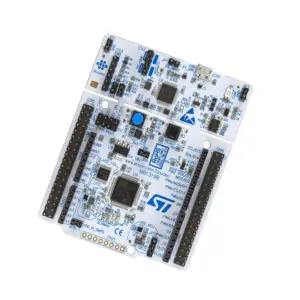
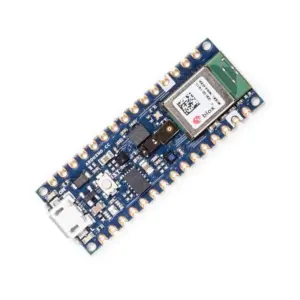
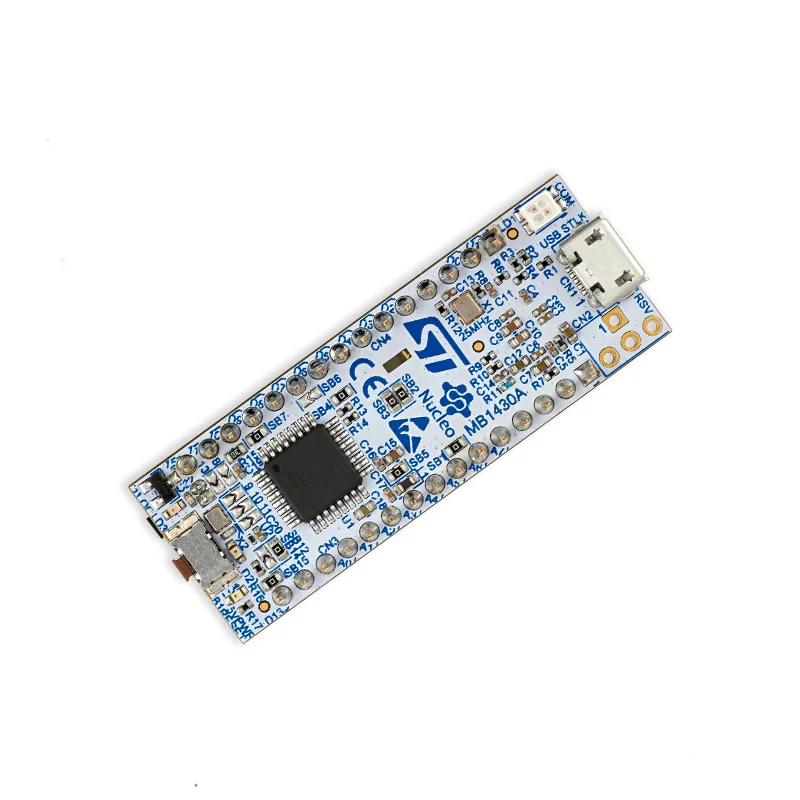
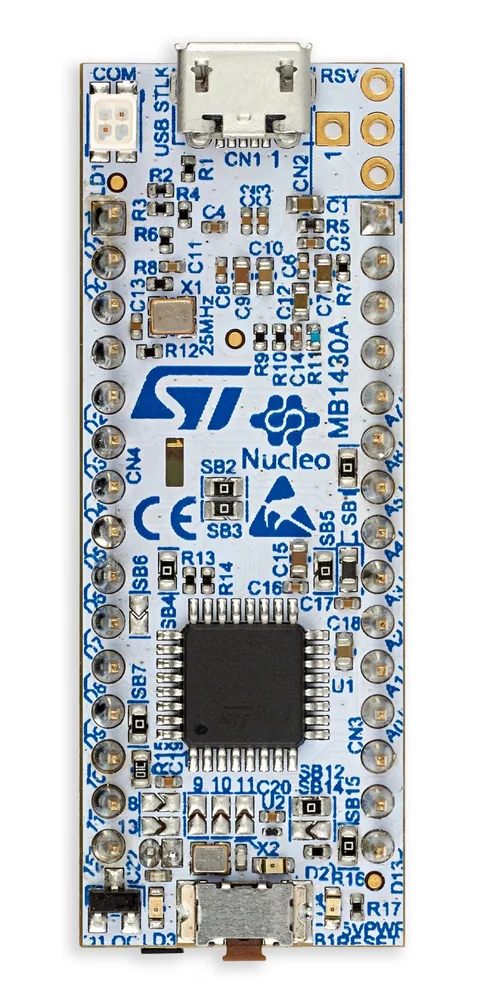
STMicroelectronics NUCLEO-G431KB Dev Board, STM32G431KBT6U MCU

₹3,039.00 (Inclusive of all taxes)
Out of Stock

The STMicroelectronics NUCLEO-G431KB development board features the STM32G431KBT6U microcontroller, offering a flexible prototyping platform with integrated ST-LINK debugger and Arduino Nano V3 shield compatibility for rapid IoT and embedded system development.

Features

  • Features the STM32G431KBT6U microcontroller in a 30-pin package for high-performance, low-power embedded applications.
  • Integrated ST-LINK/V2-1 debugger and programmer eliminates the need for an external probe, supporting USB mass storage and Virtual COM port.
  • Full Arduino Nano V3 shield compatibility for easy hardware expansion with a vast ecosystem of add-on modules.
  • Comprehensive software support via the free STM32Cube MCU Package, including HAL libraries and examples.
  • Powered via USB, external sources, or the ST-LINK interface, with a 24 MHz crystal oscillator for stable clocking.

Out of stock

Description

The NUCLEO-G431KB is an open development board centered on the Arm® Cortex®-M4 core of the STM32G431 microcontroller. It provides a complete prototyping environment for embedded engineers and makers, integrating the ST-LINK debugger directly on-board to streamline firmware flashing and debugging via a Micro-AB USB connection. The board’s design emphasizes ease of use and rapid iteration.

With its Arduino Nano V3 form factor connector, the platform offers straightforward hardware extensibility, allowing developers to leverage a wide range of specialized sensor, actuator, and communication shields. This makes it suitable for prototyping IoT endpoints, industrial control nodes, and smart device concepts. The board is supported by the STM32Cube ecosystem, including middleware and code generation tools, and is compatible with major IDEs like IAR Embedded Workbench, Keil MDK, and GCC-based environments.

Key Features

  • Integrated ST-LINK/V2-1 debugger/programmer with USB re-enumeration capability (mass storage & Virtual COM port).
  • Direct Arduinoâ„¢ Nano V3 shield expansion connector for rapid prototyping with a vast hardware ecosystem.
  • Powered through multiple sources: USB VBUS via ST-LINK, external supplies, or the Arduino connector.
  • Comprehensive free software framework via STM32CubeMX initialization tool and HAL/LL libraries.
  • Arm® Mbed Enabledâ„¢ compliant, offering an alternative online development environment.
  • On-board user LED and reset push-button for basic I/O testing and system control.
  • Compatible with IARâ„¢, Keil®, and GCC-based IDEs for flexible development workflow integration.

Applications

  • Prototyping IoT sensor nodes and edge computing devices with peripheral expansion.
  • Developing industrial control systems, motor drives, and digital power supplies.
  • Educational platform for learning Arm Cortex-M4 architecture and STM32Cube development.
  • Creating proof-of-concept devices for smart home automation and wearable tech.
  • Building embedded systems requiring precise analog sensing and real-time control.

Technical Specifications

Microcontroller/SoCSTM32G431KBT6U (Arm Cortex-M4)
Core Package30-pin UFQFPN
Debug InterfaceIntegrated ST-LINK/V2-1
Expansion ConnectorArduino Nano V3 compatible
User Interface1x User LED, 1x Reset Push-button
Crystal Oscillator24 MHz
Power SupplyUSB VBUS (ST-LINK), External Source, Arduino Connector
IDE SupportSTM32CubeIDE, IAR EWARM, Keil MDK, Mbed Studio, GCC
Software PackageSTM32Cube MCU Package (HAL, LL, Examples)

Frequently Asked Questions

How do I program the NUCLEO-G431KB board?

The board is programmed using the integrated ST-LINK/V2-1 debugger. Connect it to your PC via the Micro-AB USB port. Install the STM32CubeIDE or your preferred IDE (Keil, IAR). The board will appear as a mass storage device; drag-and-drop compiled .bin files, or use the debug interface for direct flashing and live debugging through the ST-LINK's Virtual COM port.

What power supply options are available for this development board?

The board can be powered in three ways: via the ST-LINK's USB VBUS (5V), through an external 5V-12V supply connected to the E5V and GND pins on the Arduino connector, or via the 3.3V and 5V pins on the same connector. The on-board switching regulator and LDO provide the necessary core voltages. Ensure total current draw does not exceed the regulator's limits when using shields.

How do I use Arduino Nano shields with this STM32 Nucleo board?

The board's morpho connector is mechanically and electrically compatible with Arduino Nano V3 shields. Align the shield's pins with the female header on the NUCLEO-G431KB. Pin mapping follows the Arduino Nano layout, but you must use the STM32Cube HAL or LL libraries to configure GPIO, ADC, I2C, SPI, and UART peripherals, as the pin functions are defined in your STM32CubeMX project, not by the Arduino IDE framework.

Package Includes

  • 1 x STMicroelectronics NUCLEO-G431KB Development Board

Additional Information

Weight 0.04 kg
Dimensions 10 × 8 × 5 cm