SKU: IOWC-0136
📋 GST Invoice Available

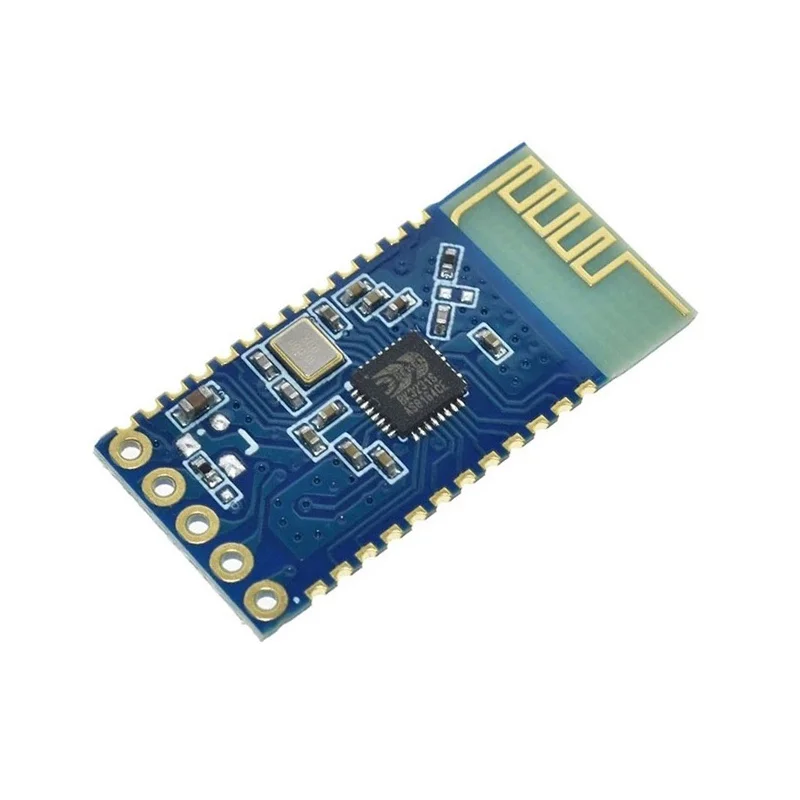
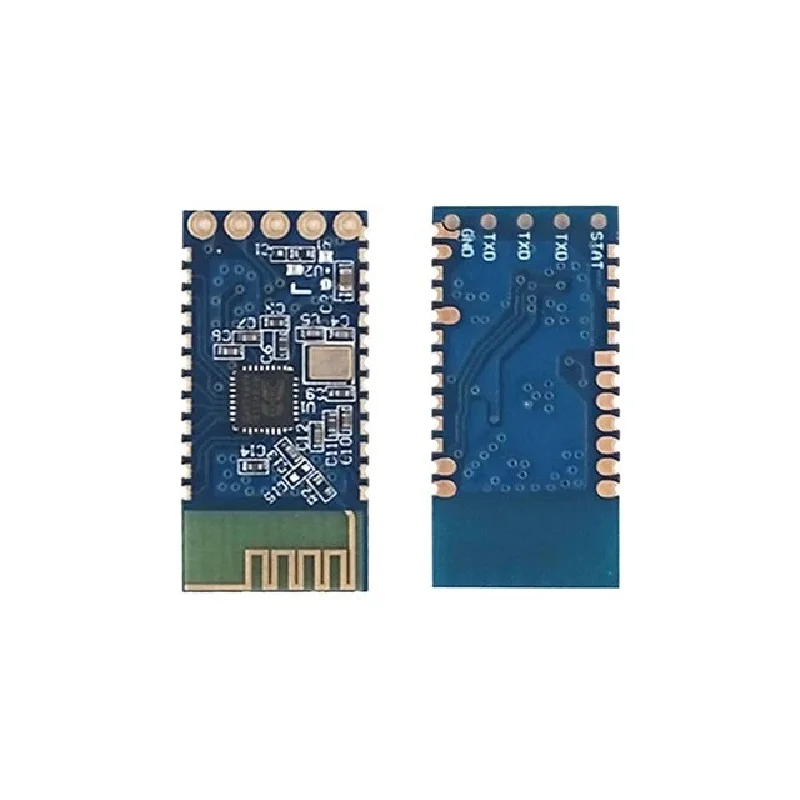
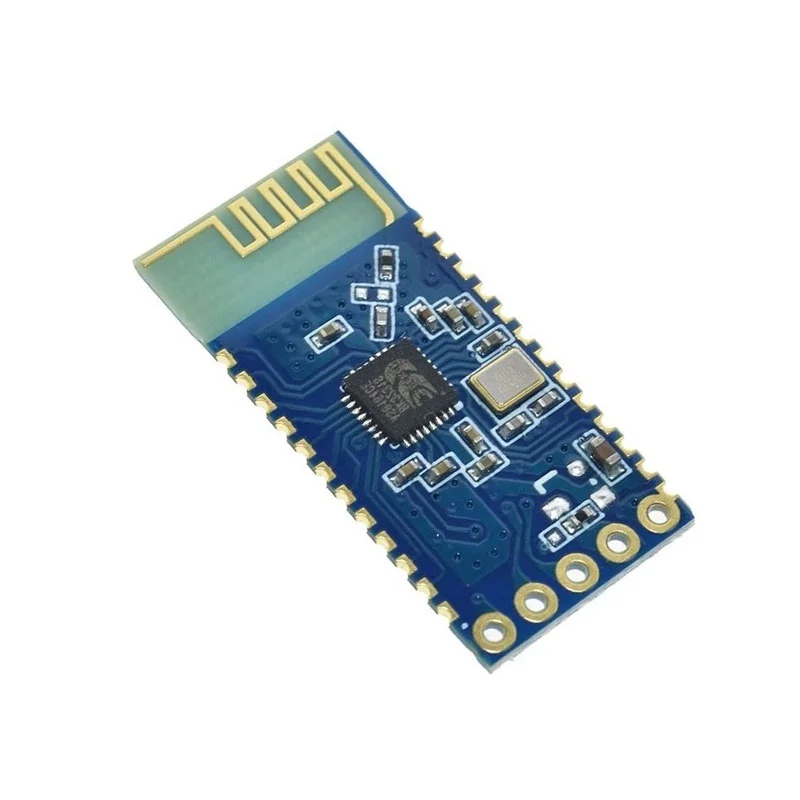
JDY-31 SPP-C Bluetooth 2.0 Serial Pass-Through Module

₹160.00 (Inclusive of all taxes)
Out of Stock

The JDY-31 SPP-C is a Bluetooth 2.0 serial pass-through module offering transparent UART communication for wireless data transfer between devices, ideal for simple DIY electronics and legacy projects.

Features

  • Bluetooth 2.0 Serial Pass-Through: Enables transparent wireless serial data transmission between devices via UART interface.
  • Low Power Operation: Consumes only 4.7mA operating current, suitable for battery-powered applications.
  • Compact & Integrated Design: Features a small form factor with a built-in PCB antenna for easy integration.
  • Wide Voltage Range: Operates from 1.8V to 3.6V, with 3.3V recommended for stable performance.
  • Standard AT Command Support: Configure and control the module using standard AT commands for setup and management.

Out of stock

Description

The JDY-31 SPP-C module implements the Bluetooth 2.0 protocol stack to provide a straightforward serial pass-through link. It operates in transparent mode, relaying data between its UART interface and Bluetooth radio without protocol overhead, making it a simple drop-in solution for adding wireless connectivity to microcontrollers and embedded systems.

Designed for low-power operation, the module consumes 4.7mA during active communication and supports a wide supply voltage range from 1.8V to 3.6V, accommodating various power sources. Its integrated PCB antenna provides a typical line-of-sight range of up to 30 meters, sufficient for short-range telemetry, remote control, and data logging applications.

Key Features

  • Transparent Serial Pass-Through: Forwards UART data wirelessly without modification, simplifying firmware development.
  • Low Power Consumption: Optimized for efficiency with a 4.7mA operating current, extending battery life in portable devices.
  • Integrated PCB Antenna: Built-in antenna eliminates the need for external components, reducing board space and BOM cost.
  • Wide Operating Temperature: Functions reliably from -40°C to 80°C, suitable for industrial and outdoor environments.
  • Standard AT Command Interface: Allows for easy configuration of parameters like device name, baud rate, and pairing mode.
  • Compact Form Factor: Small footprint facilitates integration into space-constrained designs and finished products.

Applications

  • DIY Electronics & Maker Projects: For adding wireless control or data logging to Arduino, Raspberry Pi, and other microcontroller platforms.
  • Remote Sensor Nodes: Transmitting environmental data (temperature, humidity) from battery-powered sensors to a central gateway.
  • Wireless Serial Cable Replacement: Creating a wireless link between two devices that normally communicate via a wired serial connection.
  • Simple Remote Control: Enabling Bluetooth control for robots, toys, or home automation prototypes.
  • Legacy Device Upgrades: Adding Bluetooth connectivity to older equipment with a serial port interface.

Technical Specifications

Bluetooth Version2.0
Frequency Range2.4GHz
Communication InterfaceUART
Supply Voltage1.8V - 3.6V (3.3V recommended)
Operating Current4.7mA
RF Transmit Power8dBm (maximum)
Receiver Sensitivity-97dBm
Transmission DistanceUp to 30 meters (line-of-sight)
Antenna ConnectorBuilt-in PCB antenna
Operating Temperature-40°C to 80°C
DimensionsApprox. 4cm x 3cm x 2cm
WeightApprox. 3g

Frequently Asked Questions

How do I configure the JDY-31 module using AT commands?

Connect the module's UART TX/RX pins to a USB-to-serial adapter or microcontroller serial port. Power it with 3.3V, set your terminal software to the default baud rate (typically 9600 or 115200), and send AT commands like AT+NAME to change the Bluetooth device name or AT+BAUD to adjust the communication speed. Refer to the module's specific datasheet for the complete AT command set and proper wiring connections.

What is the typical wiring connection for the JDY-31 to an Arduino?

Connect the JDY-31's VCC pin to the Arduino's 3.3V output, GND to GND, TXD to the Arduino's RX pin (e.g., digital pin 0), and RXD to the Arduino's TX pin (e.g., digital pin 1). Ensure you use a logic level converter if your Arduino operates at 5V, as the module's maximum voltage is 3.6V. For software serial, assign any other digital pins and initialize the SoftwareSerial library accordingly in your sketch.

Can the JDY-31 module connect to modern smartphones?

Yes, the JDY-31 using Bluetooth 2.0 is generally backward compatible and should pair with most Android or iOS devices. You will need a serial terminal app on your phone (like Bluetooth Terminal) to establish communication. Note that Bluetooth 2.0 offers lower data rates and potentially less stable connections compared to newer BLE 4.0/5.0 modules, which might be preferable for new designs requiring higher performance or lower power.

Package Includes

  • 1 x JDY-31 SPP-C Bluetooth Module

Additional Information

Weight 0.003 kg
Dimensions 3 × 4 × 2 cm