SKU: IOWC-1514
📋 GST Invoice Available

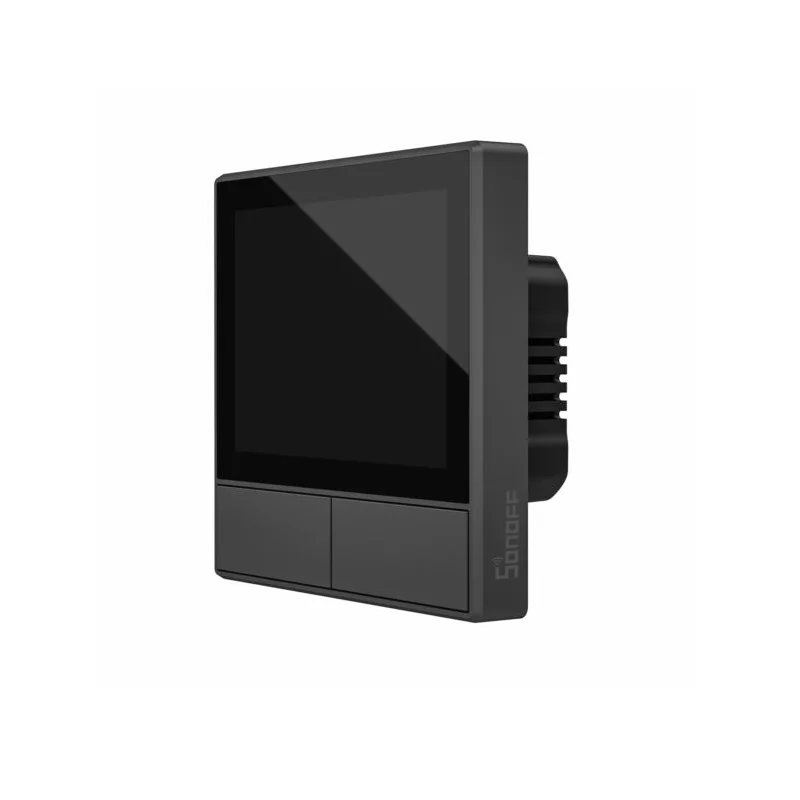
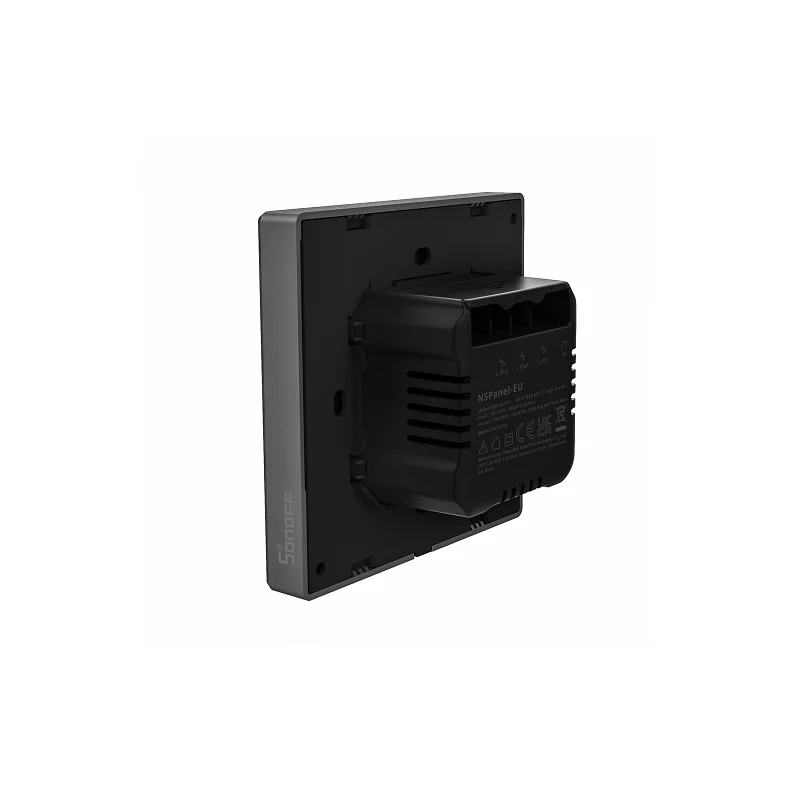
Sonoff NSPanel EU Smart Scene Wall Switch LCD Touch

₹9,089.00 (Inclusive of all taxes)
Out of Stock

The Sonoff NSPanel EU is a smart wall switch integrating a 3.5-inch capacitive touchscreen, dual-channel relay control, and environmental sensors for centralized home automation via Wi-Fi 2.4GHz and Bluetooth 4.2 BLE, compatible with Alexa, Google Assistant, and the eWeLink app.

Features

  • Centralized HMI Control Panel: Features a 3.5-inch capacitive touchscreen (480x320px) for managing lights, appliances, and scenes directly from the wall.
  • Dual-Channel Relay Switching: Controls two independent 2A circuits (4A group total) for 100-240V AC loads, including LED lighting up to 600W.
  • Built-in Environmental Sensors: Integrates a thermostat and sensors for automated climate control and real-time display of indoor/outdoor temperature, weather, and time.
  • Multi-Protocol Connectivity: Connects via 2.4GHz Wi-Fi (802.11 b/g/n) and Bluetooth 4.2 BLE for remote app (eWeLink) and voice control with Alexa & Google Home.
  • Scene-Based Automation: Enables one-tap activation of custom modes for wake-up, work, entertainment, and sleep, compatible with a wide range of Sonoff devices.

Out of stock

Description

The Sonoff NSPanel EU Smart Scene Wall Switch consolidates human-machine interface (HMI) control, environmental sensing, and dual-channel AC switching into a single, EU-standard wall plate. Its ESP32-based architecture provides robust Wi-Fi and BLE connectivity for seamless integration into the eWeLink ecosystem, enabling local touch control, remote smartphone management, and hands-free voice commands via major assistants.

Designed for direct retrofit installation, the panel features a tempered glass front and PC V0 flame-retardant shell, housing the capacitive touchscreen, relay drivers, and sensor array. The built-in thermostat allows for time-scheduled temperature triggers, automating connected HVAC or heater/cooler devices to maintain room comfort autonomously, making it a core component for modern smart home and light commercial automation systems.

Key Features

  • All-in-One Control Hub: Combines a touchscreen HMI, dual smart switches, and environmental monitoring in a standard 86x86mm wall plate.
  • Intelligent Thermostat Function: Automatically triggers heating/cooling equipment based on user-defined temperature schedules and sensor readings.
  • Multi-Method Control: Operate via local touchscreen or physical switches, the eWeLink mobile app remotely, or voice commands through Alexa and Google Assistant.
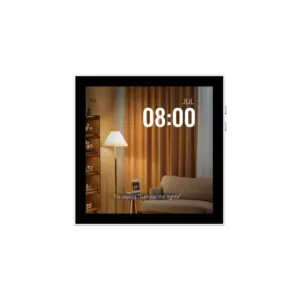
  • Real-Time Environmental Dashboard: Displays live weather updates, indoor/outdoor temperature, humidity, date, and time via its Wi-Fi connection.
  • Broad Sonoff Device Compatibility: Centralizes control for Sonoff bulbs, light strips, smart plugs (S26, S31, POWR3), and switches for unified automation.
  • Scene & Mode Automation: Create and trigger custom scenes (e.g., "Good Night", "Entertainment") with a single tap for coordinated device control.

Applications

  • Centralized Smart Home Control: Acts as the primary wall-mounted dashboard for controlling lights, appliances, curtains, and climate systems.
  • Residential Climate Automation: Manages heaters, coolers, and fans via its built-in thermostat and scheduling for energy-efficient comfort.
  • Voice-Controlled Lighting Scenes: Enables hands-free operation and complex lighting scenes integrated with popular voice assistants.
  • Retrofit Smart Switch Installation: Direct replacement for traditional EU wall switches, upgrading existing wiring with smart touch and remote control.
  • Multi-Room Scene Management: Coordinates devices across rooms using predefined modes for activities like waking up, working, or entertaining.

Technical Specifications

KeyValue
Microcontroller / ConnectivityESP32 (Wi-Fi + Bluetooth)
Wireless ProtocolsWi-Fi IEEE 802.11 b/g/n 2.4GHz, Bluetooth 4.2 BLE
AC Input / Output100-240V ~ 50/60Hz
Relay Output Current2A per channel, 4A group total
Max LED Load (220V)300W per channel, 600W total
Screen3.5-inch Capacitive Touch, 480 x 320 pixels
Control InterfacesTouchscreen, Dual Physical Switches, eWeLink App, Voice
Voice Assistant SupportAlexa, Google Assistant, Siri Shortcuts
Shell MaterialPC V0 + CRS + Tempered Glass
Dimensions (H x W x D)86 x 86 x 41.7 mm
CertificationsCE, CQC, SRRC, RoHS

Frequently Asked Questions

How do I connect the Sonoff NSPanel to my Wi-Fi network and set it up?

Power the NSPanel and download the eWeLink app. Create an account, tap 'Add Device', and select the NSPanel. The app will guide you to connect to the device's hotspot for Wi-Fi configuration. Ensure your phone is on a 2.4GHz network. Finalize setup by naming the device and assigning the two relay channels to control specific lights or appliances in your home.

What is the maximum electrical load each channel of the NSPanel can handle?

Each independent relay channel supports a maximum of 2A. For resistive loads like incandescent bulbs or heaters at 220V, this equates to 440W per channel. Specifically for LED lighting, the maximum load is 300W per channel at 220V. The total combined load for both channels operating simultaneously should not exceed 4A or 600W for LED loads on a 220V system to ensure safe operation.

Can I use the NSPanel's thermostat to control a non-Sonoff air conditioner or heater?

Yes, you can automate non-Sonoff HVAC equipment if it is plugged into a Sonoff smart plug (like the POWR3) that is added to your eWeLink ecosystem. In the NSPanel settings, create an automation scene where the internal temperature sensor triggers an action. Set the action to turn the designated smart plug on or off based on your temperature thresholds, thereby controlling the power to the connected appliance.

How do I configure voice control with Amazon Alexa or Google Assistant?

First, ensure your NSPanel is fully set up in the eWeLink app. For Alexa, enable the 'eWeLink' skill and link your account. For Google Home, add the eWeLink service through the Google Home app. Once linked, your devices and scenes from NSPanel will sync automatically. You can then use voice commands like 'Alexa, turn on the kitchen lights' or 'Hey Google, set the living room to Movie Mode'.

What should I do if the NSPanel touchscreen becomes unresponsive or the device goes offline?

First, check the household circuit breaker and ensure the device has power. For an unresponsive touchscreen, perform a hard reset by turning off the power at the breaker for 30 seconds and then restoring it. If the device is offline in the app, verify your 2.4GHz Wi-Fi network is operational. If issues persist, use a small pin to press the recessed reset button on the panel for 5 seconds to reboot it and re-enter Wi-Fi configuration mode.

Package Includes

  • 1 x Sonoff NSPanel EU Smart Scene Wall Switch

Additional Information

Weight 0.228 kg
Dimensions 8.6 × 8.6 × 4.17 cm